This is the GAT Labs for Enterprise website. Go to the GAT Labs for Education solutions here.

GOOGLE WORKSPACE DOMAIN MIGRATION

Know What You’re Moving Before You Migrate.

Moving users and data is only part of a successful Google Workspace migration. Before anything moves, you need to know what exists, who owns it, who can access it, and what could be left behind.

Audit the source environment, plan the move, protect access, and validate the destination before the old environment is retired.

SOC 2 Type II Certified
Google Workspace Marketplace
4.9/5 Rating
★★★★★
10+ Years Google Workspace Expertise
Source Workspace company-a.com
Scanning Mapped

Users Active, inactive and suspended
1,248
Drive Ownership, sharing and storage
6.4 TB
Gmail Messages, labels and delegation
Calendar Events, resources and sharing
Source environment mapped Migration dependencies identified
External sharing 327 files
@
Personal Gmail ownership 42 files
Shared-in files External owner
Suspended users 18 accounts
Group permissions Needs mapping
Ready to plan migration
company-a.com
company-b.com

THE MIGRATION GAP

Moving the Data is Only Part of the Migration.

A migration can be complete without everything being right. Files can arrive with unexpected ownership. Users can lose access because an old Group no longer exists. Shared Drive memberships may change. Business files owned by external or personal Gmail accounts can remain outside your control.

01 / SCOPE

What are you actually moving?

Users, Drive, Shared Drives, Gmail, Groups, calendars, permissions and organizational structure all need consideration.

02 / ACCESS

Who owns and accesses it today?

Ownership, Groups, external sharing and domain-level permissions determine whether work continues after migration.

03 / UNKNOWN

What could get left behind?

Suspended users, orphaned content, shared-in files and externally owned files can fall outside the expected migration scope.

MIGRATION SCOPE

What Needs to Move in a Google Workspace Domain Migration?

Define the data, identities and access relationships that need to exist in the destination.

My Drive

Files, folders, ownership and sharing

Shared Drives

Content, members, roles and access permissions.

Gmail

Messages, attachments, labels, filters, delegation and forwarding

Groups

Memberships, settings and Group-based access

Users & OUs

Accounts, organizational structure, licenses and attributes

Calendar

Calendar

Events, resources and sharing.

Permissions

Users, Groups, domains and external access.

Shared-in content

Files users rely on but your organization does not own.

PRE-MIGRATION AUDIT

Before You Move Anything, Audit What You Have

You cannot define a reliable migration scope from user lists alone.

Build a baseline of the source environment so you know what needs to move, what needs to change, and what should not be carried into the destination.

Audit the source

Auditing environment...
Users & OUs Accounts and structure
Drive ownership Files and external owners
Shared Drives Content, members and access
Sharing & access External and public sharing

What it can reveal

42 Files owned externally
18 Suspended accounts
327 Externally shared files
6.4 TB Total storage to review
Baseline created Ready to define the migration plan.

THE MIGRATION PROCESS

A Safer Migration Starts With a Controlled Plan

A successful Google Workspace migration needs a clear baseline, careful mapping, and validation after the move. Follow these five stages to reduce ownership, access, and data gaps.

01

Audit

Understand users, data, ownership, sharing and access before anything moves.

02

Map

Define destination users, Groups, ownership and permissions.

03

Migrate

Start with a representative pilot before moving larger groups.

04

Validate

Compare the destination against the source baseline.

05

Review

Audit the destination again after 30 and 90 days.

Start with a pilot. Test users with large Drive accounts, Shared Drive access, Group memberships and external collaborators before moving larger groups.
Domain Migration Guide

Plan the Migration Beyond the Data Transfer

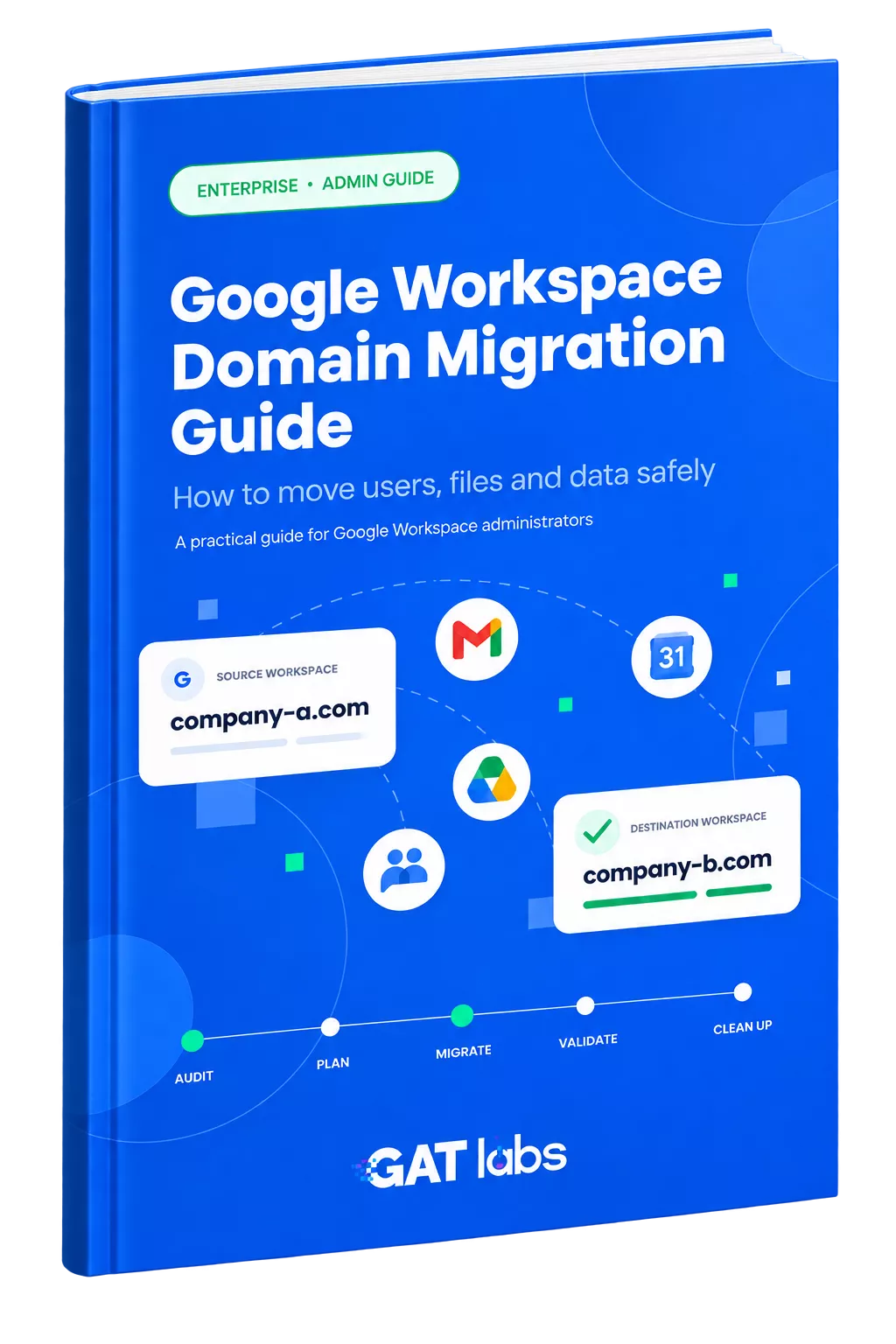
Moving the data is only part of the job. Use the complete guide to audit the source, map users and access, plan for ownership and permissions, run a controlled pilot, and validate the destination at 30 and 90 days.

GAT LABS SOLUTIONS

Support Every Stage of Your Google Workspace Migration

GAT gives administrators the visibility and controls to make migration decisions based on what actually exists, then manage the account, ownership and access changes around the move.

Audit & Validate

Build a baseline across users, Drive, sharing, ownership and storage so the migration scope is based on actual Workspace data.

Prepare & Manage

Handle the account and organizational changes around the migration without relying on repetitive manual Admin Console work.

Protect Sensitive Changes

Add controlled approval to ownership and permission changes that carry higher risk during migration.
How GAT supports the migration journey
01
Audit
GAT+
02
Prepare
Flow
03
Migrate
Flow + Unlock
04
Validate
GAT+

Frequently Asked Questions

Google Workspace Domain Migration

How do I migrate from one Google Workspace domain to another?

Start by auditing the source environment and mapping users, data, ownership and permissions to the destination. Choose the appropriate migration method, run a pilot, migrate in controlled phases, then validate the destination against the source before retiring the old environment.

Review users and OUs, active and suspended accounts, Groups and memberships, My Drive ownership, Shared Drives, external and public sharing, shared-in files, permissions, storage and sensitive data. This establishes what exists before you decide what should move.

Permissions may depend on users, Groups, domains, Shared Drive roles and external identities. Because identities can change between domains, permissions should be mapped before migration and validated afterward rather than assuming access will remain the same.

A Workspace user may have access to business files owned by an external or personal Gmail account. Migrating that user’s Workspace account does not automatically make the organization the owner of those files. Identify shared-in content before migration and decide how externally owned business data should be handled.

Compare the destination against the source baseline. Check users, file counts, ownership, Shared Drives, permissions, external sharing and actual user access. Data arriving in the destination is only one part of validation.

Yes. Run another review around 30 days and 90 days after migration. Look for new external sharing, unexpected ownership, unused legacy accounts, orphaned content, Shared Drive access changes and unresolved access problems.

Move With a Clear Picture of What You're Leaving Behind

Audit users, ownership, permissions, sharing and Workspace data before migration, manage the changes around the move, and verify the destination against your source environment.

Investigate compromised Google Workspace account