
Updated Nov 2026
Your organization may have strong Google Workspace security policies, but can you prove those controls are working?
When an auditor asks who has access to sensitive files, whether administrator permissions are reviewed, or how employee data is retained, your IT team needs more than a written policy. It needs evidence.
A Google Workspace compliance audit helps administrators verify that security configurations, user permissions, and data management practices align with organizational requirements.
In Part 7 of our 10-Step Google Workspace Auditing Guide, we’ll explain how to audit Google Workspace for compliance, what evidence to collect, and how to identify gaps before your next assessment.
Quick Answer: How Do You Conduct a Google Workspace Compliance Audit?
To conduct a Google Workspace compliance audit, identify the regulations and internal policies that apply to your organization. Review administrator privileges, user access, external file sharing, data retention, third-party applications, and security configurations. Collect audit logs and configuration evidence, document any gaps, assign corrective actions, and repeat the process regularly.
What Is a Google Workspace Compliance Audit?
A Google Workspace compliance audit is a structured assessment of how your organization’s Google Workspace environment aligns with applicable regulatory requirements, industry standards, and internal policies.
It examines both the security controls you have configured and the evidence demonstrating that those controls are operating as intended.
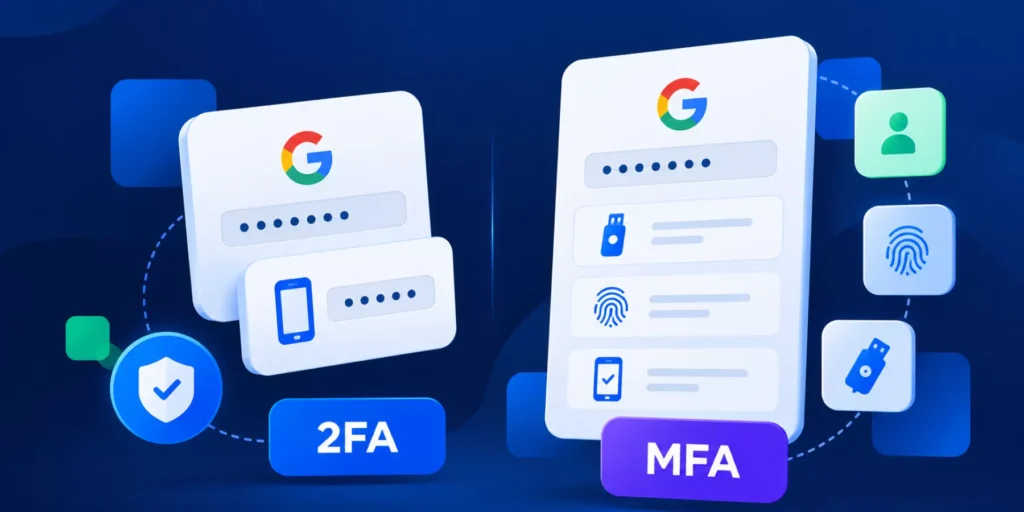
For example, an organization may have a policy requiring employees to use multi-factor authentication (MFA).
During a compliance audit, administrators should verify whether MFA is enforced for the relevant accounts, identify exceptions, and document the results.
The distinction is important: having a policy is different from demonstrating compliance with it.
Internal Audits vs. External Compliance Audits
Although both review organizational controls, they serve different purposes.
| Audit Type | Purpose | Typical Responsibility |
|---|---|---|
| Internal audit | Identify weaknesses in internal controls and prepare for assessments. | Internal IT, security, compliance, or audit teams |
| External compliance audit | Independently evaluate controls against a defined standard or set of requirements. | Independent auditors or authorized assessors |
Not every regulatory review requires an independent auditor. The appropriate assessment process depends on the applicable framework and legal requirements.
Regular internal audits help organizations identify and correct problems before formal assessments.
Which Compliance Frameworks Apply to Google Workspace?
The requirements you need to evaluate depend on your industry, location, and the information your organization handles.
| Framework | Main Focus | Google Workspace Audit Priorities |
|---|---|---|
| GDPR | Personal data protection | Access permissions, external sharing, and data retention |
| HIPAA | Protected health information | Access controls, audit logs, and data handling |
| SOC 2 | Security and other applicable Trust Services Criteria | Access reviews, monitoring, and incident response |
| ISO 27001 | Information security management | Risk management, security policies, and access controls |
| PCI DSS | Payment account data security | Authentication, access restrictions, and monitoring |
Each framework has different requirements. Using Google Workspace does not automatically establish compliance. Organizations must demonstrate that the appropriate controls are configured, maintained, and supported by evidence.
How to Conduct a Google Workspace Compliance Audit
1. Define Your Audit Scope
Start by identifying the regulations, standards, and internal policies that apply to your organization.
Determine which Google Workspace services, organizational units, users, and data categories need to be reviewed.
Your audit scope should clearly establish what is being assessed, who is responsible, and what evidence is required.
2. Review Security and Data Access Controls
Verify that your Google Workspace configurations align with your organization’s compliance requirements.
Focus on:
- – Administrator privileges: Review elevated permissions and apply least privilege.
- – User access: Identify inactive accounts and unnecessary access.
- – Google Drive: Review external sharing and access to sensitive files.
- – Gmail: Examine email security and data handling.
- – Third-party applications: Review OAuth permissions and unauthorized integrations.
- – Data retention: Verify Google Vault retention rules and legal holds.
- – Security controls: Check MFA enforcement, DLP policies, and relevant audit logs.
We’ve covered these areas in detail throughout our Google Workspace Auditing Series.
3. Collect and Document Audit Evidence
Compliance requires more than having security policies in place. You also need evidence showing that controls are operating as intended.
Depending on the requirements, evidence may include:
- – Administrator role and user access reports.
- – Google Drive sharing and permission records.
- – Security configuration records and audit logs.
- – Retention policies and relevant activity reports.
- – Documentation of security incidents and corrective actions.
Keep records organized, dated, and accessible to authorized personnel involved in the assessment.
4. Address Findings and Verify Improvements
Once the audit is complete, document any differences between your policies and actual configurations.
For each finding, record the associated risk, corrective action, responsible owner, and target completion date.
For example: If a former contractor still has access to confidential Google Drive files, remove the unnecessary permission and retain evidence of the change.
After remediation, verify that the issue has been resolved and update your audit records.
Google Workspace Compliance Audit Checklist
Use this checklist to prepare for your next compliance assessment.
| Audit Area | What to Verify |
|---|---|
| Compliance requirements | Applicable regulations and internal policies |
| Administrator access | Appropriate privileges and least-privilege controls |
| User accounts | Active users, inactive accounts, and access exceptions |
| Data sharing | External access to sensitive Google Drive files |
| Third-party applications | OAuth permissions and approved integrations |
| Security controls | MFA, DLP, and relevant security settings |
| Data retention | Google Vault policies and legal holds |
| Audit evidence | Reports, documented findings, and remediation records |
For a more detailed review, download our Google Workspace Auditing Task List .
How GAT Labs Supports Compliance Audits
GAT Labs helps Google Admins collect audit data, identify security risks, and address compliance findings.
With GAT+, administrators can review user permissions, external file sharing, OAuth applications, and activity across Google Workspace. GAT Flow supports automated user lifecycle processes, while GAT Unlock adds multi-party approval to sensitive administrative actions.
These capabilities support audit preparation and ongoing monitoring, but compliance assessments remain the responsibility of the organization and its authorized auditors.
Make Compliance an Ongoing Process
A compliance audit shouldn’t begin only when an external assessment is approaching.
Regular reviews help Google Admins identify outdated permissions, policy exceptions, and security configurations that no longer meet organizational requirements.
Can your organization demonstrate that its Google Workspace security controls are working?
Insights That Matter. In Your Inbox.
Join our newsletter for practical tips on managing, securing, and getting the most out of Google Workspace, designed with Admins and IT teams in mind.