Quick Answer
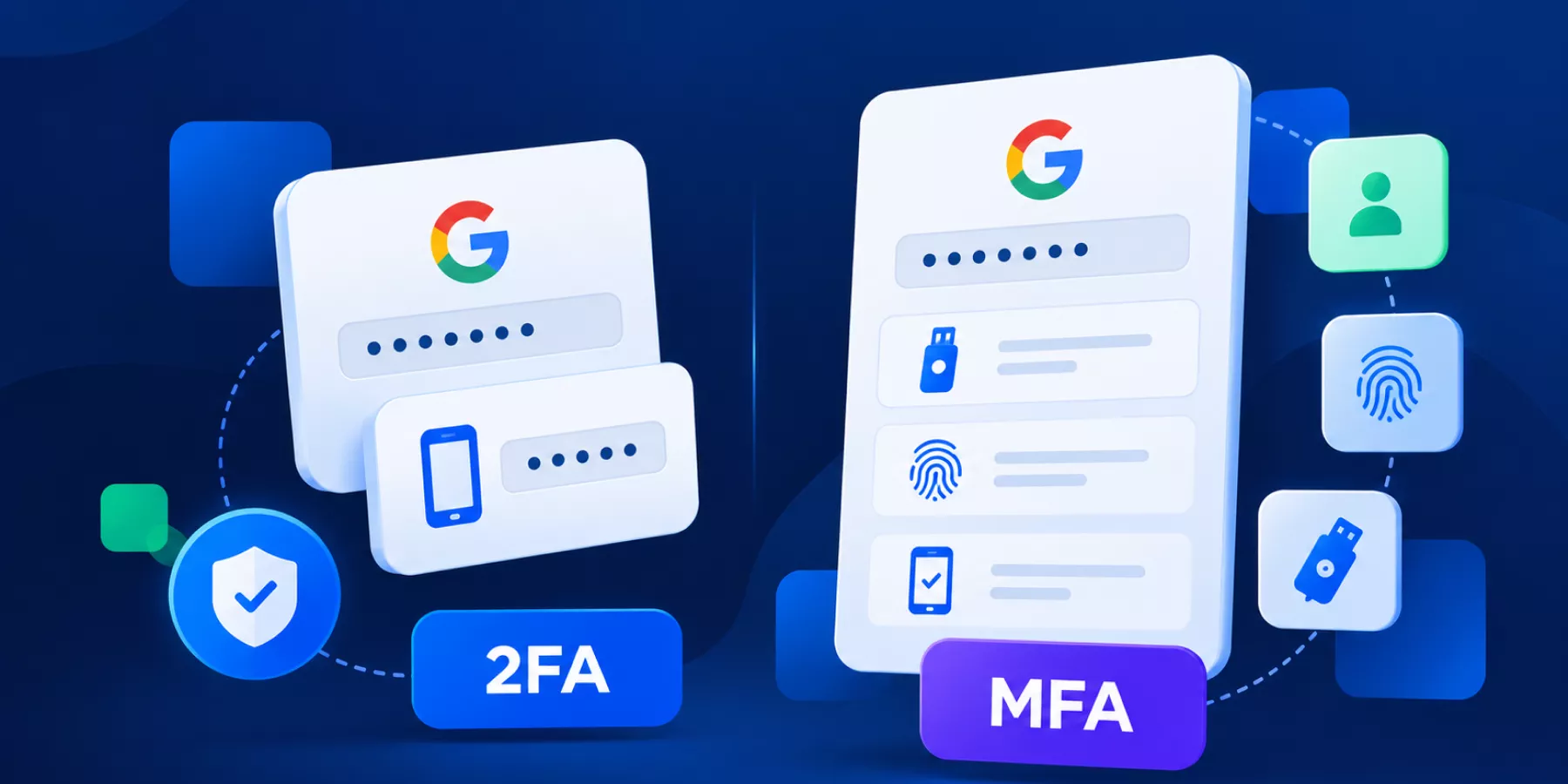
2FA is a type of MFA. Two-factor authentication uses exactly two distinct authentication factors, while multi-factor authentication uses two or more. Both help protect accounts against stolen passwords, but their effectiveness depends on the methods used.
For Google Workspace admins, phishing-resistant methods such as passkeys and FIDO2 security keys offer stronger protection than SMS codes or traditional one-time passwords.
Last Updated October 2026
Authentication methods are essential tools in protecting your organisation’s digital assets. Google Admins often encounter terms like Two-Factor Authentication (2FA) and Multi-Factor Authentication (MFA), but what exactly sets them apart? Understanding the differences and knowing the pros and cons of each can empower you to implement the right security measures for your enterprise’s Google Workspace environment.
What Is Two-Factor Authentication (2FA)?
Two-Factor Authentication (2FA) adds an extra layer of security by requiring not only your username and password (something you know) but also a second verification method. This could be something you have, such as a code from a mobile app, or something you are, like a fingerprint.
Common 2FA Methods:
- ▪️ OTP (One-Time Password) via SMS
- ▪️ Authenticator apps (e.g., Google Authenticator)
- ▪️ Backup codes
Pros of 2FA:
- ▪️ Simplicity: Easy for end-users to set up and understand.
- ▪️ Improved Security: Significantly reduces the risk of unauthorised access compared to password-only logins.
- ▪️ Compatibility: Integrates well with various apps, including Google Workspace.
Cons of 2FA:
- ▪️ Vulnerability to Phishing: SMS-based OTPs can be intercepted through SIM-swapping attacks.
- ▪️ Single Point of Failure: Access may still be vulnerable if the secondary method is compromised (e.g., the phone is lost or stolen).
- ▪️ Limited Scope: Only two layers of security may not be sufficient for higher-risk scenarios.
Further Reading: Google Workspace Data Loss Prevention (DLP): The Ultimate Guide for Admins
What Is Multi-Factor Authentication (MFA)?
Multi-Factor Authentication (MFA) is the broader security approach that requires two or more different authentication factors.
These typically include:
- 1. Knowledge: Something you know, such as a password or PIN.
- 2. Possession: Something you have, such as a security key or registered device.
- 3. Inherence: Something you are, such as a biometric characteristic.
Using a password and a verification code from an authenticator app qualifies as both 2FA and MFA.
Importantly, entering a password followed by another password doesn’t constitute true MFA because both rely on the same type of factor.
Pros of MFA:
- ▪️ Enhanced Security: Multiple factors make it harder for attackers to breach accounts.
- ▪️ Customisability: Allows organisations to choose which factors to implement, tailoring security levels to their needs.
- ▪️ Mitigation of Phishing Risks: Incorporates hardware tokens or biometrics that are more resistant to online threats.
Cons of MFA:
- ▪️ Complexity: Implementing and managing multiple factors can be more complicated for both admins and end-users.
- ▪️ User Experience Impact: More steps may lead to slower login processes, affecting user convenience.
- ▪️ Cost: Depending on the technology used (e.g., biometric devices or hardware tokens), implementing MFA can be more expensive.
Further Reading: The Complete Guide to Multi-Factor Authentication (MFA) for Google Admins

Where Do Passkeys Fit?
Passkeys use cryptographic authentication tied to a device or credential provider. They can allow users to sign in using a fingerprint, facial recognition, or device PIN without entering a traditional account password.
Google Workspace supports passkeys, including passwordless sign-in where enabled by administrators.
Unlike traditional verification codes, passkeys are designed to resist phishing because authentication is bound to the legitimate website.
Further reading: Google’s guide to passkeys in Workspace.
2FA vs. MFA: Key Differences
| Feature | 2FA | MFA |
|---|---|---|
| Number of factors | Exactly two | Two or more |
| Factor types | Two distinct types | Two or more distinct types |
| Example | Password + security key | Password + security key, or another qualifying multi-factor method |
| Phishing resistance | Depends on the method | Depends on the method |
| Security strength | Can be very strong | Not automatically stronger than 2FA |
| Google Workspace terminology | Commonly called 2-Step Verification (2SV) | General authentication security term |
The key takeaway: A phishing-resistant two-factor method can provide stronger protection than a multi-step authentication process that relies on phishing-vulnerable methods.
Which Authentication Methods Are Most Secure?
Google Workspace supports several authentication methods, but admins should understand their differences.
| Method | Phishing resistance | What admins should know |
|---|---|---|
| Passkeys | High | Cryptographic authentication bound to the legitimate service |
| FIDO2 security keys | High | Strong option for administrators and high-risk users |
| Authenticator apps | Limited | Better than password-only access, but codes can be phished |
| Google prompts | Limited | Convenient, but users can still be targeted through deceptive approval requests |
| SMS verification | Limited | Vulnerable to phishing and SIM-swap attacks |
| Backup codes | Limited | Useful for recovery, but must be protected against theft |
For sensitive accounts, prioritize passkeys and security keys wherever possible.
Google also recommends security keys for organizations seeking stronger protection against phishing.
Further reading: Google Workspace Multi-Factor Authentication: Complete Guide for Admins.
How Should Google Workspace Admins Approach MFA?
Rather than treating 2FA and MFA as competing options, focus on improving authentication security across your organization.
1. Require Strong Authentication
Require Google Workspace 2-Step Verification for users, with particular attention to administrators, executives, finance teams, and employees handling sensitive information.
Prioritize phishing-resistant authentication for high-risk accounts.
2. Review Authentication Methods
Check which users have enrolled in 2-Step Verification and which methods they use.
Where possible, move users away from SMS-based authentication toward passkeys or security keys.
3. Monitor Authentication Changes
Pay attention to unexpected changes in authentication settings, backup code usage, suspicious sign-ins, and previously inactive accounts becoming active.
These events can help identify potential account compromise.
4. Look Beyond the Initial Login
MFA protects the authentication process, but it doesn’t eliminate every identity threat.
Attackers can still target authenticated sessions, OAuth permissions, and session cookies.
That means admins should also consider what happens after a user successfully signs in.
Further reading: Google Workspace Identity Attacks: OAuth Abuse, SIM Swaps, and MFA Bypass.
How GAT Labs Supports Authentication Security
Strong authentication is an essential first step. Monitoring account activity and identifying suspicious changes are also important.
Monitor Authentication Events with GAT+
GAT+ allows Google Workspace admins to configure alerts for authentication-related events, including:
- – 2FA disabled: Identify when a user’s two-factor authentication is turned off.
- – 2FA backup code used: Receive notifications when recovery codes are used.
- – Inactive accounts becoming active: Identify unexpected activity involving accounts that have not been used for a defined period.
These alerts help admins investigate changes that may indicate account security risks.
For instructions, see How to Set Up Alerts for Google Workspace User Activity.
Extend Identity Protection with GAT Shield+ ActiveID
Traditional MFA verifies identity during authentication. But what happens if someone else takes control of an already authenticated browser session?
GAT Shield+ ActiveID adds continuous identity verification during Chrome sessions.
It analyzes how a user types, rather than what they type, and compares that behavior against their established profile.
When suspicious identity changes are detected, ActiveID can trigger additional verification or session protection actions.
This provides another layer of identity protection beyond the initial login.
Learn more: GAT Shield+ Technical Overview.
Frequently Asked Questions
Is 2FA the same as MFA?
2FA is a subset of MFA. Both require multiple authentication factors, but 2FA specifically uses two distinct factors.
Is MFA always more secure than 2FA?
No. Security depends on the authentication methods used. A phishing-resistant security key can offer stronger protection than several weaker verification steps.
Does Google Workspace support MFA?
Yes. Google Workspace supports 2-Step Verification, including Google prompts, authenticator apps, security keys, and passkeys.
Can attackers bypass MFA?
Yes. Depending on the authentication method, attackers may use phishing, SIM swapping, malicious OAuth authorizations, or session theft. Phishing-resistant authentication significantly reduces certain risks, but it does not eliminate every account compromise scenario.
Conclusion: Focus on Authentication Strength, Not Just the Number of Factors
For Google Workspace admins, the distinction between 2FA and MFA matters less than choosing effective authentication methods.
Start with phishing-resistant authentication, review enrollment and recovery methods, and monitor suspicious account activity.
GAT Labs helps admins investigate authentication-related changes, audit user activity, and extend identity protection beyond the initial login.