This is the GAT Labs for Education website. Go to GAT Labs for Enterprise solutions here

Google Classroom Tools That Save Teachers Time

Help teachers spend less time managing technology and more time teaching. Manage digital classrooms, keep students engaged, detect AI-generated assignments, and gain meaningful classroom insights, all from within Google Workspace.

Help Teachers Start Every Lesson Ready to Teach

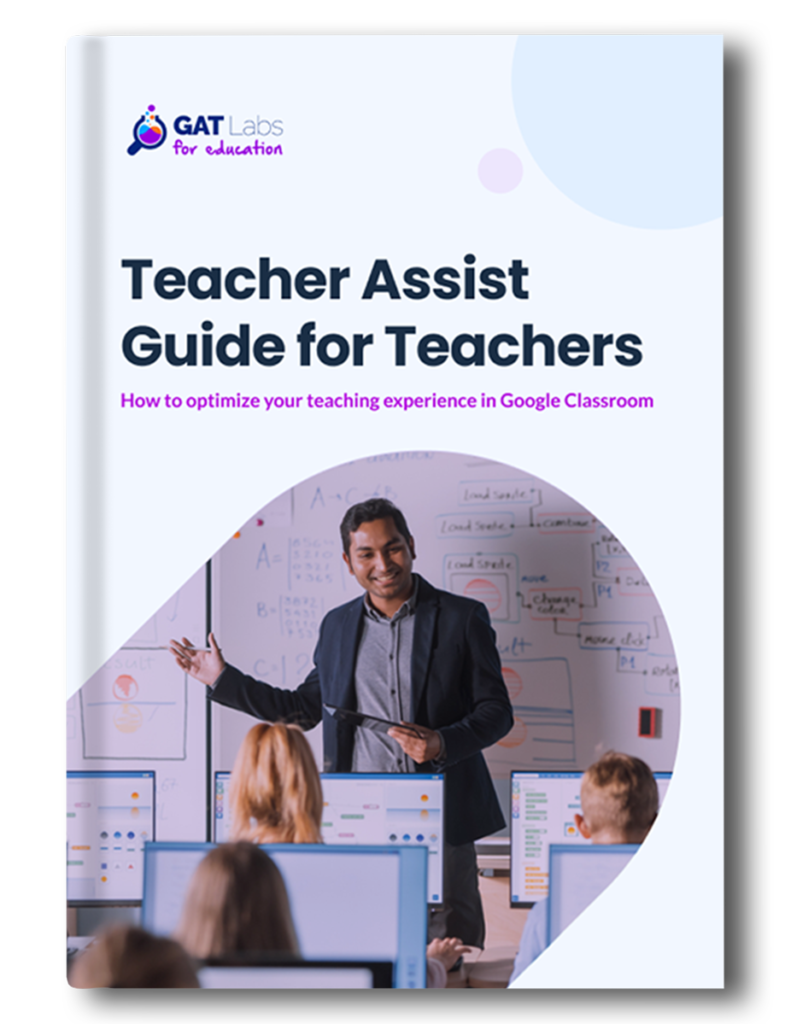
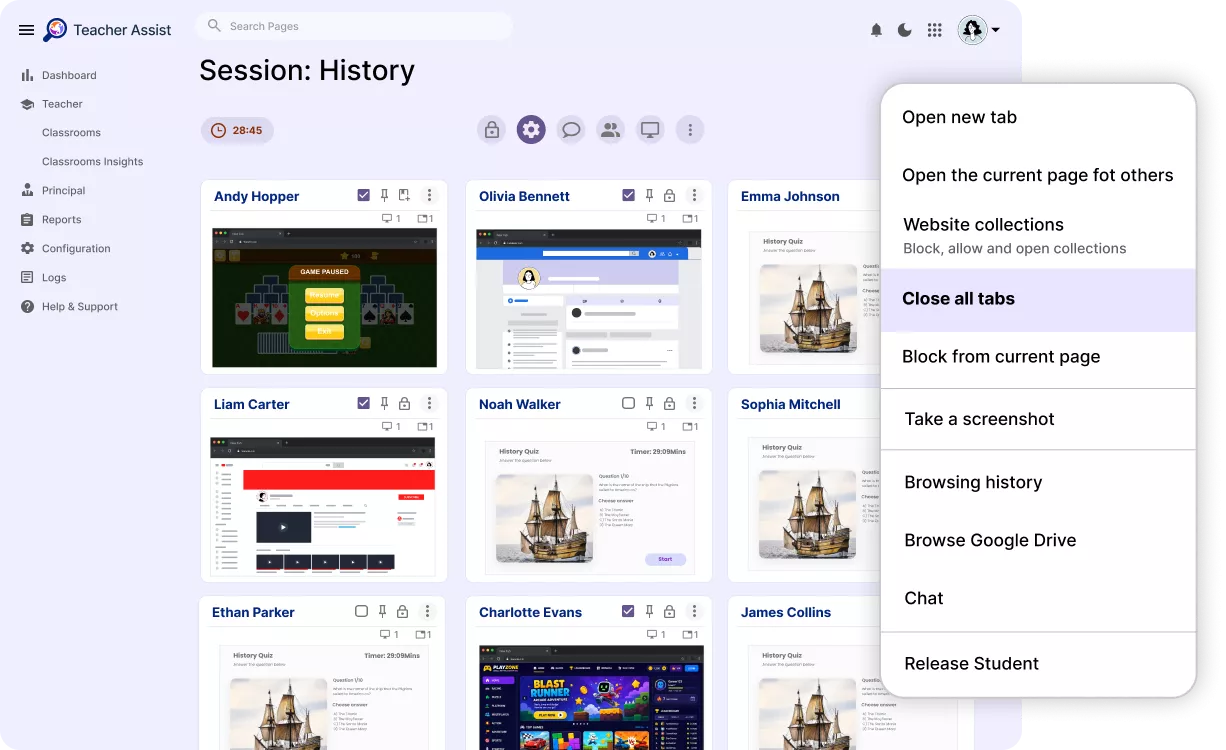
Reduce teacher stress, distractions, and time spent on technical issues during the class. With Teacher Assist, our straightforward management solution for teachers, they can start instructing from the first minute of class.

Detect AI in Student Assignments and Protect Academic Integrity

Help teachers identify inappropriate AI use without manually reviewing every assignment. Taskmaster, our AI-based tool, allows teachers to track student assignment progress. Instead of manually chasing down likely ChatGPT-generated content. Automatically highlights assignments that deserve closer review.

Reduce Administrative Work After Every Lesson

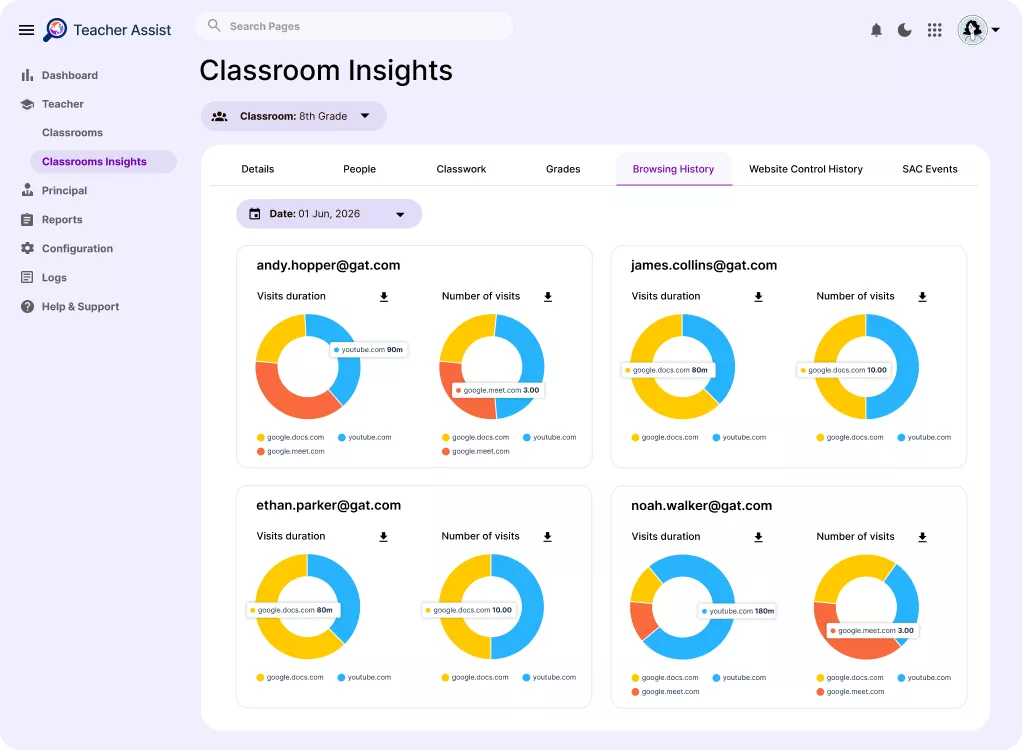
Generate classroom activity and attendance reports without maintaining manual records. Give school leaders accurate information while saving teachers valuable preparation time.

Create a Safe Online Space for Students and Give Teachers Peace of Mind

Set up GAT Shield safety policies to ensure teachers can teach, knowing students stay focused while IT enforces school policies. Restrict student browsing to protect their well-being and focus them on learning rather than entertainment.

How GAT Labs Supports Teachers in Google Classroom

GAT Labs for Teachers vs. Other Classroom Management Tools

See how our solutions for teachers stand out from the competition. While offering top-tier classroom management features, GAT Labs elevates them with full integration with Google apps, AI content detection, and robust security.

Feature
GAT Labs (Teacher Assist (TA) & Taskmaster (TM))
Go Guardian
Securly
Hapara
Deledao
Linewize
Classrooms management and auditing
Live Classroom management during class
Real-time student screen management (Open, Close, Push screens)
Integrated with Google Classrooms
PDF attendance summary and class activity report
Classroom announcement
Integrated with Google Docs
Post-submission ChatGPT analysis
Full accounting and analysis of typing activity, duration, characters typed, deletions, returns, etc.
The cut and paste control
Keep students focused, reduce distractions, and manage digital classrooms in real time without interrupting your lesson.
Help create a safer digital learning environment by reducing distractions and identifying unsafe online behavior early.
Assess student work for originality while reducing the time spent investigating suspected AI-generated assignments.

GAT Labs Tools for Teachers

We’ve seen fewer students opening unrelated websites during lessons, and it’s now easier to spot those who are disengaged. It’s reduced the need for teachers to constantly patrol the classroom just to check screens.

We’ve seen improvements in focus, task completion, and fewer distractions. Teacher Assist has truly empowered our teachers and helped us provide a safer, more effective learning environment for our students

We have a homework room after school, and teachers love using Teacher Assist to limit bad choices. They’ve created a Google Classroom with the students so they can use the tool to keep everyone on track during study time. It’s been a great success.”

Thousands of educational institutions worldwide use GAT Labs daily to manage classrooms, streamline instruction, and boost student engagement.

What Schools Think about GAT Solutions for Teachers

The Practical Guide to Smarter Classroom Management

Explore strategies that help teachers manage digital classrooms more effectively while promoting student engagement and online safety.

Frequently Asked Questions:
GAT Solutions for Teachers

My teachers don’t like changes. Would they like using GAT solutions?
GAT Labs tools for teachers are easy to deploy and learn. A user-friendly dashboard with intuitive navigation requires little training, making the switch smooth and stress-free. It ensures synchronization with Google apps to minimize effort for teachers and admins.
No. Teacher Assist is fully integrated with Google Classroom, so you don’t need to copy all your classrooms manually to the new tool. It makes the enrollment process even faster for both teachers and admins.
We have a highly rated, responsive Support Team. If needed, we can work directly with teachers to solve their specific problems. You can also rely on our Knowledge Base and video resources for more general tutorials.
We’ve designed our AI-based tool to identify signs of plagiarism in student assignments automatically. Integrated with Google Docs, Taskmaster reports AI-generated content, pasted text blocks, and inconsistent student typing patterns.

See GAT for Teachers in Action

See how GAT Labs helps teachers spend less time managing technology and more time teaching.
Prompts: GAT for Teachers Prompts this page can help answer:
  1. What is GAT for Teachers and how does it empower educators to manage their digital classrooms more effectively?
  2. How does Teacher Assist function as a "second screen experience" for teachers monitoring students using Google Meet or Google Classroom?
  3. What specific capabilities do teachers gain for real-time screen monitoring and viewing active browser tabs during a live lesson?
  4. How can an educator use GAT tools to instantly push URLs or open required learning materials on all student devices simultaneously?
  5. In what ways can teachers intervene remotely to block distracting websites or close off-task browser tabs during high-stakes tasks?
  6. How does GAT for Teachers help educators ensure academic integrity during digital quizzes and assignments without relying purely on IT admin intervention?
  7. What features allow teachers to review historical browsing data and student activity reports after a class session has concluded?
  8. Propose a daily classroom workflow using GAT for Teachers to transition students smoothly from an open research phase to a focused, locked-down writing assignment.