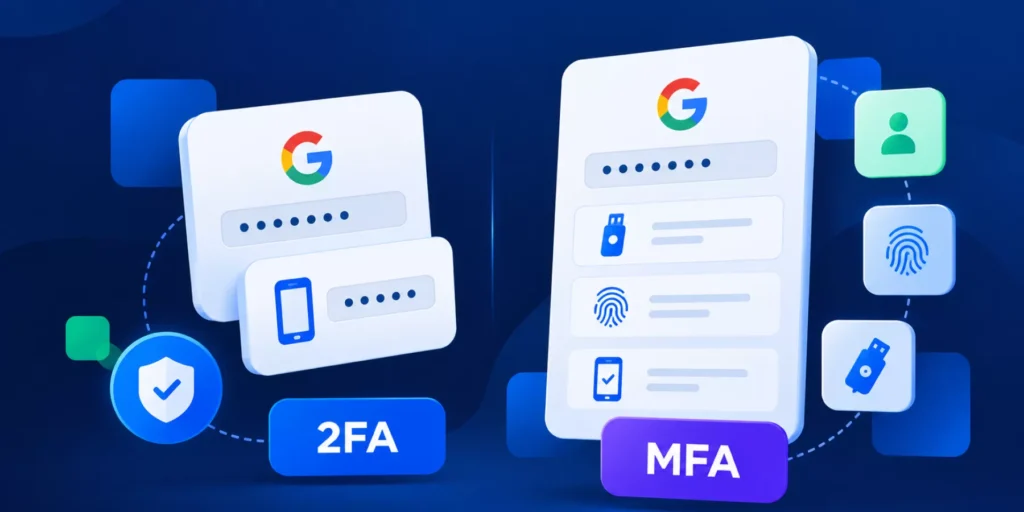

Most organizations have already strengthened authentication with passwords, passkeys, and multi-factor authentication. Those controls are essential, but they all verify identity at a single moment: when someone signs in.
Once a browser session is authenticated, how do you know the same person is still using it an hour later?
For Google Workspace administrators managing hybrid and remote teams, that’s becoming one of the biggest identity gaps to address.
Here’s what continuous verification actually looks like in practice.
In an office, a device left unlocked often gets noticed. Someone walks past, a colleague locks it for you, or IT spots it during a routine walk-through. None of that exists at home, in a co-working space, or on a train.
Hybrid and remote employees work across more networks, more locations, and often more devices than office-based teams ever did. A laptop can stay logged into Gmail, Drive, and other cloud applications for an entire workday without anyone noticing if it’s left open. The longer a browser session remains active, the greater the opportunity for someone other than the authenticated user to access it.
The same challenge exists in environments where devices are shared. Field and shift-based staff may use the same workstation throughout the day, and sessions aren’t always closed properly before the next person starts. None of this is unusual behavior. It’s simply how many organizations operate today.
This is exactly the kind of environment Zero Trust was designed for. Yet in many organizations, identity is still verified only once, when the user signs in.
Where the Trust Actually Sits
Whether it’s a password, an MFA prompt, or a passkey, each verifies identity once, at the moment someone signs in. From that point forward, the session is trusted by default. Nothing checks again whether the person still using it is the person who logged in.
For most Google Workspace domains, that’s the entire identity model: strong at the door, unmonitored after that.
It works fine until the session outlives the person it was issued to:
- – A laptop left open at a home desk with family nearby.
- – A device handed off between shift workers without a proper logout.
- – A session cookie lifted via an infostealer from a compromised machine.
None of these scenarios triggers a new login event, so MFA never runs again. Admin console logs show a legitimate, authenticated user in every case, because technically, that’s exactly what they’re logged as. This is the gap Zero Trust actually describes, even if the term gets used more loosely elsewhere. Verification that happens once isn’t verification that holds for an entire workday, especially one that moves across locations and devices the way hybrid work does.
Why This Is a Google Workspace Problem Specifically
Nearly everything a Workspace domain protects, Drive files, Gmail, Calendar, and shared documents, is accessed through the browser. That makes the browser the actual point of exposure, not the network. You can restrict VPN access and enforce device policies and still have this gap open, because it isn’t a network issue. It’s a question of how long a session stays trusted once it’s opened, and whether anything is checking during that time, wherever the employee happens to be working from that day.
It also reframes how insider risk should be evaluated. Most unauthorized access isn’t a planned, malicious act of sabotage. It’s opportunistic: someone using a session that was never properly closed, on a device that was never designed to be monitored once it left the office. That’s a meaningfully different problem to plan for than the “rogue employee” scenario most insider threat guidance defaults to.
What Continuous Verification Looks Like in Practice
Adding a second MFA prompt partway through a session isn’t a real answer. It adds friction for every legitimate remote worker, and it doesn’t stop someone who has already bypassed the first check, or isn’t the one being prompted in a shared device scenario.
The alternative is verification that runs silently in the background without interrupting anyone.
How Continuous Identity Verification Works
Continuous identity verification is designed to extend trust beyond the initial login. Instead of assuming the authenticated user remains the same throughout the session, it continuously evaluates whether the activity inside the browser still matches the legitimate user.
One approach is behavioral authentication, which analyzes characteristics such as typing patterns, including how long keys are held and the timing between keystrokes. These patterns can be evaluated without recording the content being typed, creating an additional layer of identity verification that works silently in the background.
Technologies such as ActiveID™, included with Shield+, apply this approach to continuously verify the active browser user throughout the session. Because the verification happens continuously, organizations can define different responses if unusual activity is detected, from notifying administrators and requesting reauthentication to collecting evidence for investigation or ending the browser session.
Rather than replacing passwords, passkeys, or MFA, continuous identity verification complements them by protecting the part of the session they were never designed to monitor.
What to Check on Your Own Domain
- A few questions are worth answering honestly, independent of any specific tool:
- How many active sessions currently exist on shared or field devices across your organization?
- If a session cookie were stolen from a remote employee’s device today, would anything in your current stack flag the reuse?
- Does your idle session policy get enforced automatically, or does it depend on someone remembering to log out, wherever they happen to be working that day?
If you’re not confident in the answers, that’s worth auditing before it becomes an incident. Maintaining continuous verification is no longer optional for organizations aiming to meet strict SOC 2 and ISO 27001 compliance standards in Google Workspace. GAT+ gives you visibility into what’s happening across Drive, Gmail, and Groups on your domain, no matter where your users are working from. For the session layer specifically, see how Shield+ works or the setup guide in our knowledge base.
Frequently Asked Questions
1. What is continuous identity verification?
Continuous identity verification validates that the authenticated user remains the active user throughout a browser session, rather than only during login.
2. Does Google Workspace verify users after login?
Google Workspace provides strong authentication through passwords, passkeys, and multi-factor authentication. However, continuous verification after login requires additional browser security controls.
3. Why are browser sessions a security risk?
Browser sessions can remain authenticated for hours. Unattended devices, shared workstations, and compromised sessions may allow unauthorized access without triggering a new login or MFA challenge.
4. How can Google Admins better protect browser sessions?
A layered approach includes continuous identity verification, browser monitoring, anti-phishing protection, copy and paste controls, real-time alerts, audit logs, and SIEM integration to improve visibility and reduce browser-based risk.