We recently moved into 2026, and a major school data breach has already happened.
This time, it was a cyberattack at a local school in Victoria, Australia. Through their network, hackers accessed the Department of Education system and compromised the data of over 650,000 current and former public school students. It included student names, email addresses, and encrypted account passwords.
Experts predict that this phishing incident, which escalated from a single attack into a full-scale security breach, is likely to lead to further scam attempts using the stolen database.
Conclusion 1: Cybersecurity attacks are unpredictable threats that can hit you anytime and anywhere you are.
Conclusion 2: Phishing affects not only your school’s system security but also (or even more!) students’ personal data, and the damage can spread quickly.
Conclusion 3: Effective email management that complies with data privacy standards can reduce the risk of unauthorized exposure of sensitive information.
Luckily, we have good news for you: it’s now quicker than ever to detect and delete phishing emails in Google Workspace. Just keep reading on (or jump straight to this how-to section) to strengthen school data protection with our new solution.
What Is Compliance-Driven Email Management Really About
Ensuring email compliance is hard work, especially for large educational institutions. Implementing legal data privacy requirements can be challenging, and monitoring Gmail content can be time-consuming without advanced tools.
However, since each student and staff member uses Gmail every day, their inboxes become a rich source of personal data that you must protect.
Email management compliant with COPPA, FERPA, CIPA, and other regulations benefits your school’s system in multiple ways:
- Enforced Personal Data Protection: Privacy regulations require schools to stay cautious when processing personal data and to maintain information management systems and procedures to reduce data exposure risks.
- Stronger User Safety: With keyword-based content filtering in place, your students are protected from inappropriate or harmful material shared via email, so they can focus on learning rather than online distractions.
- Lower Security Risks: Early detection of suspicious user activity in Gmail (e.g., suspicious email forwarding, new Gmail filters, or email delegation) can prevent unauthorized data disclosure.
- Fast Online Threat Remediation: Email compliance means that admins can quickly address cybersecurity threats that may appear via the school’s email. Efficient online risk management prevents further damage to students’ data privacy and safety.
- Simplified Email Auditing: Automated email retention, alerts, and admin logs enable reporting on how personal information has been stored, processed, modified, and shared across your institution over a given period. Email data access monitoring is a crucial security and compliance practice.
Read our blog post on key data privacy requirements for educational institutions and how GAT Labs addresses compliance with them.
Why Automated Phishing Email Deletion Matters
Schools have been common targets of cyberattacks for years. Therefore, they should always remain vigilant to protect their most valuable asset: students’ personal data.
That’s why detecting potentially unsafe content is a key security task in email management.
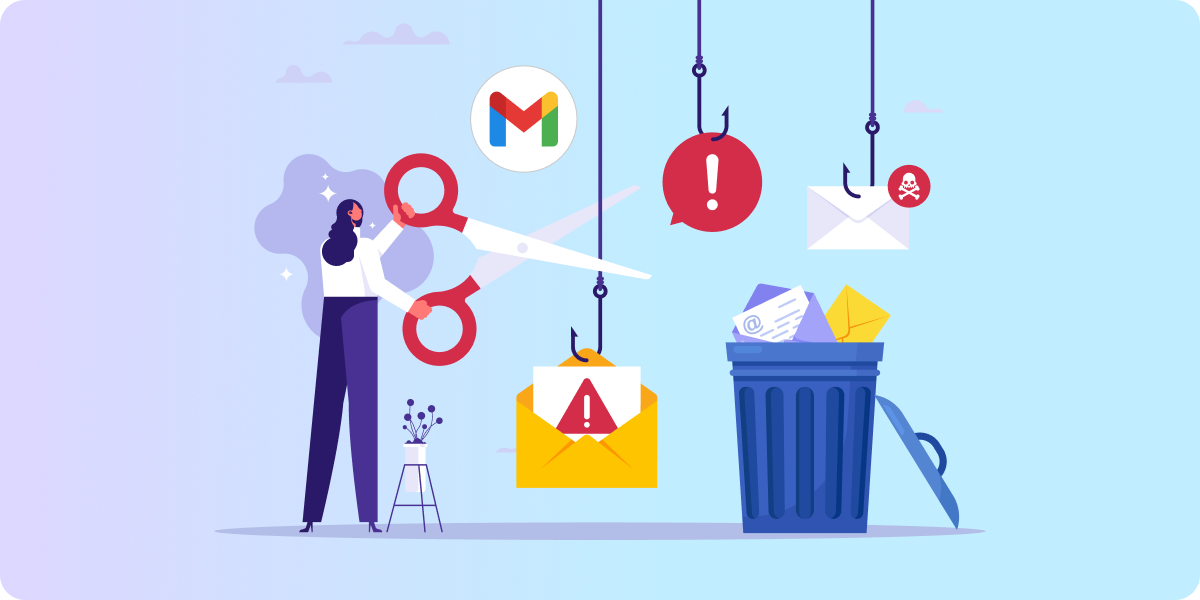
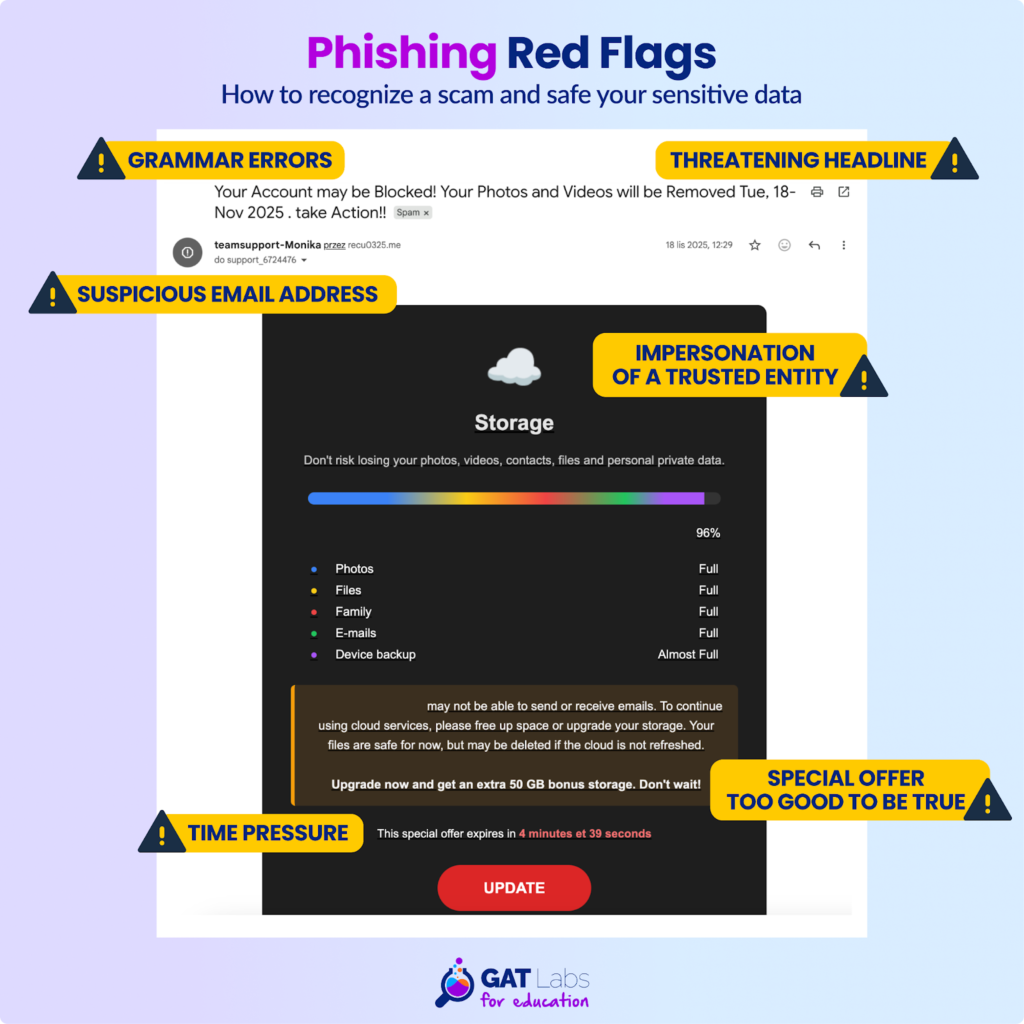
Among the unexpected emails your users receive every day, there can be more or less obvious traps. Phishing relies on a range of social engineering techniques, and even IT professionals sometimes fall for malicious emails.
Share this infographic with your users as a reminder so they recognize the early signs of phishing, saving you stress and extra work:
Having said that, what can you do as a Google admin to reduce the risk of successful phishing attacks, protect personal information held by your school, and, in effect, stay compliant with privacy regulations?
The answer is automated phishing detection. This functionality not only strengthens your cybersecurity but also supports compliance and reporting. Additionally, it reduces human error and frees up time to allocate to other priorities.
How to Instantly Delete Phishing Emails with GAT+
At GAT Labs, we closely monitor the ongoing cybersecurity challenges schools face every day. Since they prioritize student data privacy, cybersecurity, and compliance, we also work hard to ensure that our solutions for these areas thrive.
When it comes to neutralizing cybersecurity threats, every second counts. That’s why we decided to speed up our phishing deletion functionality.
Now, with GAT+ proactive email threat remediation, Google admins can remove all spam, phishing, and inappropriate emails from every mailbox in bulk in just a few seconds. That improves IT team productivity and optimizes the school’s cybersecurity.
Removing phishing emails in GAT+ is now faster than ever:
- Automatic detection and removal of suspicious emails, rather than relying on incident reports from individual users and taking manual action in each inbox.
- A simplified workflow instead of waiting for the Security Officer’s approval for the email deletion.
- Precise keyword filtering and scope control help to target only malicious content without affecting legitimate school communication.
- Real-time domain monitoring enables quick and direct risk remediation before a user clicks a suspicious link.
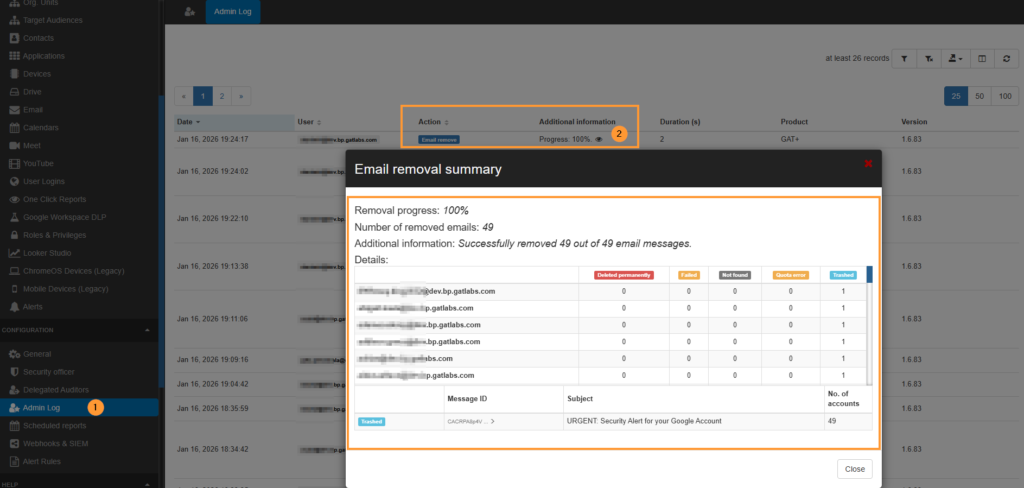
Note: All admins’ actions are recorded in an immutable Admin Log. It ensures clear auditing, transparency, and compliance with data privacy and security policies.
For a detailed tutorial on deleting phishing emails from all inboxes in Google Workspace with GAT+, visit our Knowledge Base.
Save Student Personal Data and Your Time with GAT Labs
Ensuring student data privacy in a complex Google Workspace environment is an ongoing task. Without advanced email risk management, schools are more prone to cyberattacks, and admins lack the resources to address them.
Online threat remediation begins a few steps before a cyber incident occurs. Prevent phishing attacks at your school by proactively protecting students’ and staff’s personal data with automated email risk monitoring.
GAT+ not only provides quick removal of suspicious emails but also offers a comprehensive overview of the entire domain. It monitors user activity across all Google Workspace apps to detect data security risks early and take action.
GAT Labs’ full domain visibility and personal information management help your school meet the highest data privacy standards. See during a free demo how to ensure school compliance, cybersecurity, and safety for everyone with one multifunctional toolset.
FAQ: Email Threat Remediation in Google Workspace
- Does Google Admin Console provide built-in phishing remediation tools?
Yes, the admins can set up a specific action after detecting a phishing email in a user’s inbox. They can send a warning message, move the email to the spam folder, or forward it to the admin quarantine so the user can’t see it. Additionally, they can manually delete all malicious messages in the Google investigation tool.
- How quickly can Google admins remove phishing emails across all users’ inboxes?
With GAT+ functionality, Google admins can automatically identify all emails containing specific keywords, target malicious messages in real time, and remove them in bulk with one click. They can be transferred to users’ trash bins or deleted permanently. Additionally, GAT+ provides detailed audit-ready reporting.
- Does GAT Labs’ phishing remediation support compliance with FERPA, COPPA, CIPA, GDPR, and ISO 27001?
Yes, proactive email monitoring, detection, and removal of suspicious or inappropriate email content with GAT+ aligns with key data privacy regulations for educational institutions in the U.S. and the EU. Learn more about achieving compliance using GAT Labs on our blog.
- Can Google admins review actions taken during email threat management?
GAT+ provides tracking of admin actions in immutable Admin Logs. You can check who started the deletion, what was deleted, and when the user did it. Remember that deleting an email without further approval is permanent and cannot be undone in GAT+. You can recover it only in the Google Admin Console.