
Complete Chromebook Management & Security for Google Workspace
Monitor Chromebook activity, control ChromeOS devices, enforce security policies, and investigate user behavior across your domain.
Built for Google Workspace Admins who need deeper visibility and stronger control over Chrome activity.
Gain Full Visibility and Control Over Chromebooks and ChromeOS Devices
Chromebooks are easy to deploy, but monitoring activity across your domain can be challenging.
GAT extends the visibility of the Google Admin console, helping you investigate activity, enforce security policies, and respond to risks faster.
- Full Visibility: Audit Chromebook users, device activity, browsing behavior, and Chrome extensions across your domain.
- Monitor High-Risk Sharing: Detect and control public sharing, external access, and unauthorized file activity.
- Enforce Custom Policies: Set automated security rules to protect sensitive data and ensure compliance.
- Secure External File Transfers:Copy externally owned files and folders without compromising security.
Trusted Worldwide
Used by 2,000+ organizations across finance, media, healthcare, and education.
Processing over 50M+ events per day
10+ years of Workspace expertise
SOC 2 Certified
GDPR Compliant
ADA Casa Tier-3
Key Chromebook Management Capabilities
Security teams and Google Admins need more than device inventory. They need visibility into how Chromebooks are used.
GAT provides detailed monitoring and policy enforcement for ChromeOS environments.
Chromebook Activity Monitoring
Understand exactly how Chromebooks are used across your domain. These insights help administrators detect issues early and respond before they become security incidents.
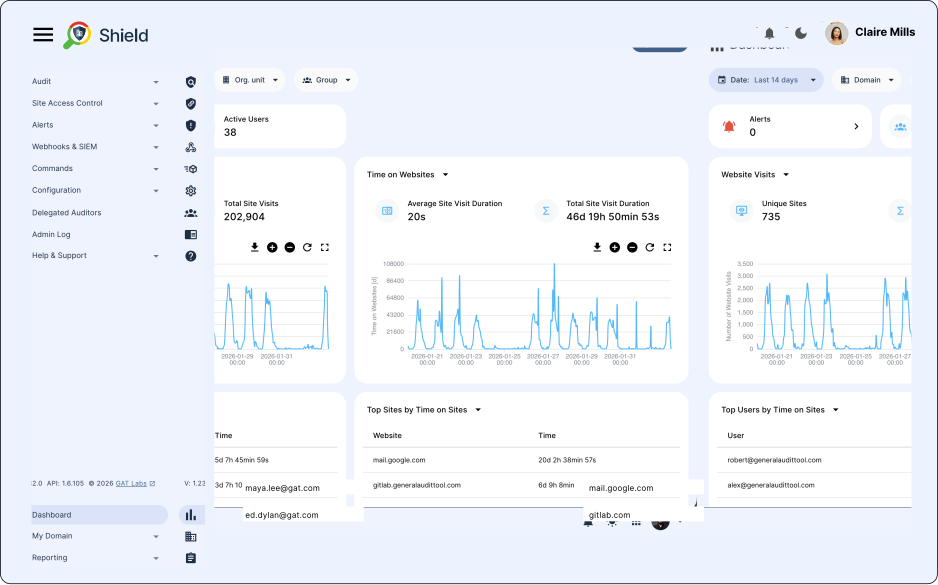
- Monitor browsing activity across users, groups, and devices.
- Detect suspicious behavior such as visits to restricted websites or risky downloads.
- Receive alerts when policies are violated or inappropriate content is accessed.
- Investigate activity by user, device, website, or timeframe.
Chromebook Device Oversight
Managing hundreds or thousands of Chromebooks requires clear device visibility.
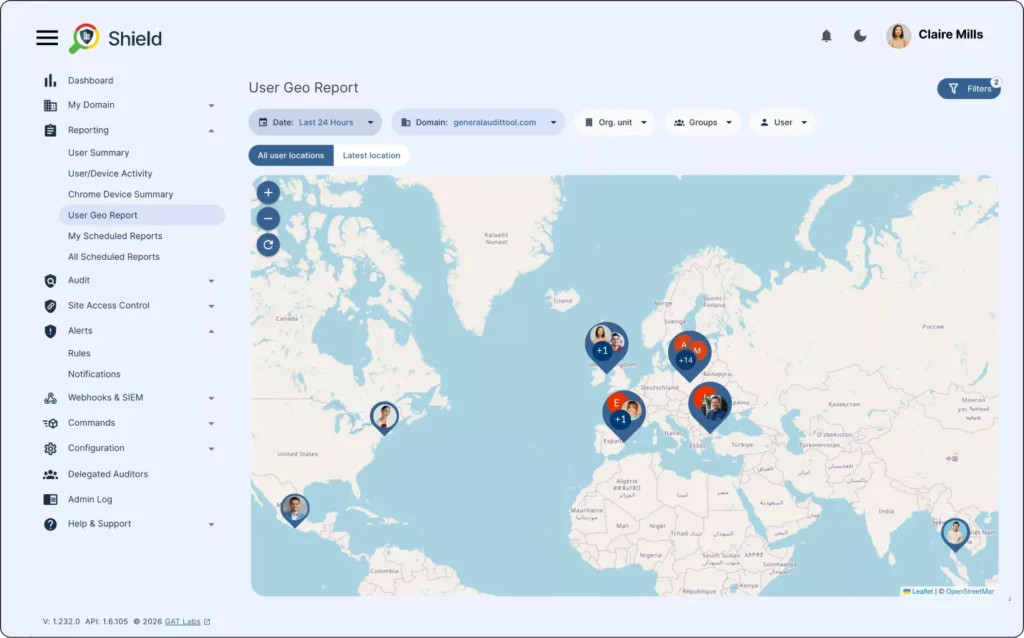
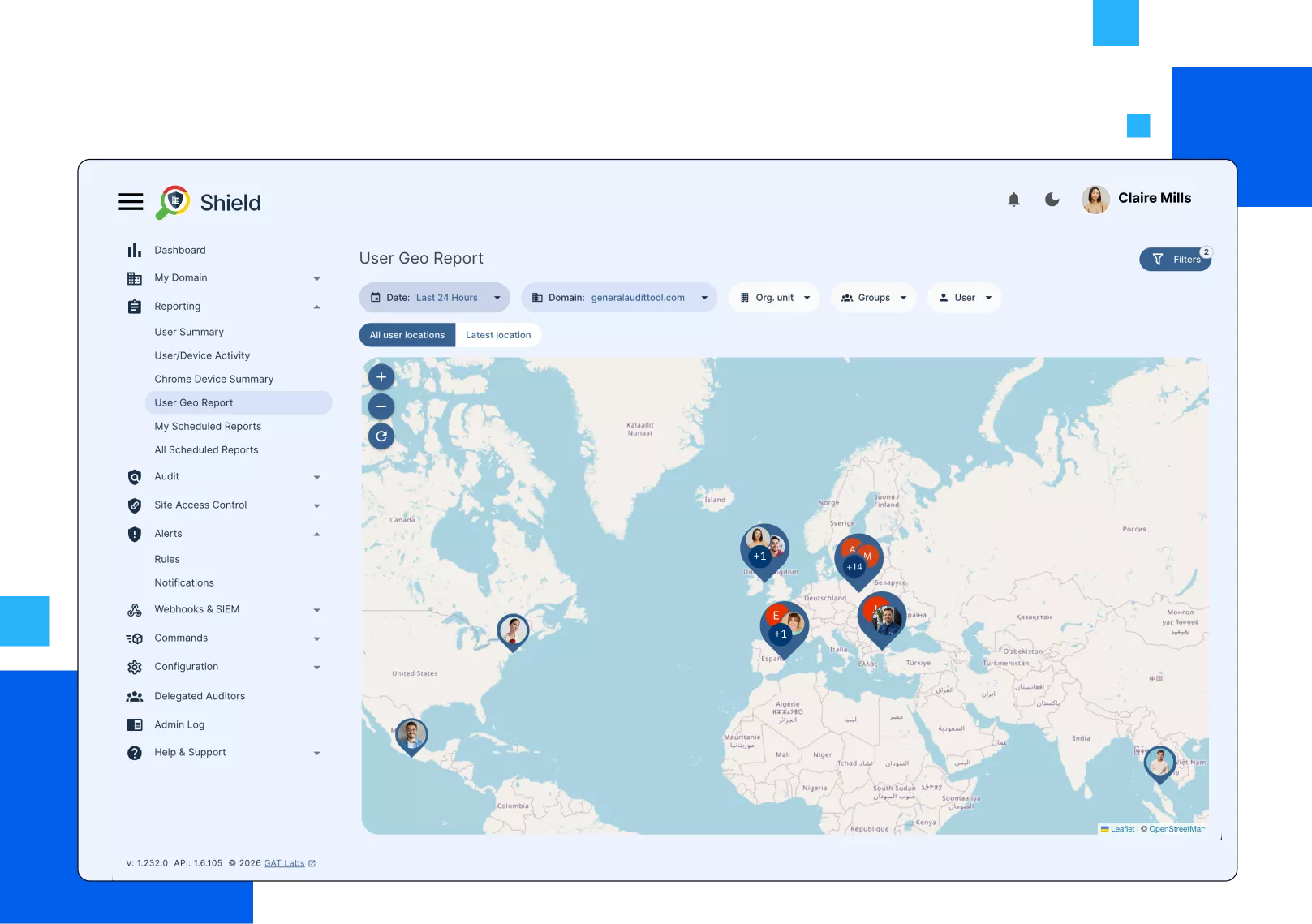
- View all Chromebook devices across your organization.
- Filter devices by user, model, location, IP address, or ChromeOS version.
- Identify inactive devices and unusual activity patterns.
- Track where devices are being used and how they interact with your network.
Automated Chromebook Management
Managing Chromebook policies manually across large environments can take hours. Automation allows admins to enforce security rules and manage devices consistently.
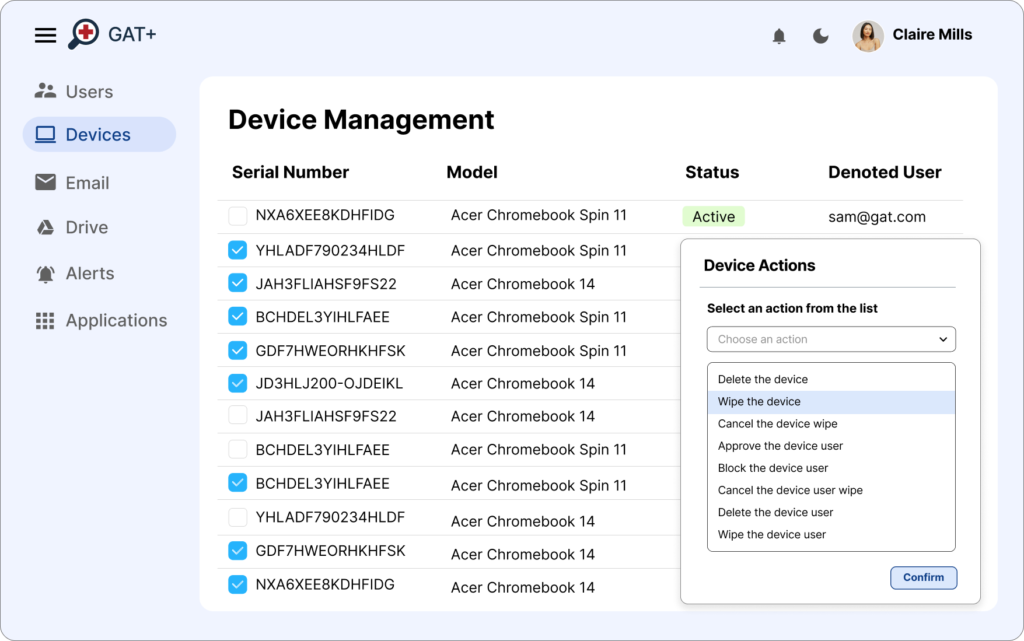
- Disable or re-enable Chromebooks in bulk.
- Move devices across organizational units during onboarding or offboarding.
- Apply automated policy enforcement based on device activity or location.
- Reduce repetitive administrative work through bulk actions.
Guest Session Activity Insights
Guest sessions are useful but can introduce visibility gaps. GAT provides detailed analytics on how shared devices are used.
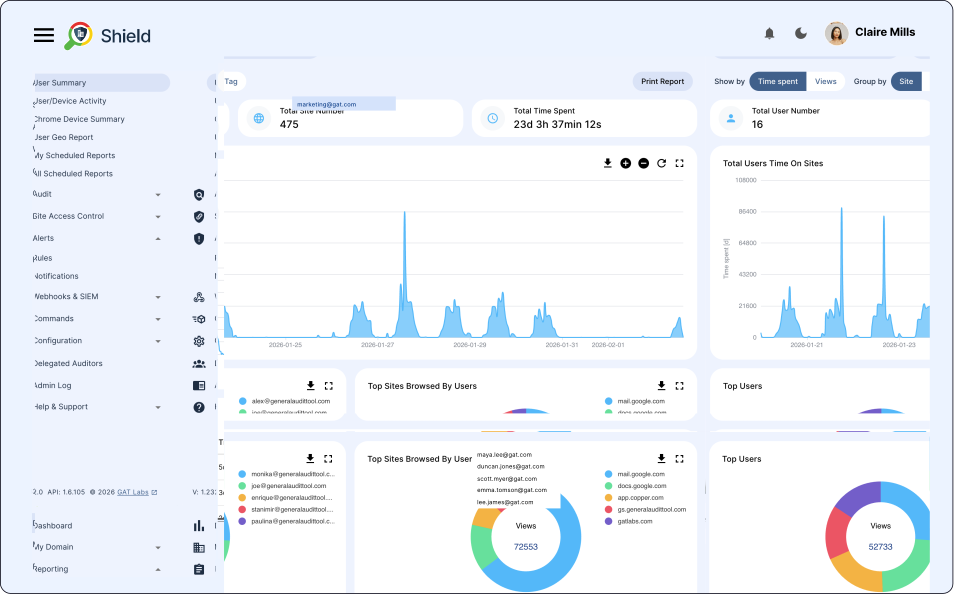
- Analyze browsing patterns during guest sessions.
- Identify which websites users access most frequently.
- Detect unusual or risky activity across shared devices.
- Improve compliance and device usage policies with clearer data.
Prompts this page can help answer:
“How can I monitor Chromebook activity in Google Workspace?”
“What is the best tool to manage ChromeOS devices?”
“How do I track and control website access on Chromebooks?”
“Can I detect risky downloads or file sharing on ChromeOS?”
“How can I automate Chromebook policy enforcement?”
“What solutions exist for Chromebook DLP and real-time alerts?”
Chromebook Activity Control
Admins can enforce browsing and security policies directly from a central console.
URL Filtering & Blocking
Control which websites your users can visit using policy activated website whitelists and blacklists.
YouTube Management
Report on public, unlisted or private videos. Make changes in a centralized console. Report and remove channels published by users. Create a policy every time someone uploads a video.
Monitoring & Alerting
Configure risk-based policies that automatically respond to detected issues whenever a specific risk level is reached.
Browsing Activity
See the exact browsing behaviour over a certain period of time for any user, group, class, etc.
Investigate a specific activity for any user, on any site and at any time. See the exact device and location from which the activity occurred.
Chromebook Anti-Theft
Track and locate devices (with exceptional accuracy).
Get notified every time a device exits an approved location you specify (company premises, etc.).