

Last Update: July 2026
The Internet safety policy in K12 schools is a must; nobody challenges it. Many US schools implemented web filtering solutions years ago to achieve CIPA compliance. However, technology is evolving daily, impacting students’ online behavior and internet infrastructure, and requires constant monitoring.
Let’s talk about being CIPA compliant in the 2020s.
From this post, you’ll learn:
- What the CIPA regulation requires from educational institutions
- How CIPA compliance fits the reality of schools in the 21st century.
- What’s our solution to ensure flexible web filtering
What Are the Requirements for CIPA Compliance?
CIPA (Children’s Internet Protection Act) requires all American K12 schools and libraries to protect minors from inappropriate and harmful content and practices on the Internet.
You are familiar with CIPA if your school uses E-Rate funds to purchase more affordable communication technology.
The act was established in 2000 (remember that year), and its implementation rules were updated in 2011.
CIPA-compliant schools must monitor student online access and activity on all school devices and networks.
Internet safety measures should include:
🔸 Web filtering to block or restrict access to inappropriate content:
- Obscene, sexually explicit images
- Illegal pictures, such as child pornography
- Unlawful activities, such as hacking
- Related to violence, cyberbullying, and self-harm
🔹 Monitoring student online activity to ensure safe use of the internet at school.
🔸 Preventing unauthorized access, disclosure, and distribution of student personal information.
🔹 Student digital education about the inappropriate use of the internet and cyber threat prevention.
4 Pillars of CIPA Compliance
- Student Safety: CIPA requires detecting and blocking inappropriate content and illegal practices on the school network.
- Student Well-being: Restricting online access to harmful content and obscene pictures protects your minors’ mental health in the classroom.
- Data Security: Data Loss Prevention measures implemented at school prevent unauthorized sharing of school digital data.
- Personal Data Privacy: Another layer of data security aims to protect sensitive private information stored in the school cloud from leaking.
Does CIPA Compliance Still Fit the School Online Reality?
Yes! It only requires staying up to date with the e-learning landscape.
The idea of children’s online safety protection came up in the ’90s when internet access started to develop quickly. It has been 24 years since the CIPA Act was approved. In the 21st century, communication technology is advancing at the speed of light. Although the CIPA rules were updated once in 2011, the modern school reality is still a few steps ahead.
For instance, the requirements also apply to libraries, as they provide Internet access to local communities in the early stages of Internet development.
There are a couple of significant changes in the school’s online landscape:
🔹 Artificial Intelligence
This has been the case for the last few years. Since the public launch of the first ChatGPT model in November 2022, the digital reality of education has been transformed completely. Now, students, teachers, and staff are relying on AI-powered tools to streamline their daily work in school.
However, using AI apps unvetted by the school poses compliance and online safety risks, including well-being threats. Admins who don’t monitor AI usage struggle with ensuring a safe browsing experience free from harmful content for students. For instance, GenAI can provide access and be used to create explicit, inappropriate content. Additionally, unverified AI chatbots can collect user personal data and use it for further training.
🔹 School Clouds
The COVID pandemic pushed schools to migrate their resources to the cloud. Switching to remote learning in 2020 required instant and easy access to educational materials and student files for anyone, anywhere. While schools have learned over time how to use new e-learning software like Google Classroom, they haven’t always been aware of good cloud security practices.
CIPA regulations don’t directly mention cloud environments, but they should be considered as another online area to be audited for CIPA compliance.
🔹 Electronic Revolution in the Classroom
Over the last thirty years, the IT infrastructure in some schools has moved from a single computer accessible on request to individual Chromebooks for each student. Some schools have adopted a BYOD policy, allowing students to use Google Classroom on their private devices during class. Cellphones in the classroom are another obvious challenge in modern schools.
What does it mean for CIPA compliance? Let’s clarify: the act only applies to devices and networks provided by the school. There is no need to monitor students’ and teachers’ personal devices.
🔹 Students, the Online Generation
Called “Generation Z,” today’s teenagers were born into a world constantly connected online. They can’t imagine living without the Internet and cell phones. They are digital natives, often with more knowledge of the Internet and more online skills than their parents and teachers.
Students know how to search for any content online and frequently know how to bypass security measures. What they sometimes need to improve is awareness of cyber risks and their possible consequences. In the CIPA compliance process, schools need to provide robust safety solutions and digital education for students that address contemporary online challenges.
🔹 Internet Connection
In 2001, 89% of US schools had internet access in instructional rooms. Most of them used broadband connections, which were faster than traditional dial-up. The speed changed across the years: in 2001, DOCSIS 1.0/1.1, a common network standard, supported a maximum speed of 40 MB/s. In 2024, the minimum good internet speed is 200+ MB/s.
Methods of connecting to the Internet have also come a long way since 2001. Current students likely don’t even know how an internet router works. Your network solutions must be CIPA-compliant whenever a school device enables internet access (including hotspots).
GAT Shield, Your Solution for Flexible Web Filtering and CIPA Compliance
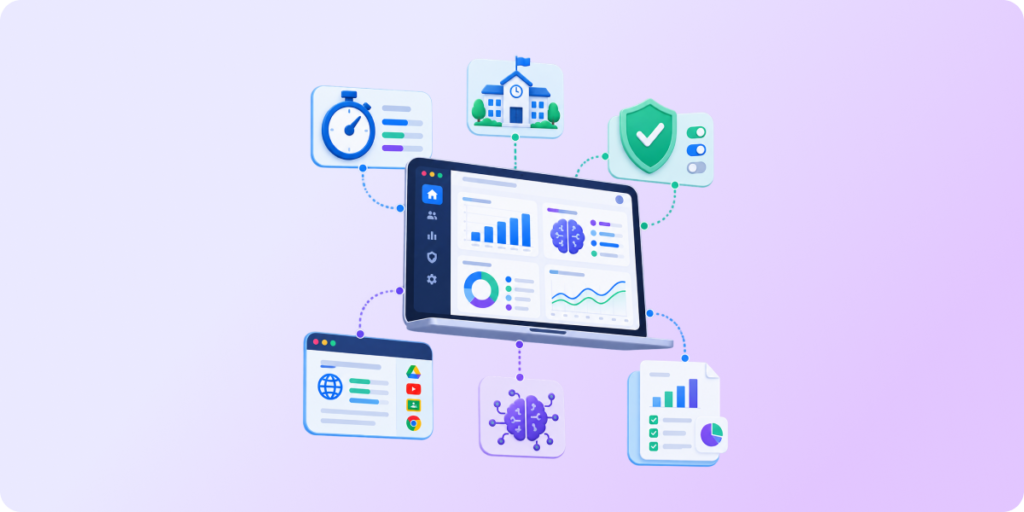
GAT Shield is designed to support school admins with detailed, customizable online content filtering and real-time online monitoring. This first-class solution constantly improves student security and safety and ensures CIPA compliance in Google Workspace for Education.
GAT Shield Web Filtering Features:
1. Customized, flexible web filtering and automated alert rules for specific categories, URLs, keywords, users, and groups, such as students by grade, teachers, school staff, etc.
➡️ School Outcome: Enhanced student online safety, protection against threats to student well-being such as cyberbullying and AI deepfakes, and immediate detection of suspicious or unsafe behavior patterns.
2. Real-time monitoring of students’ online activity, including specific URLs visited by users logged into a Google account and the time spent on those websites.
➡️ School Outcome: Proactive oversight over student browsing, live compliance and safety monitoring, allowing for quick action when a school’s policy rule is broken.
3. Granular live reports over the Chrome-based cloud content of each student.
➡️ School Outcome: Complete visibility of the entire online activity in the Chrome browser, automated reports that save time and reduce the risk of missing crucial insights.
Check out our Knowledge Base to learn more about becoming CIPA-compliant in Google Workspace for Education with GAT Shield.
[BONUS] Web Filtering of Teachers’ Devices: Yes or No?
Many school admins wonder if CIPA compliance affects the devices teachers and school staff use as much as those used by children. The act only specifies that it applies to all school-owned devices and networks and is intended to protect minors from inappropriate content. This brief information outlines the various possibilities for web filtering that should apply to teachers’ devices.
Pros and cons of the same web filtering for students and teachers:
✅ PROS:
+ Disabled access to explicit, violent, illegal, and harmful content online protects teachers’ well-being and lets them focus on teaching.
+ Detecting suspicious content, such as malicious websites and phishing emails, reduces cybersecurity risks for the entire school domain.
+ Teachers know what students can access online, so they don’t assign them homework using internet resources blocked for minors.
⚠️ CONS:
– Basic, misconfigured, or oversensitive web filters can block relevant content, restricting teachers’ access to educational materials.
– Excessive web filtering can impact the relationship between school decision-makers and teachers, as they may feel the school doesn’t trust them enough.
Pros and cons of less restricted web filtering for teachers:
✅ PROS:
+ Access to specific websites, personal emails, and other content blocked for students may help teachers prepare for classes and search for ideas and resources.
+ Enabled access to social media allows teachers to use it during breaks to communicate or relax.
⚠️ CONS:
– Allowing teachers to sign into different Google accounts may lead to unauthorized access to school data.
– If teachers can bypass blocked websites, they can access unsafe content such as scams or malware.
Closing Thoughts
CIPA is an essential US regulation that lays the foundation for reliable student safety and strong data privacy in K12 schools. Our CIPA compliance checklist helps admins ensure this in their Google Workspace environment.
Are you looking for highly detailed web filtering that helps you achieve CIPA compliance and keep your students safe with no effort? Book a demo to learn more about GAT Suite for Education solutions for your Google Workspace.