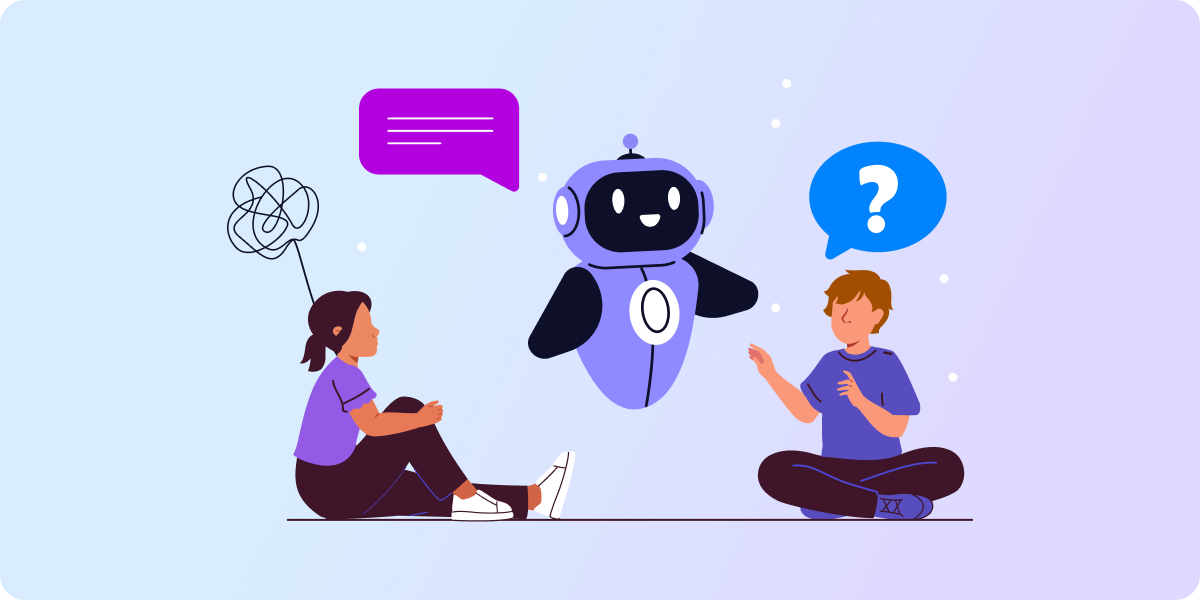
- Young people struggling with mental health increasingly reach out to AI chatbots for help. That makes them more vulnerable, as most of these tools aren’t designed to provide well-being support.
- AI oversight is crucial to keep students safe. When unmonitored, AI apps can compromise sensitive information shared by students. Additionally, they may mislead users and discourage them from seeking professional help.
- Monitoring user online activity and AI usage helps schools detect early signals of distress among students. With GAT Suite, admins gain detailed oversight and control over each aspect of users’ online behavior in Google Workspace.
The greater the mental health struggles, the heavier the young people’s reliance on AI for help.
That’s why monitoring students’ online safety and their use of artificial intelligence at school is key.
Spot early signs of distress before a student becomes best friends with an AI bot. Make it happen with our 6-step roadmap using GAT Suite, which discreetly oversees a student’s online behavior in Google Workspace for Education. Here’s how.
How Students Cope with Wellbeing Issues in the AI-driven World
The rapidly changing digital reality, powered by artificial intelligence, definitely affects how young people seek emotional support.
Surgo Health’s report, published in February 2026, shows that young people who face great issues such as harassment, loneliness, and domestic violence become increasingly dependent on conversations with AI chatbots. A person who has experienced bullying is 3.6 times more likely to get heavily engaged with an AI chatbot to meet their emotional needs.
Artificial intelligence can benefit struggling students with limited access to professional mental health help, but it also carries significant risks.
While AI can provide short-term support, it wouldn’t solve long-term issues. The report revealed that chatbots often don’t even suggest seeking professional services.
69% of students use generic AI apps rather than tools designed for mental health support. But even specialized tools have weaknesses.
While some of the AI tools work better than others, they should never replace human mental health professionals.
Comparison: AI Apps Used for Mental Health Support
| Advantages | Disadvantages | |
| All-purpose AI tools (ChatGPT, Claude, Gemini, etc.) | Free, easy to use, and available 24/7 for everyone | May make mistakes, provide wrong advice, and misinformation |
| Data privacy concerns | ||
| Not designed to be mental health support | ||
| AI companions (Replika, Kindroid, Tavus, etc.) | Provide listening and support without judgment | Limited features without a paid subscription |
| Keep the user’s personal information for further conversation | ||
| Designed to satisfy users, which fuels addiction | ||
| Wellbeing-oriented AI tools (Wysa, Woebot Health, Youper, etc.) | Created to support based on psychological techniques and experience | Can’t fully understand human emotions and body language |
| Sensitive data privacy concerns |
Why AI Oversight Matters for Student Online Safety
No school can deny that its students turn to AI tools to get mental health support. Many institutions nowadays have flexible policies on AI use, which may encourage young people to seek help from the technology.
However, students operating in this grey area, when unmonitored, can aggravate the problem and create new ones:
- Overreliance on AI
No chatbot reacts as a human. They are designed to agree with users and aren’t limited by ethics. AI would either uncritically support or even mislead users, rather than address the issue in an empathic yet responsible and decisive way. - Sensitive Data Security
Users seeking mental health support are willing to share highly personal information with the software. Distress makes them blind to privacy concerns. Using free accounts increases the risk of data exploitation and non-compliance. - Wellbeing Safety
An overly close “relationship” with chatbots may cause addiction, increasing lack of trust, and social isolation. AI may miss mental health red flags and cannot manage a mental health crisis properly.
How to Flag Students Talking to AI about Their Mental Health Struggles? 6-Step Roadmap
Prevention is better than a cure. This principle applies to enforcing school online safety policies, too. To identify students seeking help through AI tools, implement the following strategies in your Google Workspace for Education.
1. Restrict Access to “AI Therapists”
Consider including all AI companions and specialized tools providing mental health support. Despite some benefits, they bring too many potential risks. That restriction may encourage students to seek help offline.
2. Filter Distress-Related Keywords
Set up alerts for keywords that may flag distress, cyberbullying, depression, self-harm, etc. In GAT Shield, after getting notified that a student typed a word in the Chrome browser, you can close their window or redirect to another page.
3. Monitor File Uploads
Audit and monitor files that students upload outside the Google Workspace. Files uploaded to AI websites can include students’ personal information, such as medical records or family background. Visibility into file uploads strongly protects sensitive data from leaking.
4. Track Online Browsing
Audit which websites students visit and how long they stay on them. Some AI online tools can have misleading names or URLs, but once identified, you can add them to the school’s ban policy.
5. Report on Identified Issues
Provide school staff and parents with insights into student online activity if an alarming signal is spotted. Address the issue offline with the student to avoid escalating the well-being issue and the AI misuse.
6. Provide Accessible Support
Create a dedicated Drive folder shared with everyone that contains useful mental health self-help resources and contact information for professionals. Make sure to turn off tracking of who accessed the folder.
Prioritize Student Online Safety in 2026 with GAT Labs
Given emerging online risks to student well-being, such as AI-driven tools, schools must constantly enhance safety measures in Google Workspace.
GAT Suite for Education is designed to create safe learning environments through comprehensive auditing and monitoring. They help admins, teachers, and school principals to maintain control of the entire online experience and detect potential threats at an early stage.
Using the GAT Labs toolset, educational institutions can identify:
- When a student tries to take a risky action (for instance, file sharing, uploading to unknown websites, or installing new apps).
- What a student is searching for and browsing in real time on their school device during a Google Classroom session.
- What are the most visited websites and most searched keywords in the Chrome browser for each student, classroom, and the entire school.
- When a student attempts to access a banned website (i.e., an AI companion site) or types a forbidden, distress-related word.
In addition to monitoring students’ online activity and web filtering, admins gain full visibility into every aspect of the Google environment. GAT Suite automates domain management and reporting, leaving no room for human mistakes and risky user behavior.
Final Thoughts: How to Prevent AI Misuse at School
Start with a simple audit: what AI-related online tools are your students using, and whether they access them to talk about their wellbeing.
To conduct this investigation, GAT+ provides you with real-time and historical insights. Later on, with GAT Shield, you’ll be able to restrict access to potentially harmful AI sites and monitor sensitive keyword searches.
If you’re not our customer yet, you can request a free trial or book a demo to see in detail how GAT can help you support your students’ online safety from tomorrow.
FAQ: AI & Student Online Safety
Can AI chatbots replace mental health professionals at school?
Absolutely not. While this technology is accessible and available 24/7, it’s not capable of fully understanding the human perspective and emotions or managing a mental health crisis safely.
Is it safe to use artificial intelligence to handle a personal issue?
Partially yes, as long as the user doesn’t share any sensitive information with the tool and the matter is low-stakes. However, if a student turns to an AI app for well-being support, there is a risk of personal data disclosure and misinformation.
How can admins identify a student who is talking to AI about well-being issues?
Using student online activity monitoring tools like GAT Shield. It shows visited AI-related websites, typed distress-related keywords, and uploaded sensitive files. Additionally, it restricts or customizes students’ access to unauthorized pages and AI online tools.