
Most conversations about Zero Trust focus on the concept. This one focuses on what it actually requires in a Google Workspace environment and what you need to put in place to make it work.
What Zero Trust means in practice
Zero Trust is a security model built on one operating principle: no user, device, or application is trusted by default, regardless of where the request originates.
The phrase “never trust, always verify” captures the idea, but it can feel abstract until you apply it to your domain. In Google Workspace, Zero Trust means asking a different set of questions before any access is granted:
- Is this user who they say they are, and should they have access to this specific resource right now?
- Is this third-party app authorised to hold these permissions, and is it still actively used?
- Is this file share compliant with our data governance policy?
- Is this admin action justified, and has it been approved by a second party?
- Is this browser activity consistent with policy, or is data moving somewhere it should not?
These questions do not have answers in a perimeter-based model. They require a different architecture.
Why the perimeter model no longer applies to Google Workspace
Traditional security assumed a clear boundary between inside and outside. If you were on the corporate network, you were trusted. Everything else was not.
Google Workspace makes this model obsolete by design. It is a cloud-first, browser-based, identity-driven platform. Users access it from personal devices, home networks, and mobile connections. Third-party apps integrate via OAuth without touching your network at all. Chrome extensions run inside authenticated sessions and can read page content directly.
There is no network perimeter to defend. The identity, the application, the device, and the action itself are the new perimeter. Zero Trust is the framework that secures each of those layers individually.
What Zero Trust requires across your domain
Implementing Zero Trust in Google Workspace is not a single configuration change. It is a set of controls applied across different layers of your environment.
Identity and access verification
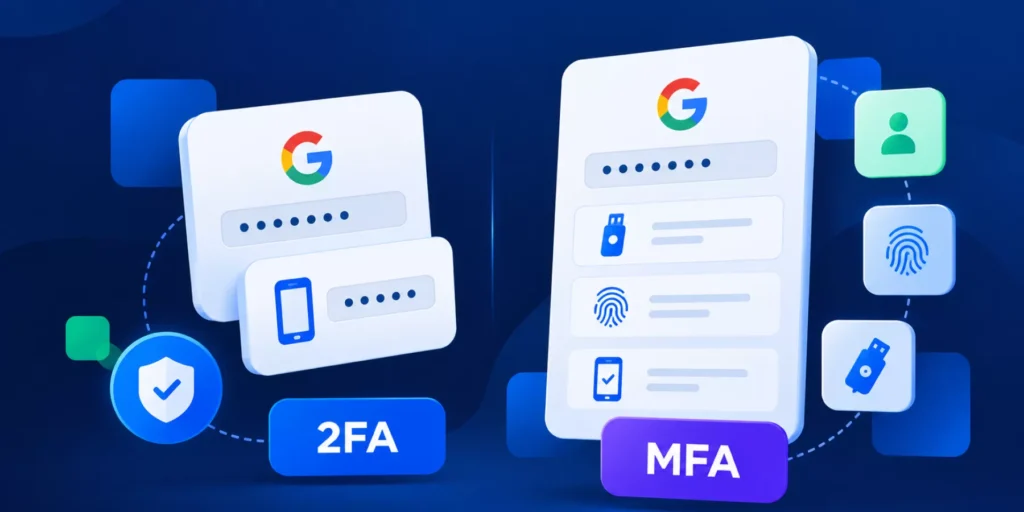
Every user accessing your domain should be authenticated with multi-factor authentication enabled. This is table stakes, and Google handles it at the login layer. But identity verification does not stop at login. It extends to what each user is allowed to do after they are in.
Privilege creep is one of the most common Zero Trust failures in Google Workspace.
Users accumulate permissions over time.
Roles change, but access is rarely reviewed.
Least privilege means every user has the minimum access they need to do their job, and that access is reviewed on a regular schedule.
GAT+ lets you audit user permissions, group memberships, and delegated access across your entire domain, giving you the baseline you need to enforce least privilege at scale.
Third-party application control
OAuth apps are one of the most underestimated attack surfaces in Google Workspace. When a user connects a third-party app via “Sign in with Google,” they can grant that app persistent access to Drive, Gmail, Calendar, and Contacts, often without the admin knowing.
The average Google Workspace domain has hundreds of connected apps. Many of them are dormant. Some were connected years ago and have since changed ownership or been compromised. Very few admins have a complete, current picture of what is authorised.
Zero Trust requires that every app be reviewed, that high-risk permissions be flagged, and that unused access be revoked. This is not a one-time exercise. It is an ongoing process.
GAT+ gives you a domain-wide view of all connected apps, filtered by permission scope, user count, and risk level. You can set alerts for new app installations and revoke access in bulk. You can also set up alerts when new apps are installed across your domain, so you are not discovering new risks weeks after the fact.
Chrome and browser-level enforcement
This is the layer most Google Workspace admins have the least visibility into.
The Admin console tells you what is happening inside Google’s apps. It does not tell you what is happening inside Chrome. Downloads, uploads to external platforms, file transfers to personal storage services, and data pasted into AI tools all happen at the browser level and leave no trace in your audit logs.
Zero Trust at the browser layer means monitoring these actions in real time and enforcing policy before data leaves the domain, not after.
GAT Shield extends Zero Trust to every Chrome session on your domain. It monitors downloads, site visits, uploads, and extension activity. When a user tries to upload a file to an unapproved service or paste content into a tool like ChatGPT, Shield blocks the action and logs it. You can track and block uploads across the entire browser without requiring any changes to how users work.
Admin access governance
One of the most overlooked aspects of Zero Trust is admin access itself. In most Google Workspace domains, a super admin can access any user’s Gmail or Drive at any time, with no approval required and no log of the access beyond what Google itself records.
This creates a significant risk in regulated environments. If an admin accesses sensitive data without oversight, there is no way to demonstrate that the access was justified, properly scoped, or time-limited.
Zero Trust applied to admin actions means building a layer of accountability into every sensitive request. This is what GAT Unlock provides. An admin who needs to access a user’s Gmail archive submits a request. A designated Security Officer reviews and approves it. The access is granted for a defined period, and every step is logged. The audit trail is available for compliance reviews, HR investigations, or regulatory inquiries.
Automated lifecycle management
Human error is one of the most consistent sources of Zero Trust failures. A manual offboarding process that relies on a checklist will eventually be incomplete. A provisioning process that relies on an admin remembering to set the right permissions will drift over time.
Zero Trust requires that these processes be automated and auditable. When a user leaves, their account should be suspended, their app tokens revoked, their Drive files transferred, and their group memberships removed through a defined, repeatable workflow, not a series of manual steps.
GAT Flow handles this. You define the workflow once. Every offboarding follows the same process. Every step is logged. If an approver is required for a sensitive action, they are notified, and their decision is recorded. Revoking all third-party app tokens for a departing user becomes a single step in a workflow rather than a manual hunt through the Admin console.
How these layers connect
Zero Trust is not effective if it is applied to only one layer. An organisation that enforces strict OAuth policies but has no Chrome DLP still loses data through browser uploads. An organisation with strong app controls but no lifecycle automation leaves access open after people leave.
The four layers work together:
1. Visibility (GAT+) gives you the baseline. You cannot enforce policy on things you cannot see.
2. Browser control (GAT Shield) closes the gap that the Admin console cannot reach.
3. Accountability (GAT Unlock) applies Zero Trust to the admins themselves, not just the users, providing immutable Admin Logs that support accountability.
4. Automation (GAT Flow) removes the human error that makes manual Zero Trust enforcement unsustainable.
What this looks like in a real domain
Consider this scenario: A mid-sized company with 800 users and a small IT team. Here is what an initial Zero Trust audit typically reveals using GAT Labs:
A domain-wide app audit surfaces over 300 connected third-party apps. Roughly 40 have full Drive or Gmail access. About 15 apps have remained unused for over a year. Users who have since left the company connected several of them, but the tokens still remain active against those accounts.
A Drive audit shows over 1,000 files shared with “anyone with the link.” Some of those files contain financial data or customer information.
GAT Shield’s Chrome audit reveals regular uploads to personal Google Drive accounts and at least a dozen instances of users pasting content into AI tools over the previous 30 days.
None of this is unusual. It is the normal state of a domain that has grown without Zero Trust controls in place.
A practical starting point
If you are starting a Zero Trust programme in Google Workspace, the sequence matters.
Start with visibility. Run a full audit of connected apps, externally shared files, and user permissions using GAT+. You need to understand your current exposure before you can prioritise what to fix.
Then move to enforcement. Set app allow/block policies based on your audit findings. Enable Chrome DLP via GAT Shield for your highest-risk user groups first. Build your offboarding workflow in GAT Flow and test it.
Finally, add accountability. Implement GAT Unlock for sensitive admin access. Define who your Security Officers are and what types of access requests require their approval.
This is not a months-long project. Most of these controls can be in place within a week. What takes longer is the ongoing process of reviewing, updating, and maintaining them as your domain grows and your threat model evolves.
Further reading
For step-by-step implementation guides, the GAT Labs Knowledge Base covers each of these areas in detail: