
Revoke all apps for the Google Workspace user with GAT Flow #
GAT Flow is a Google Workspace user management tool that’s part of the GAT+ toolset.
It allows Google Workspace Admins to manage multiple domain user accounts, enabling them to onboard, offboard, or modify domain users.
One of the options for Offboard and Modify in Flow is to remove Google Workspace accounts access to various applications.
Define workflow type #
Navigate to GAT Flow → Create workflow
- Enter a name for the workflow
- Select the type of workflow
- Modify – modify existing users
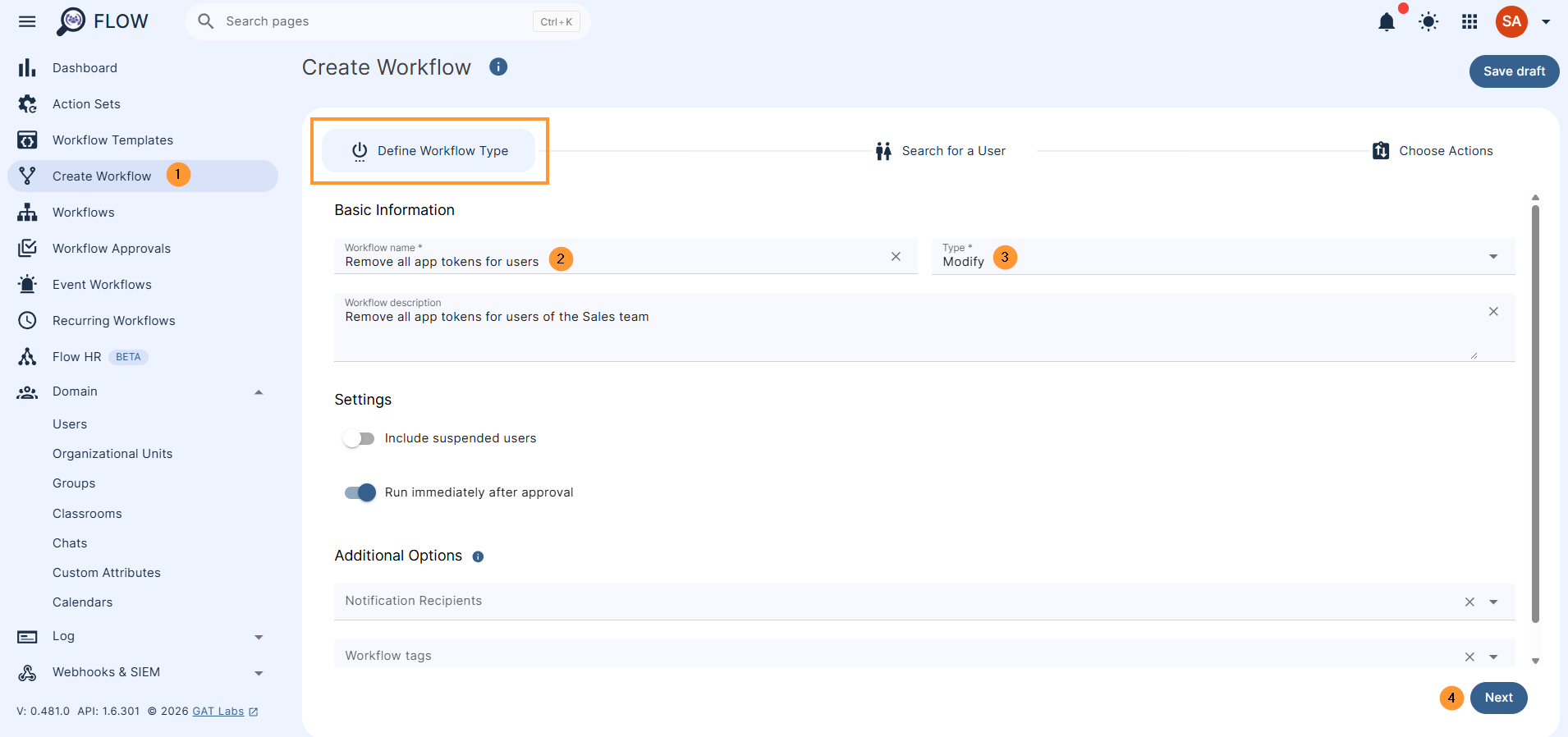
Click on Next to proceed
Search for a user #
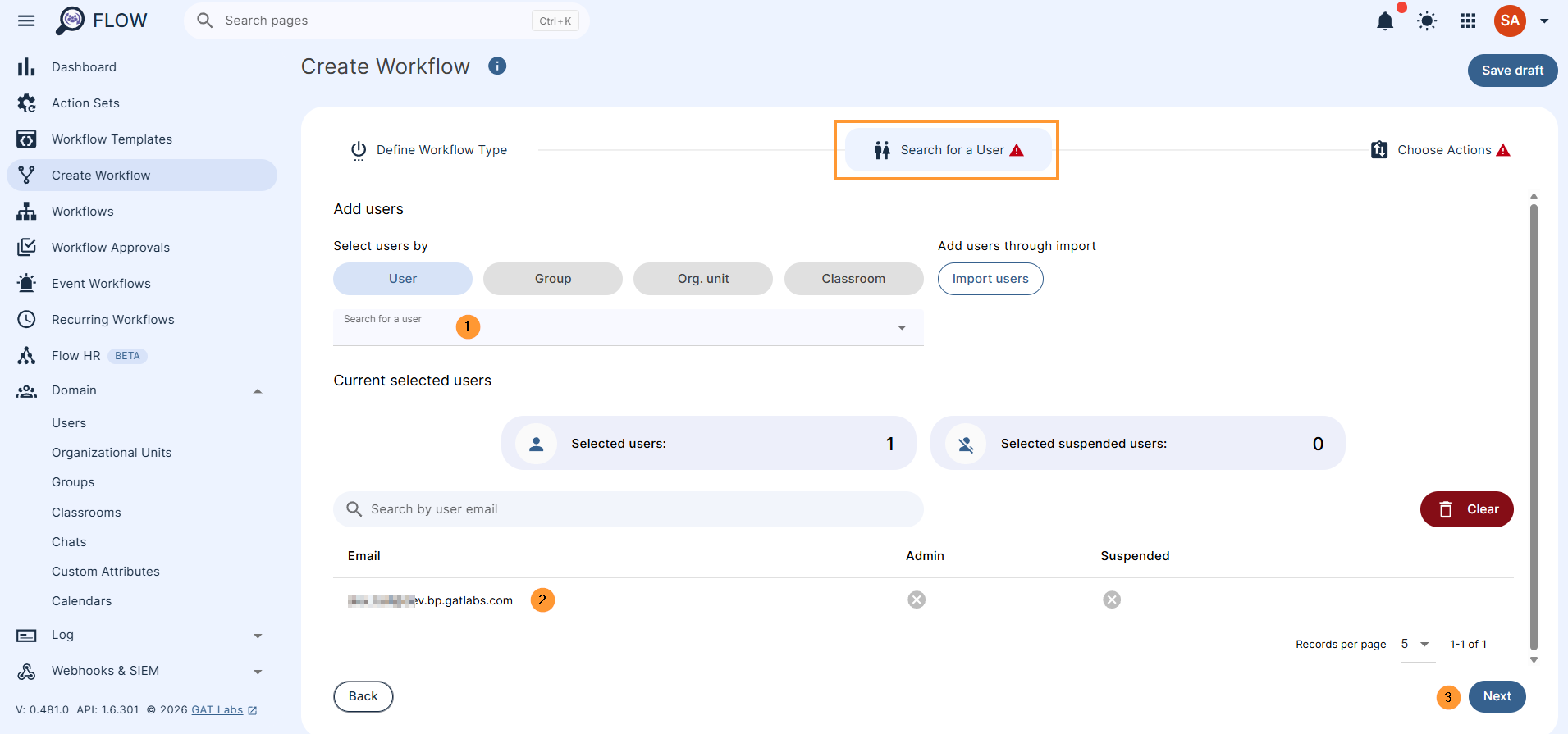
Pick the users whose access needs to be removed from “apps and tokens.”
- Enter user by selecting a single user, group, or org. unit of users
- Select “Next” to proceed
Choose actions #
In “Choose actions,” pick the action needed, in this case, search for “remove app tokens.”
Click on the + button and “add an action.”
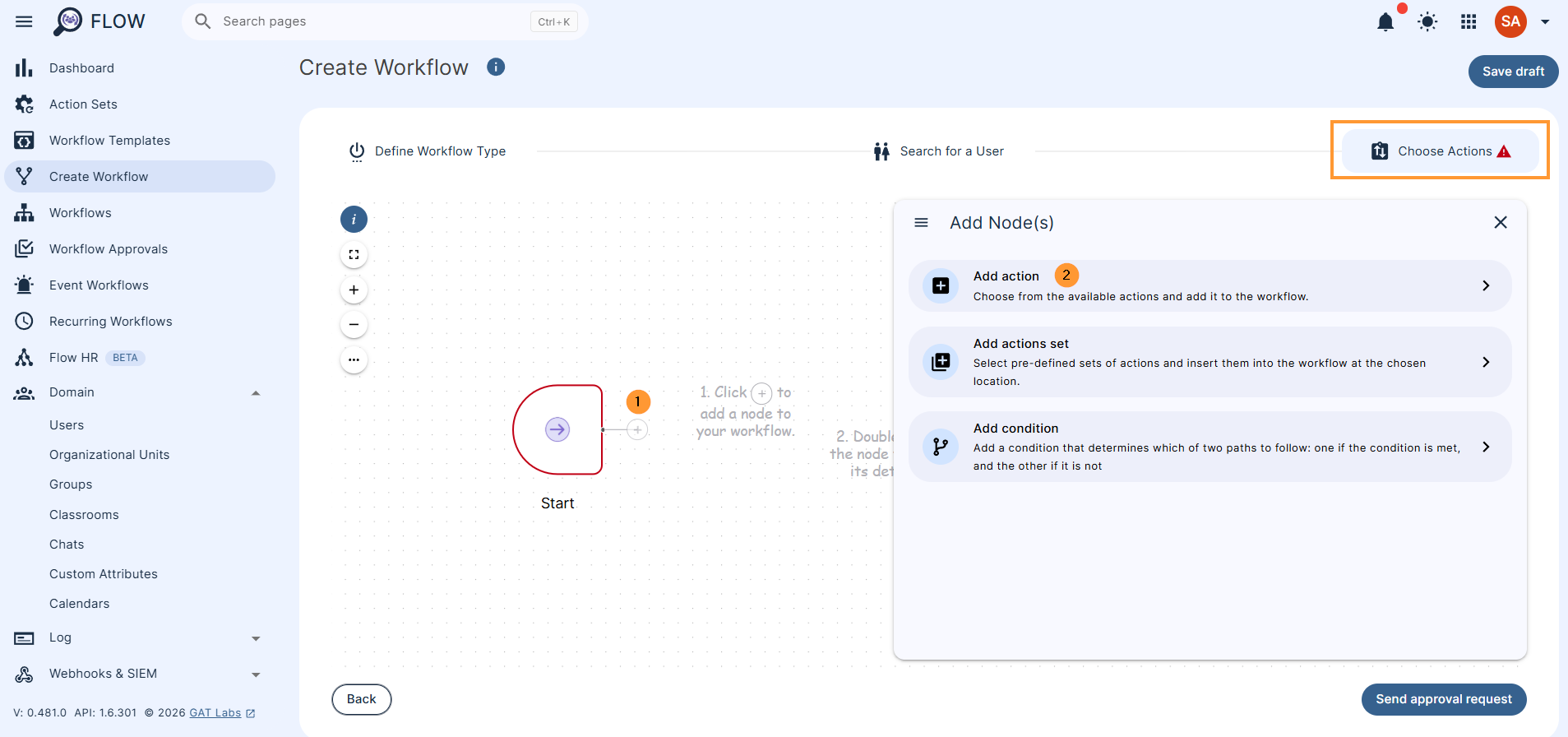
Search and select the action “Remove app tokens.”
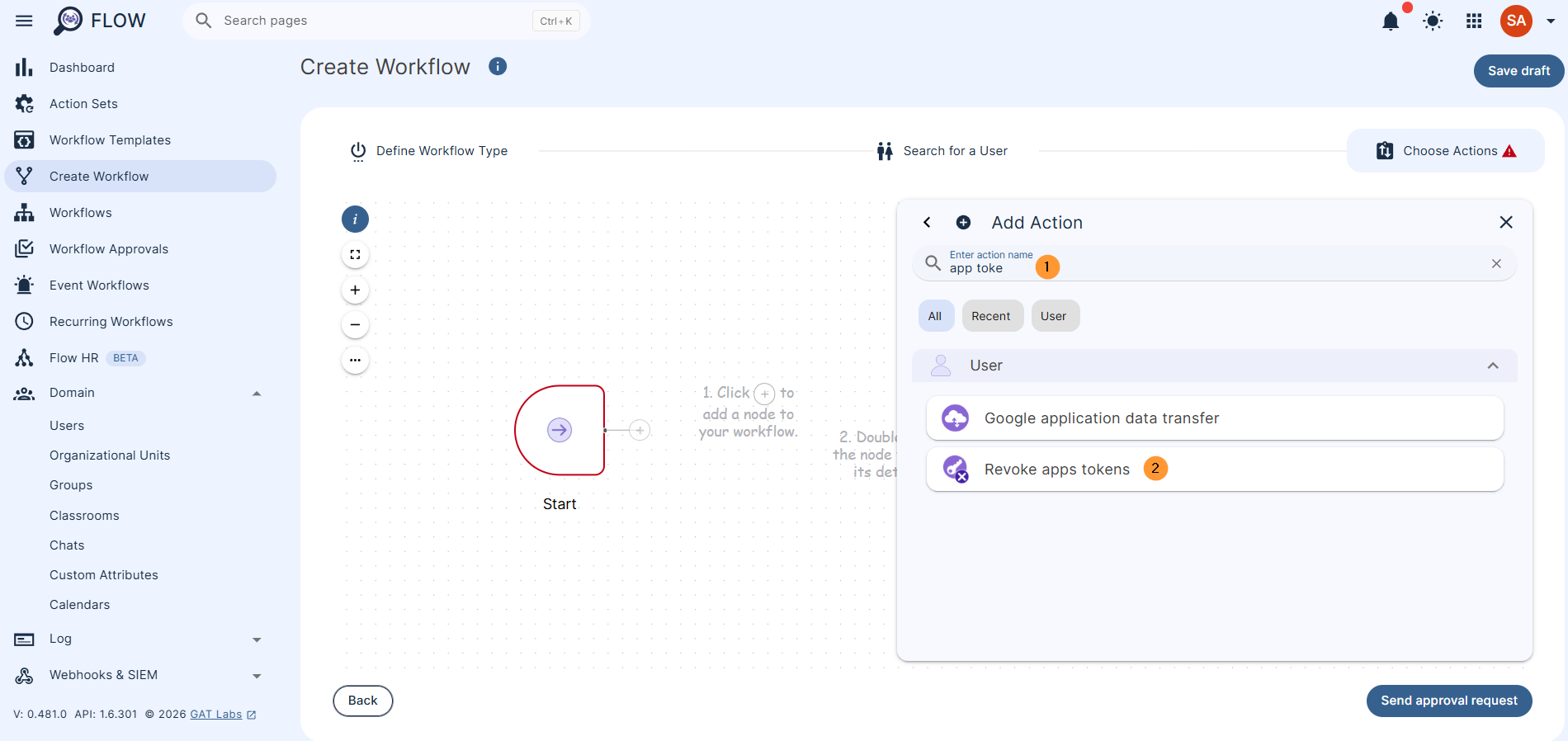
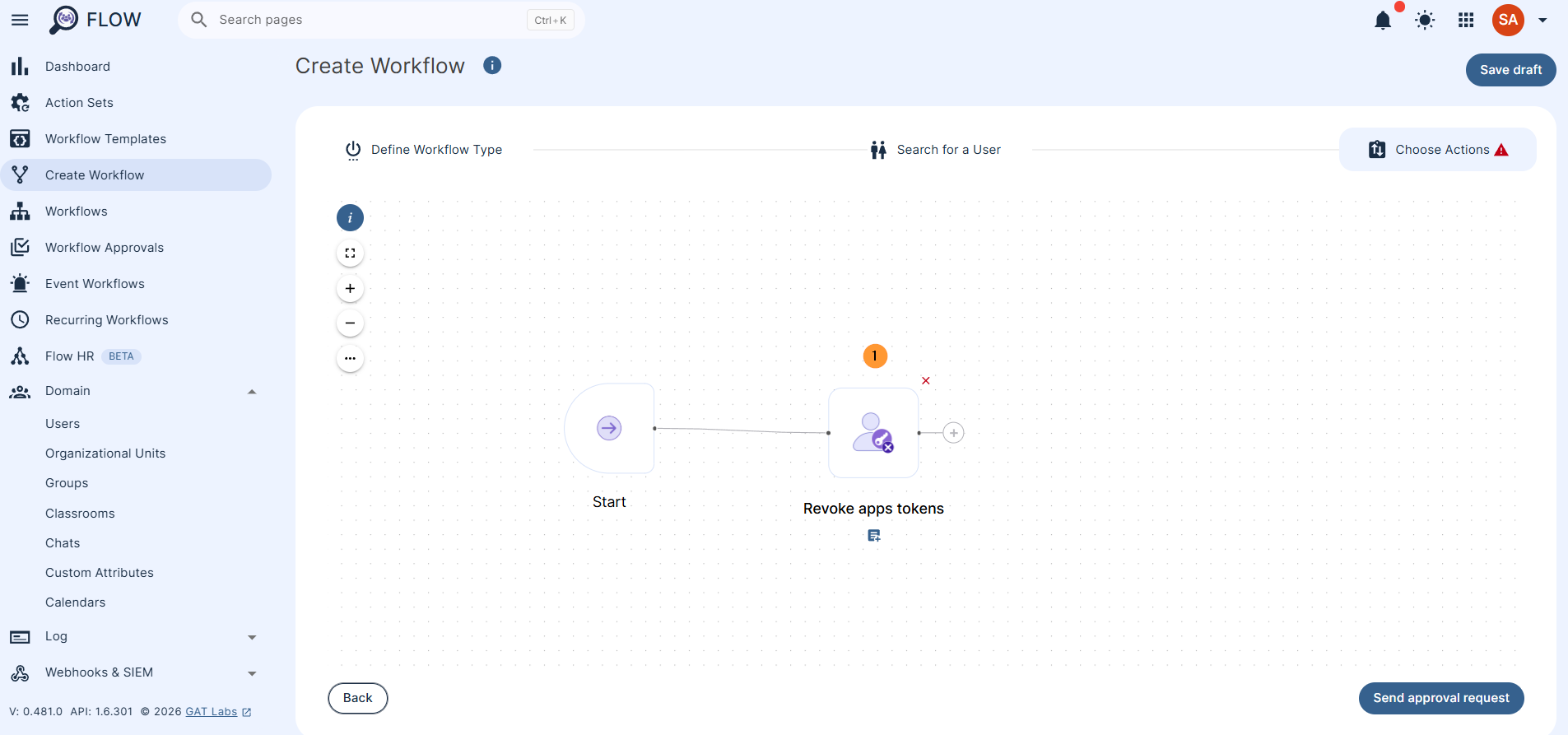
Double-click on the action, to see more details
This action will delete all access tokens issued by a user for all applications #
When the options are selected, click on “Send approval request.”
Security officer approval #
When the request is sent for approval, the Security officer has to approve the request.
They will receive an email like the one below.
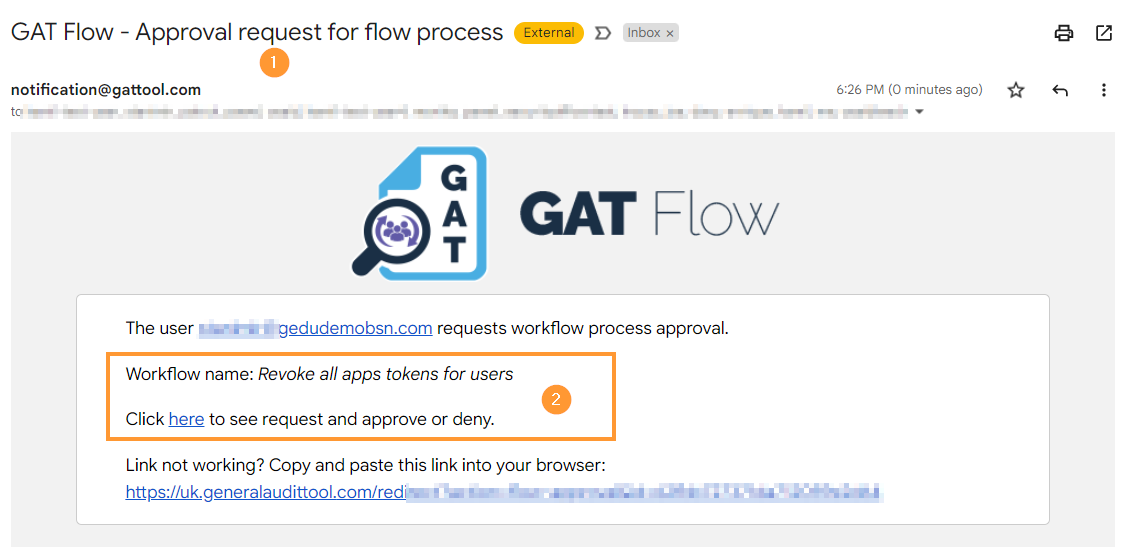
The officer will be navigated to Flow, where the request can be approved or denied.
Result #
Once the Security Officer approves the request and the workflow completes successfully:
- Complete App Revocation: All access tokens issued by the user for all third-party applications will be completely deleted.
-
Global Account Logout: The selected users will be instantly logged out of their Google Workspace domain account from every single device and browser where they are currently signed in.


