
Last Updated: April 2026
Protect your domain from Shadow AI, accidental shares, and browser-based leaks with a modern DLP strategy.
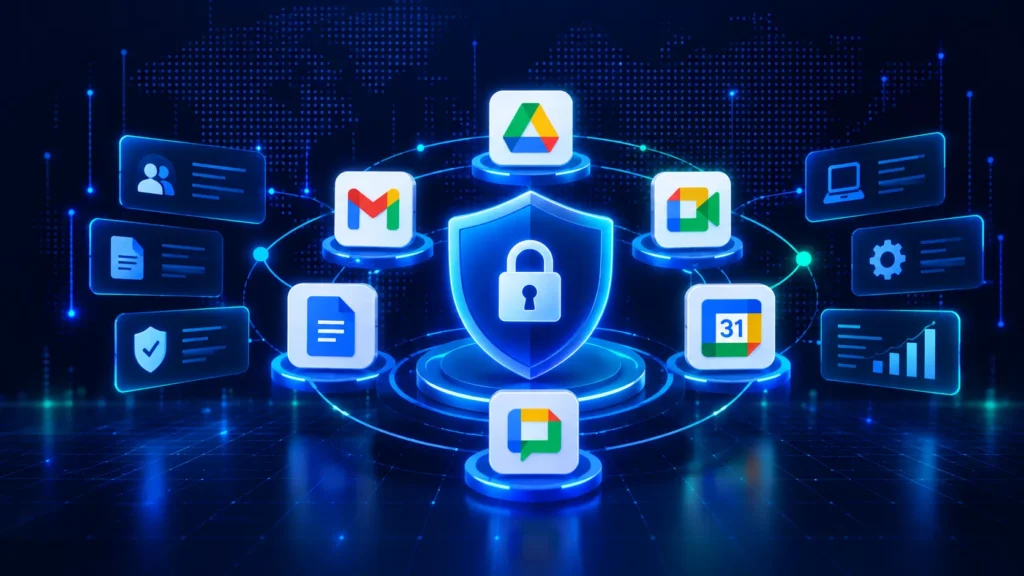
In the current landscape of digital work, the traditional office perimeter has effectively vanished. Your data now lives in the browser, travels through generative AI prompts, and sits in shared cloud drives. Because managing the cloud shouldn’t feel like chasing it, a modern Data Loss Prevention (DLP) strategy is the only way to ensure your business foundation stays secure.
What is Data Loss Prevention (DLP)?
Data Loss Prevention is a specialized security framework designed to stop sensitive information from leaving your organization accidentally or via malicious intent. While basic security focuses on keeping unauthorized users out of your network, DLP focuses on the data itself. It acts as a persistent monitoring system that watches over information in three distinct states.
First is data at rest, which includes files stored in Google Drive or cloud archives. Second is data in motion, referring to information being sent through email or uploaded to the web. Finally, there is data in use, which covers the active editing of documents or the copying of text into external tools. A true DLP solution goes beyond simple endpoint security by monitoring network traffic and cloud storage to prevent leaks before they happen.
Why is DLP Essential for Businesses?
Data breaches are no longer just the result of external hackers. In many cases, they stem from “Shadow AI,” where employees paste proprietary code or customer information into public AI models to save time. This makes DLP a crucial partner within your organization’s Information Security strategy. By integrating with infrastructure security and cryptography, it ensures that your data is protected throughout its entire lifecycle.
A robust solution provides enhanced visibility, allowing you to see exactly how sensitive data moves across your network. This visibility empowers you to address risks like insider threats or accidental over-sharing in Google Drive. Furthermore, it simplifies the complex task of regulatory compliance. By using tools that automatically identify and label sensitive data, you can meet the strict requirements of GDPR or HIPAA without manual oversight.
Building a DLP Strategy for Google Workspace: Step by Step
1. Classify Your Data
The first step is identifying what data your domain holds and where it lives. Within Google Workspace, common categories include Personally Identifiable Information like names and national ID numbers, financial data, such as payment card numbers, and health data subject to HIPAA regulations. You should also account for internal confidential materials like product roadmaps and board documents.
While you can use Google’s standard Data Protection Insights report to surface sensitive patterns, GAT+ provides a much deeper cross-domain view. This includes visibility into files within Shared Drives and documents shared with external users that might otherwise go unnoticed.
2. Map the Risk Surface
Once you know what data you have, you must ask where that data could potentially leave the domain. Common exit points include outbound Gmail through direct emails or auto-forwards, external Drive sharing via public links, and file attachments in Google Chat.
Furthermore, you need to monitor Chrome downloads and uploads to external sites, as well as third-party apps connected via OAuth. Each of these areas requires a specific control, whether that is a direct DLP rule, a monitoring alert, or a formal workflow gate.
3. Define Your DLP Policies
It is best to start narrow. Broad rules often produce high false-positive rates, which lead to alert fatigue for admins and friction for users. You should build policies around your highest-risk data categories first.
Google recommends starting new Drive and Gmail DLP rules in audit-only mode before you apply any blocking actions. This allows you to calibrate sensitivity without disrupting daily workflows. For every policy, ensure you define the specific content type in scope, the action to be taken (such as a warning or a block), and the process for handling exceptions.
4. Implement Endpoint and Browser Controls
Standard DLP tools in the Google Admin console often stop at the application layer. This means they do not control what happens in Chrome once a file is downloaded to a device.
GAT Shield extends your protection to the browser level. This allows admins to block downloads of specific file types, like bulk CSV exports, and receive alerts when users visit unsanctioned external storage sites. This level of control is particularly relevant for organizations that issue Chromebooks or enforce Chrome as the standard browser.
5. Build Accountability into Data Access
Not all data exposure is external. Insider risk is a persistent problem, whether it happens accidentally or deliberately. When admins access user Gmail or Drive for investigation purposes, that access must be logged and time-limited.
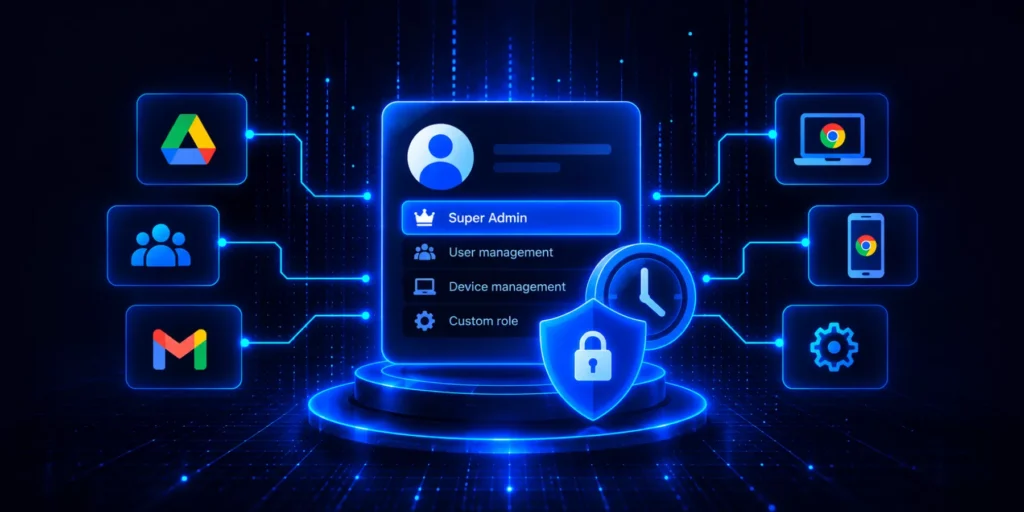
GAT Unlock manages this through a multi-party approval workflow. An admin submits a request, and a designated Security Officer must approve it before access is granted. This process satisfies auditors and supports the accountability requirements found in regulations like GDPR.
6. Automate High-Risk Transitions
DLP failures are most common during onboarding and offboarding. A new user might receive more access than they actually need, or a departing employee’s account might remain active for weeks.
GAT Flow automates these transitions by setting group memberships and Drive structures from a template during onboarding. During offboarding, it can automatically suspend the account, transfer Drive ownership, and revoke licenses. This automation reduces human error and ensures sensitive actions never happen without proper oversight.
7. Monitor, Review, and Improve
A DLP strategy is not a one-time setup. You should schedule regular reviews of your rule hit rates to see if they remain accurate. It is also vital to audit external sharing exposure and Gmail forwarding rules on a consistent basis.
GAT+ supports these efforts with scheduled reports and custom alerts. This ensures that admins receive the necessary data to make informed decisions without having to pull reports every week manually.

DLP and AI in Google Workspace: What’s Changing in 2026
Google’s Workspace Intelligence feature, launched in April 2026, brings Gemini AI into Gmail, Drive, Docs, and Chat, drawing on your domain’s data to generate contextual responses and suggestions.
This changes the DLP surface in a meaningful way. AI features that access and synthesize data across your domain can expose information that was previously siloed. Admins need to verify:
- – Which users have access to Workspace Intelligence features
- – Whether existing DLP rules also apply to AI-driven content
- – Whether client-side encryption policies extend to AI-processed data
Google states that DLP rules can restrict AI access to certain data sources. This should be an explicit part of your DLP policy review if your organization has deployed Gemini for Workspace.
To finalize the blog, we should connect the technical aspects of DLP to the regulatory requirements that often drive these projects. In 2026, compliance is no longer a “point-in-time” check but a continuous requirement of cloud governance.
Here is the final section, designed to flow naturally from the AI discussion into the global compliance landscape.
DLP Compliance: GDPR, HIPAA, and CCPA in Google Workspace
While DLP is a technical control, its primary purpose is often to satisfy strict regulatory frameworks. For many organizations, the question is not just how to stop a leak, but how to prove they have the necessary safeguards in place to meet international standards.
GDPR Compliance for European Data
The General Data Protection Regulation requires organizations to protect personal data by design and by default. This means security must be baked into your workflows rather than added as an afterthought. Within Google Workspace, using DLP controls on Drive sharing and Gmail is a direct application of this principle.
To satisfy Article 25 regarding data protection by design and Article 30 concerning records of processing activities, many admins look beyond standard Google logs. By using GAT Unlock, you create a transparent and permanent record of every time an administrator accesses sensitive data. This provides the “accountability” that European regulators demand during a formal audit.
HIPAA Safeguards for Healthcare
For covered entities in the United States, HIPAA requires technical safeguards to control access to protected health information. Standard Google Workspace DLP rules can be configured to target specific health data patterns, such as ICD-10 codes or medical record numbers.
However, compliance also hinges on the HIPAA Security Rule’s requirement for audit controls. Combining Google’s native rules with the deep auditing capabilities of GAT+ ensures that you have a comprehensive view of who accessed health data and when. This dual-layered approach is often what separates a compliant organization from one facing significant penalties during a breach investigation.
CCPA and the Right to Know in California
The California Consumer Privacy Act gives residents the right to know what personal data an organization holds and the ability to request its deletion. Responding to these Data Subject Access Requests can be an administrative nightmare in a large Google Workspace domain with millions of files.
GAT+ simplifies this by allowing admins to perform lightning-fast searches across Gmail and Drive for data tied to a specific individual. Instead of manually combing through thousands of folders, you can identify, report on, and manage a user’s data footprint in a fraction of the time. This capability ensures that you meet the strict timelines required by California law without exhausting your IT resources.
Frequently Asked Questions About DLP in Google Workspace
What is Data Loss Prevention (DLP) in Google Workspace?
DLP in Google Workspace consists of a set of rules and controls that detect sensitive data across Gmail, Google Drive, and Google Chat. When the system identifies information at risk of unauthorized sharing or exposure, it takes automated action, such as blocking the transfer, warning the user, or alerting a security administrator.
Does Google Workspace have built-in DLP?
Yes, Google Workspace Business Plus and Enterprise editions include native DLP for Gmail, Drive, and Chat. Admins can configure these rules in the Admin console under the security section for access and data control. However, native DLP typically does not cover Chrome browsing activity, bulk remediation, or multi-party approval workflows for sensitive data access.
What are the biggest DLP gaps in Google Workspace?
The most common security gaps include Gmail auto-forwarding to external accounts and files in Drive that remain shared publicly or with former employees. Other significant risks involve Chrome downloads, visits to unsanctioned sites, a lack of accountability controls on admin access to user data, and delays in the offboarding process that leave a departing user’s data exposed.
How does DLP help with GDPR compliance in Google Workspace?
DLP controls that restrict unauthorized data sharing support GDPR requirements for data protection by design under Article 25. When combined with comprehensive audit logs and access records, these tools also help satisfy Article 30 requirements for records of processing activities and the ability to respond efficiently to data subject access requests.
What is the difference between Google’s native DLP and third-party tools like GAT Labs?
Google’s native DLP focuses on pattern-based detection within its core applications. Third-party tools like GAT Labs extend this functionality with deeper audit capabilities, such as file-level sharing history and Gmail forwarding audits. GAT Labs also provides Chrome-layer controls through GAT Shield, approval-based access workflows via GAT Unlock, and automated lifecycle management through GAT Flow, offering visibility that the standard Admin console cannot provide alone.
How do I start implementing DLP in Google Workspace?
You should begin by classifying your sensitive data and identifying exactly where it lives. Next, audit your current Drive sharing exposure and Gmail forwarding rules. It is best to enable Google’s native DLP rules in audit-only mode first to understand your false-positive rate before you add blocking actions. Finally, extend your coverage to the Chrome browser and automate user lifecycle events to close the most common exposure gaps.
Does DLP in Google Workspace cover AI tools like Gemini?
Google’s DLP rules allow admins to restrict which data sources Workspace Intelligence, or Gemini, can access. Because AI can synthesize data across silos, organizations should conduct a thorough review of their DLP policies after enabling AI features to ensure that rules extend to AI-driven data access.
Related reading:
- The Ultimate Guide Against Google Drive Data Leaks
- Data Loss Prevention for Google Chrome
- Google Drive Security
- GDPR Compliance in Google Workspace
- Cybersecurity Incident Response Plan
Summary
DLP in Google Workspace is not a single product or a one-time configuration. It is a combination of detection rules, access controls, audit practices, and automation that reduces your exposure across every data surface: applications, email, files, browser, and user lifecycle events.
Google’s native tools give you a starting point. For organizations managing large domains, strict compliance requirements, or complex data access scenarios, you need visibility and control that goes further.
That is what GAT Labs is built for.