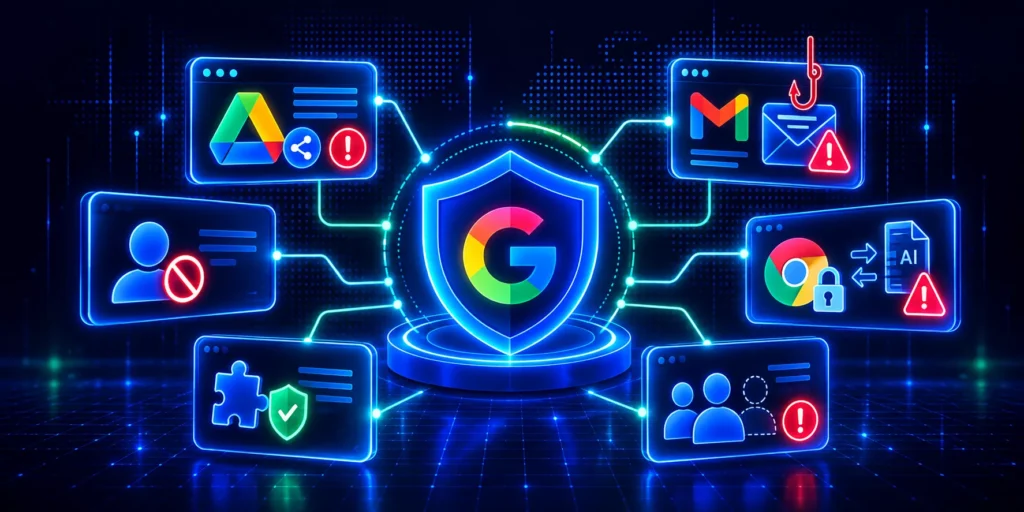

Shadow IT is the use of software, cloud services, devices, or applications within an organization without the knowledge or approval of the IT department. It includes SaaS tools employees sign up for with work email, OAuth-connected apps, Chrome extensions, AI writing assistants used for work tasks, and any technology that operates outside official IT oversight.
The scale is significant. According to Gartner, 41% of employees were using applications outside IT visibility in 2022, with that figure projected to rise sharply in subsequent years. In large enterprises, shadow IT accounts for an estimated 30 to 40% of total IT spending. The average enterprise uses over 1,000 cloud services. IT is typically aware of roughly 100 of them.
This guide covers what shadow IT actually looks like today, why it keeps growing despite policies, what the compliance and security consequences are, and how to build controls that address the root cause.
What shadow IT looks like now
Shadow IT is no longer just an employee installing unapproved software on a work laptop. In a cloud-first, browser-based work environment, it covers a much wider range of behaviors — and most of them leave no installation footprint.
Common examples: employees connecting productivity tools to Google Drive via OAuth without IT review; teams adopting SaaS platforms by signing up with work email addresses; users accessing AI writing or analysis tools and pasting in company data; Chrome extensions with broad page permissions installed without any security review. Any of these creates compliance and security exposure.
The visibility gap is structural: The Admin Console shows you what happens inside Google’s own apps. It does not show you what third-party apps are connected via OAuth, what extensions are running across your fleet, or what data is moving through the browser to external services.
Why does it keep happening despite policies?
Most organizations have a shadow IT policy. Shadow IT keeps growing anyway. That is because the problem is structural, not behavioral.
Shadow IT is rarely malicious. Employees adopt unapproved tools because they are faster, more accessible, or better suited to the task than the approved alternative.
Three patterns drive it reliably.
First, the approved toolset does not meet employee needs. Second, the approval process is slower than just signing up. SaaS tools are designed for frictionless adoption, and a two-week review process cannot compete. Third, employees do not connect the tool to the risk. A user pasting a paragraph into a free AI assistant is focused on finishing the task, not reviewing data processing terms.
The problem is not limited to non-technical staff. In multiple surveys, more than 80% of IT professionals admit to using unsanctioned tools themselves.
Shadow AI: a faster-moving variant
Shadow AI is the use of AI tools without IT authorization. It is the most significant new category of shadow IT, and it scales faster than anything before it.
Research from 2025 found that 98% of organizations have employees using unsanctioned AI tools, with the majority doing so regularly. The risk is categorically different from standard shadow IT. When an employee uploads a file to a personal cloud account, the file sits there. When they paste the same file into a generative AI tool, the content may be processed, retained, used for model training, and, in some cases, surfaced in responses to other users, depending on the service tier and terms. Most free AI tiers have data policies incompatible with enterprise governance. Most users have never read them.
Shadow AI also bypasses standard discovery methods. Many AI tools are browser-based with no software installation and no OAuth connection if accessed directly. They leave no trace in the logs that admins typically review.
IBM’s Cost of a Data Breach Report found that shadow AI-related incidents added significantly to breach costs compared to the baseline average. The combination of data leaving the environment without a record and the speed of AI tool adoption makes this the category that most existing governance frameworks are least prepared for.
The real consequences of unmanaged shadow IT
Security exposure from persistent OAuth tokens
When users connect third-party apps to Google Workspace via OAuth, those connections persist indefinitely unless explicitly revoked. A token granted to a marketing integration two years ago may still hold active Gmail or Drive access today, even if the user has left, even if the app is no longer used.
Credential misuse and persistent access remain leading attack vectors. OAuth tokens fall into this category. They act as valid credentials and often remain active without review. Organizations with excessive or unmonitored access permissions face higher breach costs and longer detection times.
Compliance exposure under data protection regulations
GDPR, HIPAA, ISO 27001, and SOC 2 all require organizations to demonstrate where personal data is stored, who has processed it, and under what conditions. Shadow IT creates undocumented data flows that make it impossible to account for fully.
Under GDPR, a Data Subject Access Request requires you to locate all personal data held about an individual. If that data has been processed by an employee’s personal AI tool or stored in an unapproved SaaS workspace, you cannot locate, report, or delete it. The compliance gap is not theoretical; it is the difference between what your policies describe and what your data environment actually contains.
NCSC guidance notes that shadow IT is frequently excluded from organizational threat assessments entirely, meaning the security posture presented to auditors is incomplete.
Financial cost from SaaS sprawl
Shadow IT compounds over time. Unapproved tools accumulate subscriptions, duplicate functionality across departments, and create licenses no one reviews. Gartner estimates that enterprises spend $1.2 million annually managing shadow IT risks that went undetected at adoption. Separate research places the average annual spend on unused SaaS applications at over $40,000 per organization.
Data governance gaps at offboarding
When an employee leaves, their personal SaaS accounts leave with them. Company data stored in an unapproved tool may be unrecoverable. Offboarding processes cannot revoke access to systems IT did not know existed. For organizations subject to data retention obligations, this creates a permanent gap in governance that cannot be closed retroactively.
What does not work
Before covering effective controls, it helps to be direct about approaches that consistently fail.
Blanket blocking: When IT blocks a tool employees depend on, they find a workaround. Research consistently shows this pushes shadow IT underground rather than eliminating it. The behavior continues; it just becomes less visible.
One-off audits: An OAuth audit completed this month will be outdated next month. Shadow IT events happen continuously. Point-in-time reviews give you a snapshot of a problem that is always changing.
Policy without a usable alternative: A shadow IT policy sets expectations, but if the official approval process takes three weeks and the shadow alternative takes three minutes, the policy changes nothing about behavior.

A three-part control framework
Managing shadow IT effectively requires continuous visibility, a usable approval path, and a proportionate response when something falls outside policy.
1. Continuous visibility
You cannot govern what you cannot see. In Google Workspace environments, visibility requires three things working simultaneously.
OAuth app monitoring gives you a view of every third-party app connected to your domain, its permission scope, user count, and last activity. In the Admin Console, navigate to Security > Access and data control > API controls for a starting point. For environments where that view is not granular enough, GAT+ provides a full OAuth app inventory with scope risk scoring, ban policies that block unauthorized apps, and scheduled reporting. It also offers alerts when new applications are installed, allowing admins to act immediately instead of waiting for a scheduled audit.
The knowledge base walkthrough on auditing third-party applications covers the setup in detail.
Browser-level monitoring covers the gap OAuth logs leave behind: A user accessing a tool directly through the browser, typing credentials, uploading files, pasting data, does not appear in OAuth logs at all. GAT Shield monitors file transfers, extension installs, upload destinations, and browsing activity at the point where data movement actually happens.
Extension auditing is a specific and often overlooked layer: Extensions with broad page permissions have access to everything users see and type across all sites, including Google Workspace. GAT Shield’s extension audit shows every extension installed across the fleet with permission scoring, so admins can identify and act on high-risk installs.
2. A usable approval path
The most effective shadow IT control is making it easier to get a tool approved than to go around IT. When the approved route competes on speed and simplicity, employees use it.
A practical process: employees submit a tool request through a simple form. Low-risk tools with no data access are approved within 24 hours. Medium-risk tools go to a brief security review. High-risk tools requiring broad data permissions receive full vetting. Maintain a visible approved app catalog — a searchable list of pre-vetted tools by category — so employees have a legitimate option without waiting for a review at all.
GAT Flow supports building this as an automated approval workflow, with routing, notifications, and a full audit log of every decision.
3. Proportionate response
Not all shadow IT carries the same risk. Response should reflect that.
A tiered approach: low-risk tools are logged and added to the next review cycle. Medium-risk connections trigger a notification to the user and their manager, with a window to remediate or justify. High-risk events (regulated data transferred to an unapproved AI tool, for example) trigger immediate review and potential token revocation.
Automating the low and medium tiers matters: Shadow IT events are too frequent for a manual review model to be sustainable. Automated workflows handle the routine response; human attention focuses on the cases that genuinely need it.
Building a shadow IT policy that works
An effective shadow IT policy is a governance document, not a blocked-apps list. Aligned with NIST cybersecurity framework guidance, a complete policy includes:
Scope: Name explicitly what the policy covers: SaaS tools, OAuth-connected apps, browser extensions, personal AI tools, BYOD devices. Policies covering only installed software miss most of modern shadow IT.
Risk classification: Define tiers based on data access level, with different review requirements for each. Identical treatment for all unapproved tools is both impractical and counterproductive.
The approval process: Describe exactly how an employee requests a tool and what the expected response time is. If it is not clear enough to follow without asking for help, it will not be followed.
Grace period: Most organizations already have an inventory of tools in use that were never formally approved. A declaration window, where employees can surface existing shadow IT without penalty, allows you to bring the environment above board rather than discovering it one incident at a time.
Offboarding requirements: When an employee leaves, their SaaS connections and OAuth tokens must be revoked as part of the standard process. This is where shadow IT creates its longest-lived risk.
Quick reference: shadow IT by risk level
| Type | Common examples | Primary risk | First response |
| Low-risk SaaS | Task managers with no data access | License sprawl | Log, review quarterly |
| Medium-risk OAuth | Productivity tools with Drive read access | Unauthorized data access | Notify user, review within 48 hours |
| High-risk OAuth | Apps with Gmail/Drive write access | Data exfiltration path | Immediate review, revoke if unjustified |
| Shadow AI | Free AI tools processing company data | Uncontrolled data processing, GDPR exposure | Immediate review, assess notification obligations |
| Browser extension | Extensions with full-page read permissions | Credential and data harvesting | Flag for risk scoring, block if high-risk |
| Personal SaaS account | Work files in personal cloud storage | Data outside governance on offboarding | Recover data, close access |
Frequently Asked Questions about Shadow IT
1. What is shadow IT? Shadow IT is the use of software, cloud services, devices, or applications within an organization without IT department approval. It includes SaaS tools, OAuth-connected apps, Chrome extensions, personal AI tools used for work, and any technology operating outside official governance.
2. Why is shadow IT a security risk? Shadow IT creates unauthorized access points through OAuth tokens that persist indefinitely, introduces tools that may not meet security standards, and removes data from your governance and compliance coverage. Most shadow IT is not included in threat assessments, leaving organizations with an incomplete picture of their attack surface.
3. What is shadow AI? Shadow AI is the use of AI tools (generative writing assistants, AI analysis platforms, LLM-based services) without IT authorization. It is the fastest-growing category of shadow IT. Employees use these tools to increase productivity but often share company data with external systems operating under terms of service incompatible with enterprise data governance requirements.
4. How does shadow IT affect GDPR compliance? GDPR requires organizations to demonstrate where personal data is stored and who has processed it. Shadow IT creates undocumented data flows that make it impossible to account for fully. If personal data has been processed by an unapproved tool, it cannot be located, reported, or deleted in response to a Data Subject Access Request.
5. How do you detect shadow IT in Google Workspace? Detection requires three layers: an OAuth app audit showing every third-party app connected to the domain and its permission scope (available via Security > Access and data control > API controls in the Admin Console, or with scope risk scoring via GAT+); browser-level monitoring to catch tools accessed directly without OAuth (via GAT Shield); and a Chrome extension audit across your fleet.
6. What should a shadow IT policy include? An effective policy defines scope (which technologies it covers), risk classification tiers with corresponding review requirements, a clear approval process with stated response times, a grace period for employees to declare existing shadow IT, and offboarding requirements for revoking all access when employees leave.
7. Does blocking shadow IT work? Blanket blocking is generally counterproductive. It pushes shadow IT underground without eliminating it. A more effective approach combines visibility into what is in use, a fast approval path for legitimate needs, and a proportionate response calibrated to actual risk.
8. What is the difference between shadow IT and shadow AI? Shadow IT covers all unapproved technology. Shadow AI is the subset involving AI tools specifically. Standard shadow IT typically stores or moves data. Shadow AI actively processes and interprets data, with some tools capable of retaining or training on it. The risks go beyond data storage to include data confidentiality and regulatory compliance with AI-specific obligations.