
A compromised Google Workspace account creates immediate disruption, but the real challenge often begins after the account has been secured.
Most Google Admins know the first steps: reset the password, sign the user out, and revoke access.
The difficult part is understanding what happened next.
What information was accessed? Were files downloaded? Did data leave the organization? Did the attacker leave behind a way to regain access later?
These are the questions that determine the true impact of an incident, and they are often much harder to answer than identifying the compromise itself.
In this article, we cover the most common investigation challenges Google Admins face after an account compromise. You will also find a downloadable playbook at the end with a structured investigation workflow and incident response checklist.
Why Resetting the Password Doesn’t End the Investigation
Many account compromises are treated as isolated login events. Once access is removed, the incident is considered closed.
Unfortunately, attackers rarely stop at logging in.
After gaining access to an account, attackers can access sensitive files, search email conversations, authorize third-party applications, create forwarding rules, and modify sharing permissions. They may also leave these changes in place to maintain access even after the password has been reset.
Recover the account first, then investigate the incident. The first step removes attacker access. The second determines the scope of the damage.
The First Question Management Will Ask
Sooner or later, someone will ask: “Was any data exposed?”
Answering that question is not always straightforward.
An attacker viewing a file is very different from downloading it. Downloading a file is different from sharing it externally. Sharing a file externally is different from uploading it to another platform altogether.
Understanding the impact requires more than identifying a suspicious login. It requires building a complete picture of the attacker’s activity across Google Workspace.
Without that context, security teams must rely on assumptions instead of evidence.
The Hidden Risk Many Admins Overlook
Many admins make the mistake of focusing only on downloaded files during an investigation.
Attackers increasingly move data to external services instead of simply exporting it.
Attackers can upload sensitive documents to personal cloud storage accounts, AI platforms, file-sharing services, or third-party applications. In these situations, the attacker may never create an external share or trigger the types of alerts most organizations expect to see.
Standard audit logs often focus on sharing and download activity. Browser-level monitoring provides additional visibility into uploads to personal cloud storage, AI platforms, and other external services that may not appear in traditional auditing.
Understanding the full activity timeline matters. The objective is not simply to identify what was accessed. It is to understand what information may have left your environment.
Once you secure the account, begin gathering evidence.
What Evidence Should Google Admins Review After an Account Compromise?
When investigating a compromised account, focus on the evidence that helps answer three questions:
- – How did the attacker gain access?
- – What actions were performed?
- – What information may have been exposed?
Here is what to review and what to look for in each area:
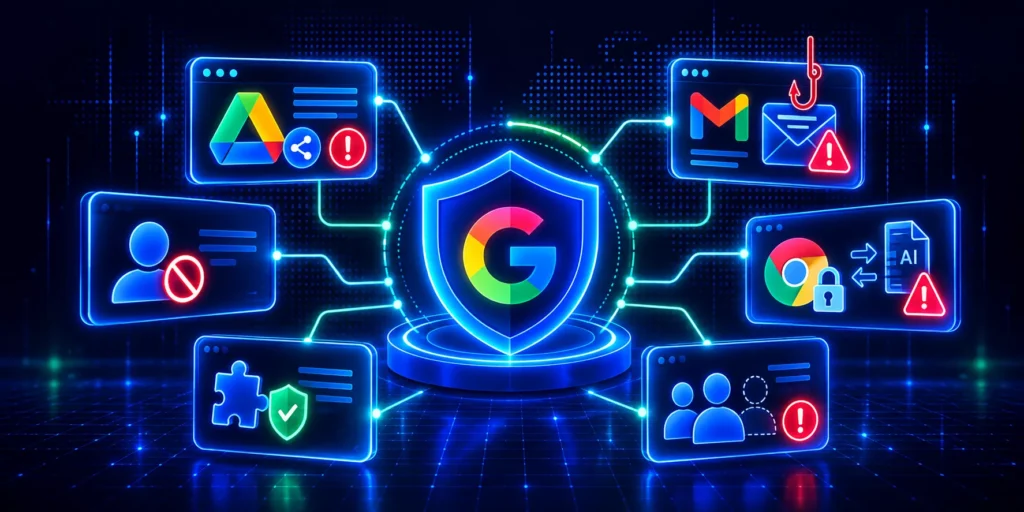
- Login activity: Look for sign-ins from unexpected locations, unusual times, or unfamiliar IP addresses. Check for SAML and OAuth log events, particularly if a third-party app may have been used for initial access.
- Google Drive: Audit file access, downloads and uploads, sharing changes, and ownership transfers during the compromise window. Pay attention to files shared externally or moved between drives.
- Gmail: Check for active forwarding rules, new filters, delegated access grants, and emails sent from the account during the compromise period. These are the most common persistence mechanisms attackers leave behind.
- Third-party applications: Review all apps authorized to access the account and the permissions they hold. GAT+ assigns a scope risk score to each application, so you can prioritise what to investigate and revoke.
- Device activity: Check for new or unrecognised devices associated with the account. Look for devices that were active during the compromise window.
- Calendar and Contacts: Less obvious but worth reviewing. Attackers with persistent access sometimes use Calendar invites or Contacts exports to exfiltrate information or maintain contact with targets inside the organisation.
- Administrative actions: If the compromised account had admin privileges, review the Admin Audit Log for any configuration changes, permission grants, or new user creation during the compromise window.
The objective is not simply to identify suspicious activity. It is to determine the full scope and impact of the incident. Many investigations focus on a single event. Effective ones connect multiple pieces of evidence to build a complete timeline.
A Structured Investigation Process Matters
Every investigation tends to follow the same sequence:
- Contain: Secure the account, reset credentials, revoke sessions and OAuth tokens.
- Establish the timeline: Identify when access was first gained and how long it persisted.
- Review evidence: Work through login events, Drive, Gmail, applications, devices, and admin actions.
- Assess impact: Identify what data the attacker accessed, modified, or potentially exfiltrated.
- Remediate: Remove unauthorised changes, forwarding rules, app authorizations, and shared access.
- Strengthen monitoring: Use the findings from the investigation to improve monitoring, close security gaps, and reduce the likelihood of a similar incident occurring again.
Following a consistent process eliminates guesswork, reduces investigation time, and gives you clearer answers for management, security teams, and compliance stakeholders.
GAT+ supports every stage of this process, from auditing login and Drive events to reviewing Gmail activity and revoking third-party app access. GAT Unlock enforces dual approval for access to sensitive Gmail and Drive content and logs every action for accountability.
Download the Compromised Account Investigation & Remediation Playbook
To help Google Workspace Admins investigate account compromises more efficiently, we’ve created a practical playbook that walks through the entire process from containment to remediation.
The playbook walks you through a structured investigation workflow, helps you assess potential data exposure, provides recommendations for ongoing monitoring, and includes a downloadable incident response checklist for future investigations.
If your team is responsible for securing Google Workspace, keep this playbook on hand before the next incident occurs. Having a documented investigation process can significantly reduce response times and help you understand exactly what happened during a compromise.

Frequently Asked Questions
1. What Should Google Admins Check Immediately After a Google Workspace Account Compromise?
After securing the account, check for Gmail forwarding rules, OAuth app authorizations, Drive sharing changes, and delegated access grants. These can all remain active after a password reset and are the most common ways attackers maintain access or continue exfiltrating data.
2. How do I know if an attacker left a backdoor in Google Workspace?
The most common backdoors are Gmail forwarding rules, filters that redirect emails, delegated mailbox access, and authorized third-party apps with broad permissions. Reviewing these in GAT+ gives you a full picture without needing to check each user account manually.
3. Can an attacker steal data without triggering a sharing alert?
Yes. Users can upload files to external services through their browser without creating an external share in Google Drive or triggering standard sharing alerts. GAT Shield monitors browser-level uploads and downloads, covering the activity that Drive audit logs do not capture.
4. How long does a Google Workspace investigation typically take?
It depends on the scope of the compromise and the tools available. Without a centralised audit tool, pulling evidence from login logs, Drive, Gmail, and app authorizations separately can take hours or days. With GAT+, administrators can investigate compromised accounts much faster because all relevant evidence is available from a single interface.
5. What is the difference between account recovery and incident investigation?
Account recovery removes the attacker’s access. Incident investigation determines what the attacker did while they had access. Both are necessary, but they are separate activities. Many organizations make the mistake of treating a password reset as the end of the incident.
6. Can Google Workspace show what files an attacker downloaded?
Google Workspace can provide visibility into file activity, including downloads in many scenarios, but the level of detail depends on the service, audit logs, and tools available. Reviewing download activity alongside sharing changes, uploads, and user actions provides a more complete picture of potential data exposure.