A user contacts IT because something doesn’t feel right.
Perhaps files have been shared that they don’t remember sharing. Maybe sensitive documents were downloaded overnight, or an unfamiliar browser extension suddenly appears. The login history looks normal, but there’s still a feeling that something has been missed.
Where do you start?
For many Google Workspace administrators, this is where an investigation begins.
Whether you’re responding to a phishing attack, investigating a potentially compromised Google Workspace account, or reviewing suspicious browser activity, the investigation process always starts with gathering the right evidence.
The challenge isn’t knowing that something happened. It’s understanding what happened, when, and how far it went.
Security professionals refer to these clues as Indicators of Compromise (IoCs).
An IoC isn’t proof that an account has been compromised. Instead, it’s evidence that deserves a closer look. One event on its own may be perfectly normal, but several occurring together can reveal a much bigger picture.
In this guide, we’ll explain what Indicators of Compromise are, how they apply to Google Workspace, and what administrators should look for when investigating suspicious activity.
What Are Indicators of Compromise?
An Indicator of Compromise, or IoC, is any piece of evidence that suggests a user account, device, or environment may have been compromised.
Think of an IoC as a breadcrumb rather than a smoking gun.
A login from another country might simply be an employee travelling. A large file download could be someone preparing for an important meeting. Even installing a browser extension isn’t necessarily suspicious.
It’s when several unusual events occur together that security teams begin asking more questions.
The goal isn’t to react to every alert. It’s to collect enough context to determine whether unusual activity is legitimate or whether further investigation is needed.
Why IoCs Look Different in Google Workspace
Traditionally, security investigations focused on endpoints, antivirus alerts, and network traffic.
Cloud environments work differently.
Google Workspace is built around identities, collaboration, cloud storage, and web applications. Employees access documents from anywhere, collaborate with external organisations, connect third-party applications, and increasingly rely on AI tools to complete everyday tasks.
As a result, many Indicators of Compromise are behavioural rather than technical.
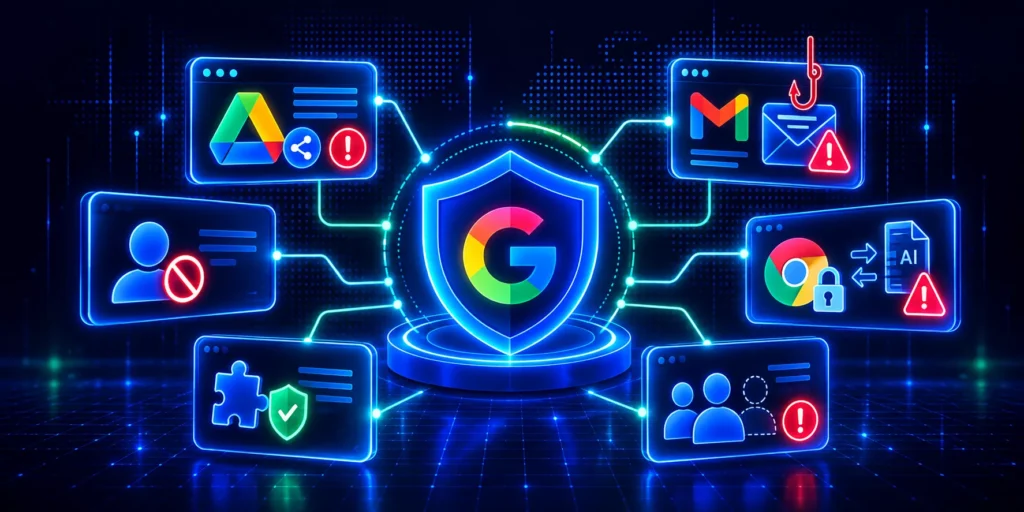
Instead of looking for malware on a laptop, administrators may be investigating unexpected file sharing, unusual browser activity, unfamiliar OAuth applications, or sensitive information being uploaded to external websites.
The investigation process is still the same. You’re gathering evidence to understand whether the activity fits the user’s normal behaviour or indicates something more serious.
Common Indicators of Compromise in Google Workspace
Not every unusual event indicates a security incident. However, certain patterns of activity should prompt administrators to investigate further, especially when several occur together.
The table below highlights some of the most common Indicators of Compromise (IoCs) that Google Workspace administrators should be aware of.
Where Should You Start Investigating?
Most investigations begin with the information already available inside Google Workspace.
Login history can reveal whether a user signed in from an unfamiliar location or device. Drive activity helps identify unexpected downloads, sharing changes, or ownership transfers. Gmail audit logs may uncover forwarding rules, deleted emails, or suspicious mailbox activity.
These audit logs are incredibly valuable and should always be your starting point.
But they’re no longer the complete picture.
Today’s employees spend much of their working day inside the browser. They access AI assistants, sign into SaaS platforms, collaborate through third-party services, install browser extensions, and move files between cloud applications.
Much of that activity happens outside Google’s native audit logs.
Another area that’s easy to overlook is third-party OAuth applications. A forgotten application with access to Drive or Gmail may continue to retain permissions long after employees stop using it. Regularly reviewing connected applications helps reduce unnecessary access and improve your overall security posture.
If your investigation ends with Gmail and Drive, you may never discover how the incident actually unfolded.
Following the Trail Beyond Google Workspace
Imagine an employee’s account has been compromised.
The attacker signs in successfully using stolen credentials. MFA isn’t triggered because the session token has already been stolen. Instead of accessing Gmail immediately, they open several SaaS applications, install a browser extension, download sensitive files, and upload documents to an external AI platform.
None of these actions, on their own, automatically confirm malicious activity.
However, together they begin to form a pattern.
Individually, each action could have a perfectly reasonable explanation. Employees download files every day. They install browser extensions, use AI tools, and access new SaaS applications as part of their work.
The difference is timing and context.
When several unusual activities occur within a short period, security teams gain a much clearer picture of whether they’re looking at normal business behaviour or a potential compromise.
This is why modern investigations rely on context rather than individual events.
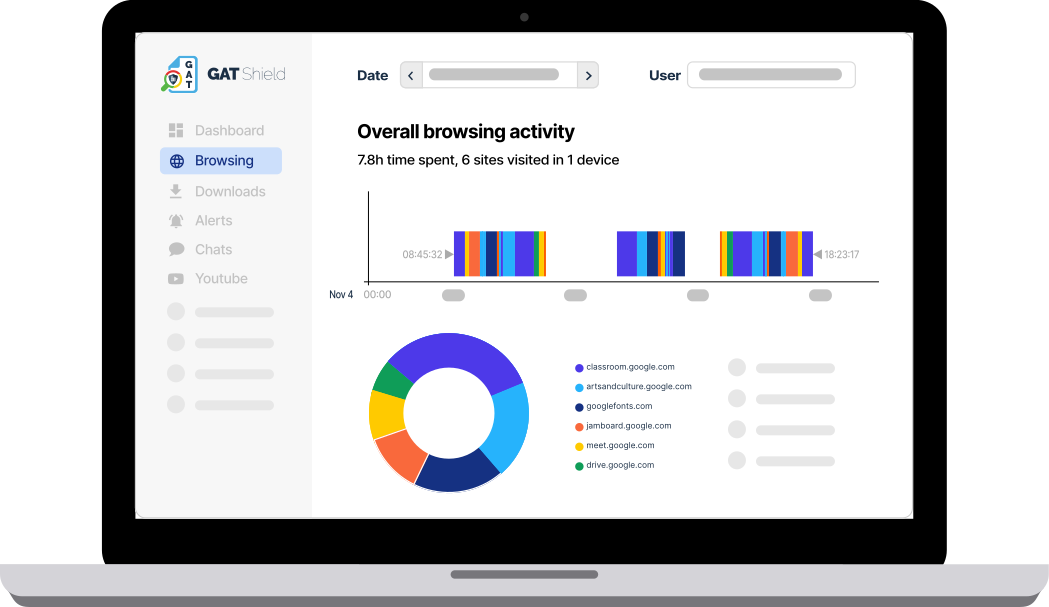
Some of the browser activity worth reviewing includes:
- Unusual file downloads or uploads.
- Access to unfamiliar AI tools or external websites.
- Newly installed browser extensions.
- Sign-ins to applications the user doesn’t normally access.
- Browsing behaviour that differs significantly from the user’s normal activity.
The more context available, the easier it becomes to separate legitimate business activity from genuine security risks.
Why Browser Visibility Is Becoming More Important
The browser has quietly become the centre of modern work.
Employees no longer spend their day inside a single application. They move between Google Workspace, CRM systems, HR platforms, AI assistants, collaboration tools, cloud storage services, and dozens of other browser-based applications.
Every one of those interactions has the potential to provide valuable security context.
Knowing that a file was downloaded is useful. Understanding that it was immediately uploaded to an unapproved website provides a much clearer picture.
Similarly, seeing that a new browser extension was installed shortly before unusual account activity can help investigators identify potential risks much faster. Many organisations also centralise browser activity alongside identity, endpoint, and network telemetry in their SIEM. Bringing these signals together helps investigators correlate events more quickly and build a clearer picture of what happened.
Browser visibility doesn’t replace Google Workspace audit logs. It complements them, helping security teams understand what happened before, during, and after an incident.
How Do You Know What’s Actually Suspicious?
One of the biggest challenges for Google admins isn’t finding activity. It’s deciding whether that activity is genuinely unusual.
A large download isn’t always data theft.
An employee may be preparing for an audit or downloading files before travelling.
Uploading a document to an AI assistant isn’t automatically a security incident either. Many organisations actively encourage employees to use approved AI tools.
The same applies to browser extensions, external collaboration, or third-party applications.
This is why context matters.
The most effective investigations don’t focus on isolated events. They look for combinations of activity that fall outside a user’s normal behaviour.
When several Indicators of Compromise appear together, security teams can investigate with greater confidence.
Building a Better Investigation Process
No security tool can confirm with certainty that an account has been compromised.
What good security tools can do is provide enough visibility to make informed decisions.
A strong investigation process combines multiple sources of information, including Google Workspace audit logs, file activity, browser telemetry, application usage, and user behaviour.
Our guide to investigating a Google Workspace account compromise with GAT+ walks through the process step by step.
The objective isn’t to generate more alerts. It’s to reduce uncertainty.
The faster administrators can understand what happened, the faster they can contain incidents, minimise data exposure, and restore confidence that the environment remains secure.

Final Thoughts
Indicators of Compromise are evolving alongside the way organisations work.
As employees rely more heavily on browsers, AI services, and cloud applications, many of the clues needed to investigate an incident no longer exist solely within traditional audit logs.
For Google Workspace administrators, combining audit data with broader visibility into browser activity provides a more complete understanding of user behaviour and helps security teams investigate incidents with greater confidence.
The goal isn’t simply to collect more security data.
It’s to build enough context to answer the question every administrator asks during an investigation:
What actually happened?
The organisations that respond most effectively to security incidents aren’t necessarily the ones with the most alerts. They’re the ones with the most context. As browsers continue to become the primary workspace for employees, that context will play an increasingly important role in detecting, investigating, and responding to Indicators of Compromise.
Frequently Asked Questions
What is an Indicator of Compromise (IoC)?
An Indicator of Compromise (IoC) is a piece of evidence that suggests someone may have compromised a user account, device, or environment. An IoC doesn’t prove an attack occurred, but it highlights activity that security teams should investigate further.
What are common Indicators of Compromise in Google Workspace?
Common examples include unusual login activity, unexpected file downloads, external sharing changes, suspicious OAuth app connections, unfamiliar browser extensions, uploads to external websites, and abnormal user behaviour. The significance of these indicators depends on the context surrounding the activity.
Are Google Workspace audit logs enough to investigate a security incident?
Google Workspace audit logs provide valuable information about login events, file activity, Gmail actions, and administrator changes. However, many organisations also need visibility into browser activity, third-party applications, AI tools, and browser extensions to gain a more complete understanding of an incident.
Why does browser activity matter during an investigation?
Much of today’s work takes place inside the browser. Employees regularly use SaaS applications, AI tools, and external websites that may not appear in traditional audit logs. Browser visibility provides additional context that helps security teams understand user behaviour during an investigation.
What’s the difference between an Indicator of Compromise and an Indicator of Attack?
An Indicator of Compromise suggests suspicious activity that warrants investigation, while an Indicator of Attack generally refers to evidence of an active or confirmed malicious event. Multiple IoCs occurring together may increase confidence that an attack has taken place.
Can browser extensions become Indicators of Compromise?
Yes. Unexpected browser extensions, extensions requesting excessive permissions, or extensions installed shortly before unusual account activity may all warrant investigation, particularly when combined with other suspicious behaviour.
How can organisations detect Indicators of Compromise earlier?
Early detection relies on combining multiple sources of security information. Regularly reviewing audit logs, monitoring browser activity, auditing third-party applications, assessing browser extensions, and establishing clear alerting processes all help organisations identify suspicious behaviour sooner.
How can GAT Labs help investigate Indicators of Compromise?
GAT Labs helps Google Workspace administrators investigate suspicious activity by providing detailed audit reporting alongside browser visibility, browser extension auditing, file activity insights, and user behaviour monitoring. By bringing these signals together, security teams gain the context needed to investigate potential Indicators of Compromise more effectively.
Can AI tools become Indicators of Compromise?
AI tools themselves aren’t Indicators of Compromise. However, unusual uploads of sensitive information to unapproved AI platforms, particularly when combined with other suspicious activity, may warrant further investigation. As AI adoption grows, reviewing how these tools are used has become an increasingly important part of many security investigations.