
Table of Contents
Each Google Workspace Super Admin or Delegated Auditor within the GAT Labs environment can update their own preferred language to change the display language of the application.
This feature enhances usability and accessibility by allowing administrators to work more efficiently, reduce misunderstandings, and navigate the platform with greater confidence.
The list of available languages currently includes:
-
- English
- Polish
- Spanish
- Dutch
- Italian
- French
Configuring your Language Settings in GAT+ #
-
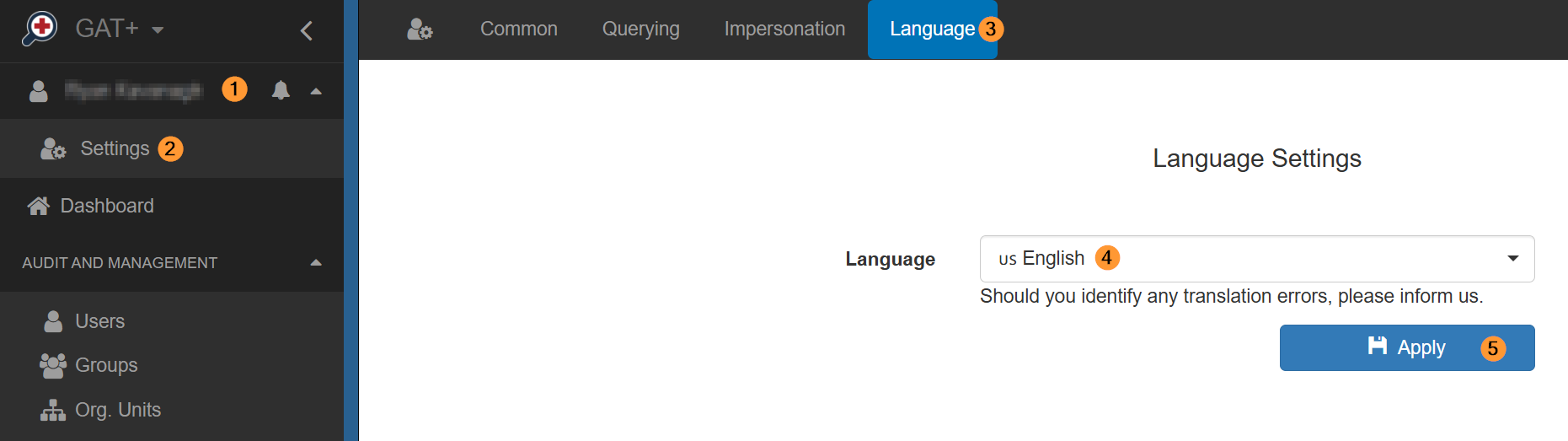
- Click the dropdown box in the top left corner where your account name is displayed.
- Click Settings from the list of options.
- Click the Language header.
- Select from the dropdown box your preferred language.
- Click Apply.
Configuring your Language Settings in Flow & Shield #
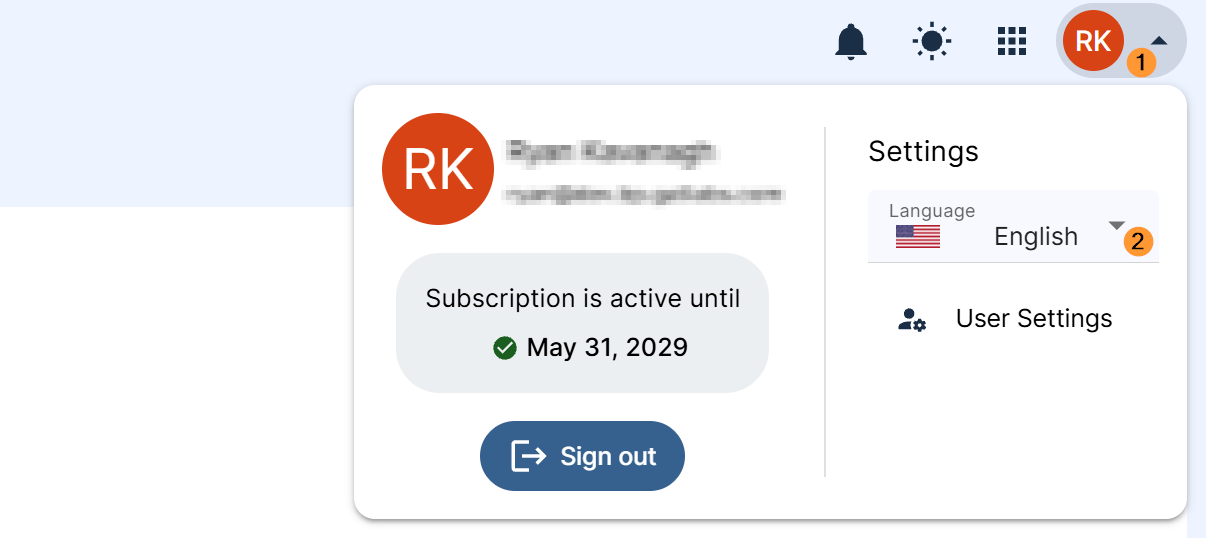
- Click the dropdown icon in the top right corner where your profile picture is displayed.
- Select your preferred language from the Language dropdown box.
FAQ: #
- Does changing my language setting affect other administrators?
- No. Language preferences are user-specific. Updating your display language only changes the interface for your individual account and will not affect the experience of other Super Admins or Delegated Auditors.
- Will changing the display language translate my audit logs or report data?
- No. This setting only changes the application interface (menus, buttons, and labels). The actual data retrieved from Google Workspace – such as email subjects, file names, or log entries – will remain in its original recorded language.


