

Delete 2-step verification backup codes #
GAT Flow is a User management tool part of the GAT Suite of products. It allows Google Workspace Admins to Onboard, Offboard, and Modify users of the domain.
It allows taking bulk action on multiple users at the same time.
Delete 2-step verification backup codes is one of the actions that can be taken using Flow.
Note: To use verification backup codes users must have 2-Step Verification turned on.
This action can be applied in Offboarding and Modifying workflows including Event and Recurring workflows
Set up Flow #
Navigate to GAT Flow
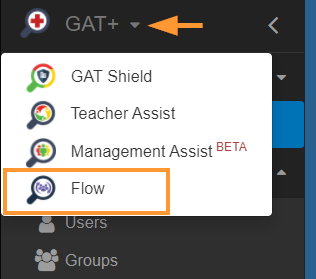
In Flow, click on the Create workflow button from the menu on the left.
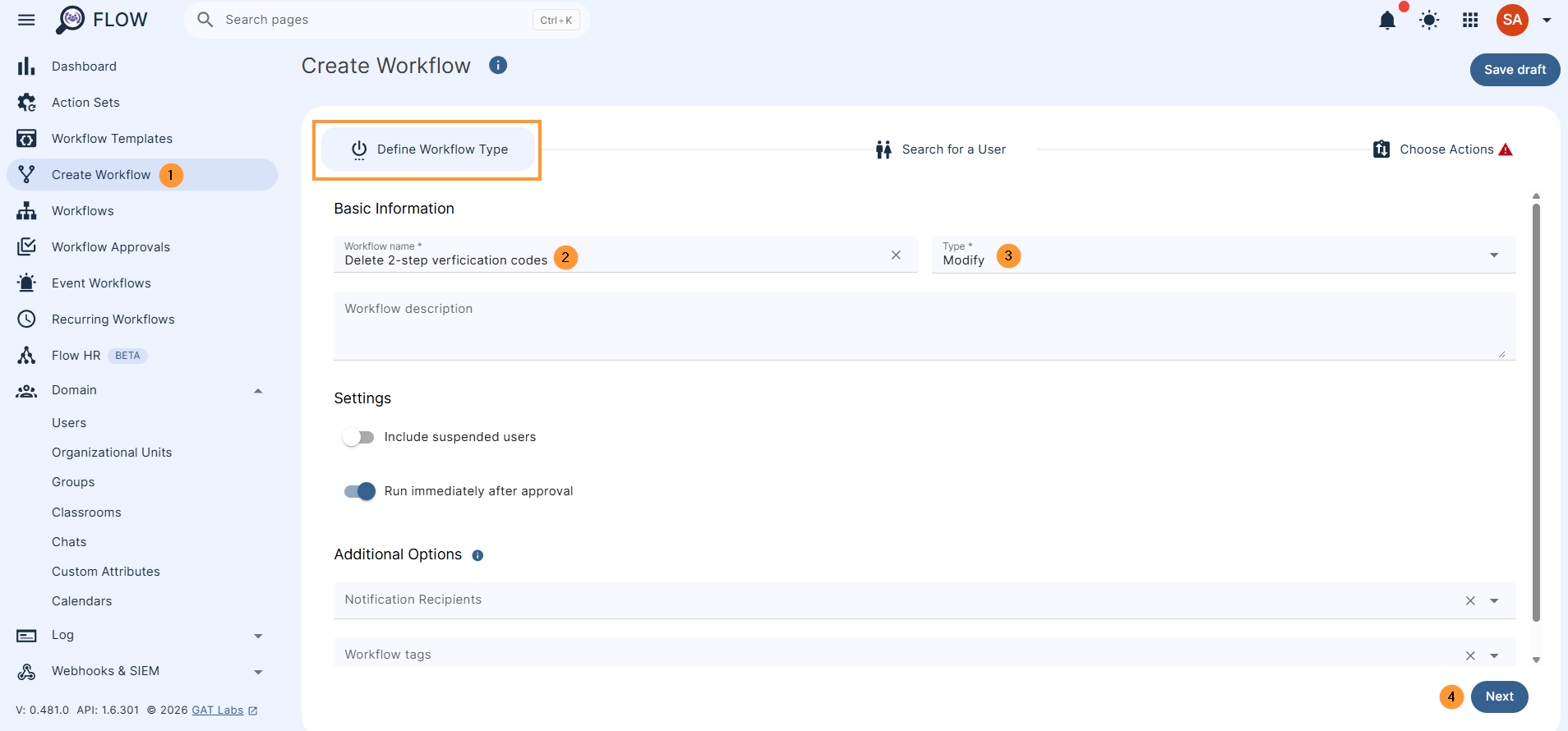
In the Define Workflow type, fill in the details
- Enter the Workflow name
- Select the workflow type – Modify or Offboarding
- Click on the Next button to proceed
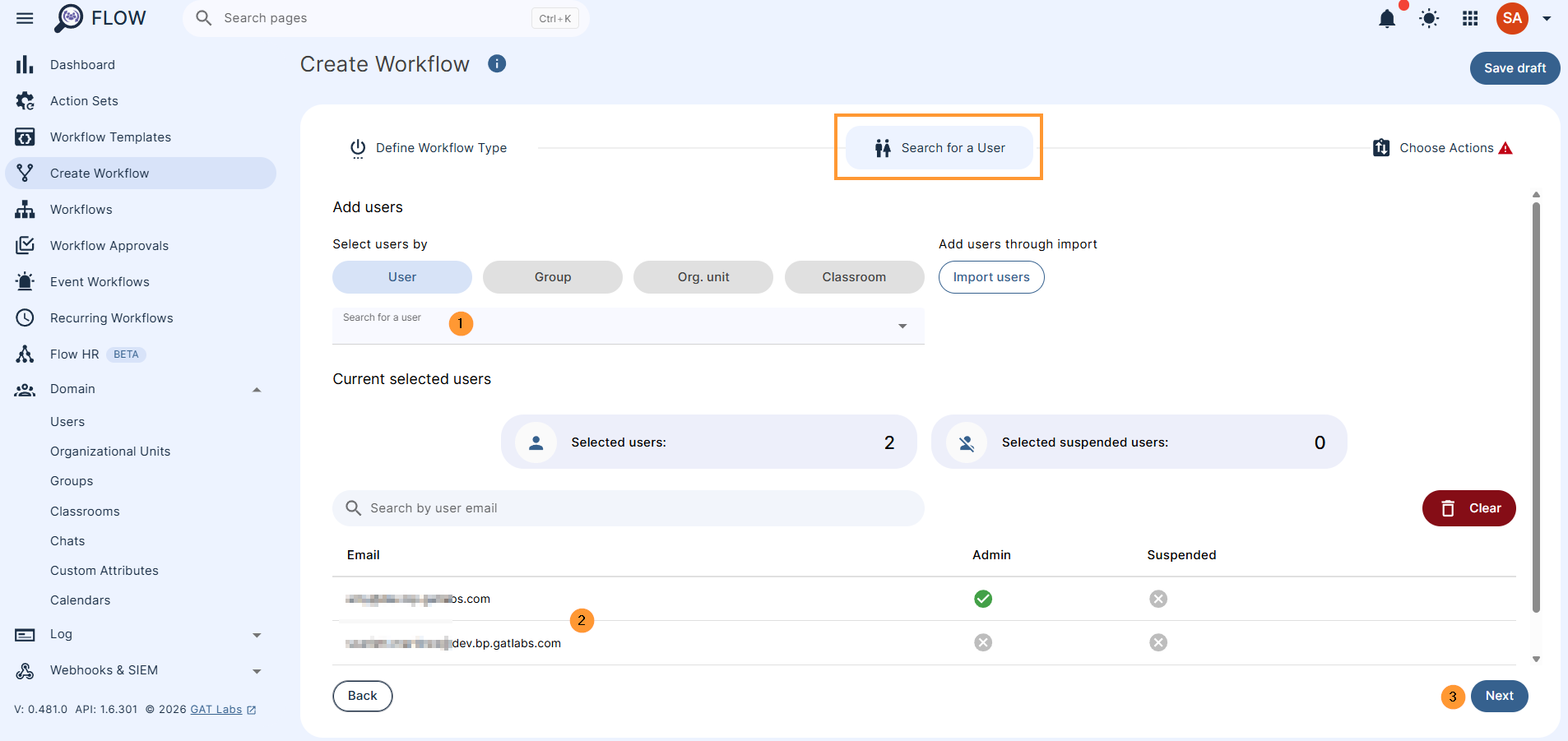
In Search for a user
- Enter the users needed by adding
- User
- Group of users
- Org. Unit of users
- Import users
- Click on the Next button to proceed
In Choose actions
In Choose actions, click on the + button and add Action, Action set, or Condition
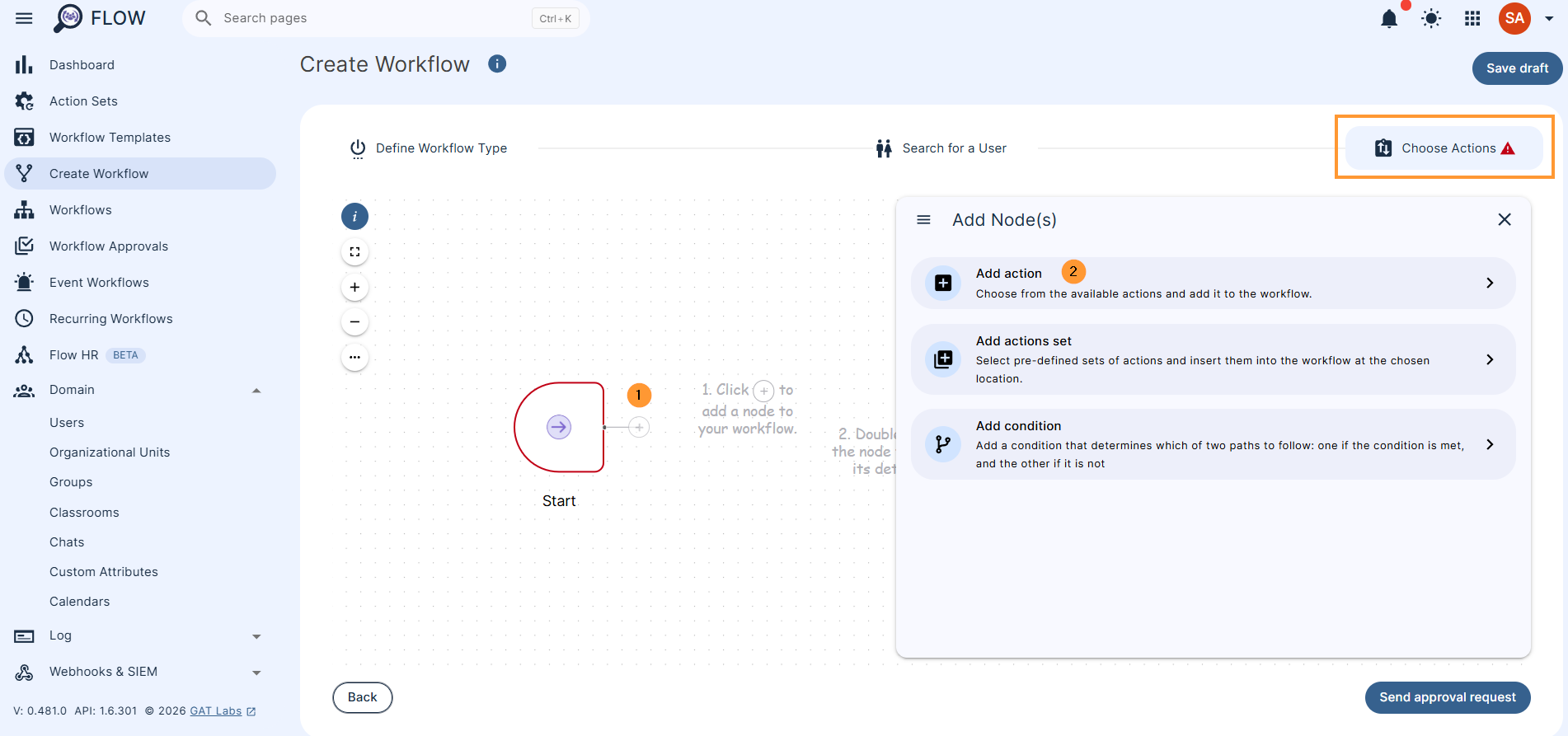
In Add action, search for and add the action “Delete 2-step verification backup codes.“
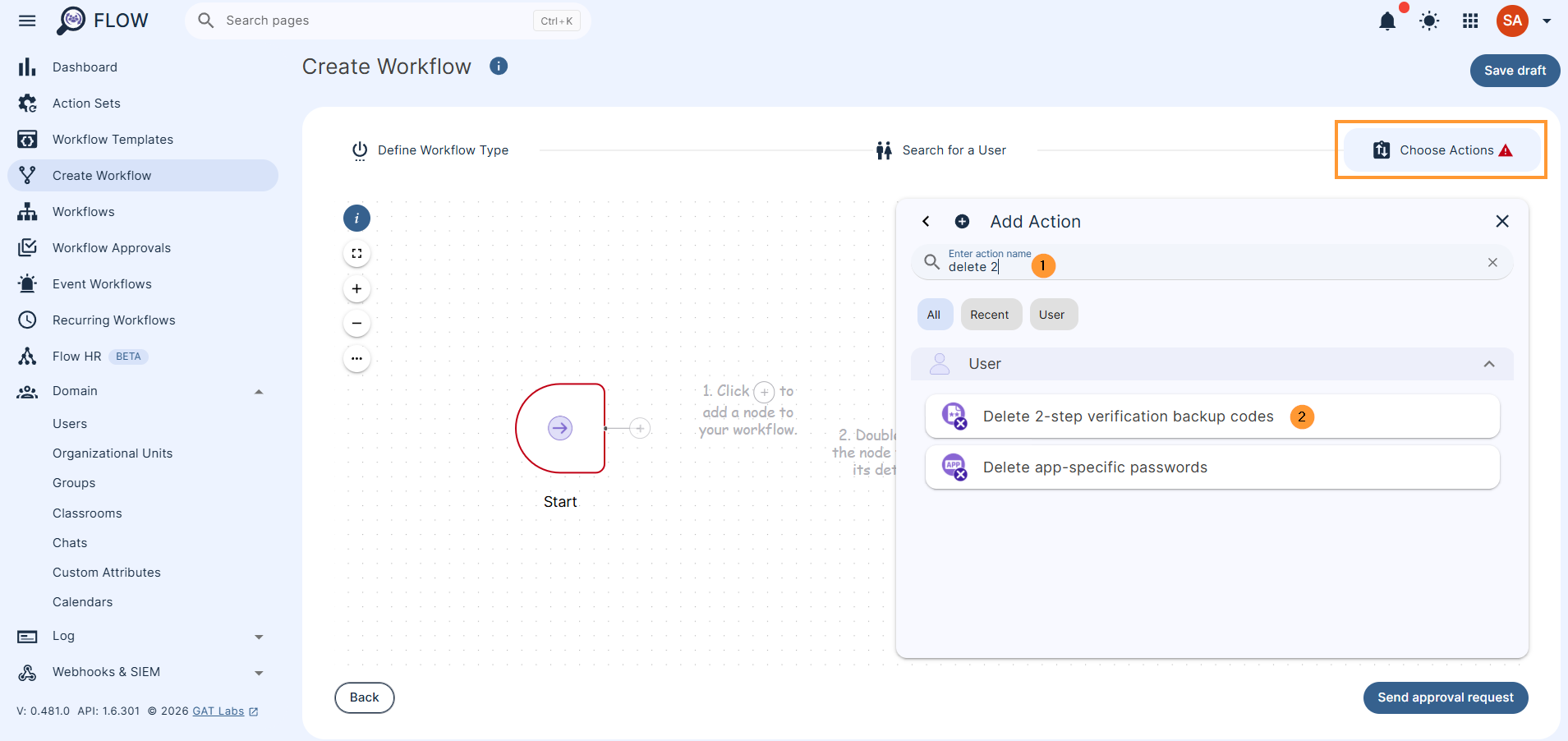
Once the action is selected, double-click it to open and view the details of the action to be taken.
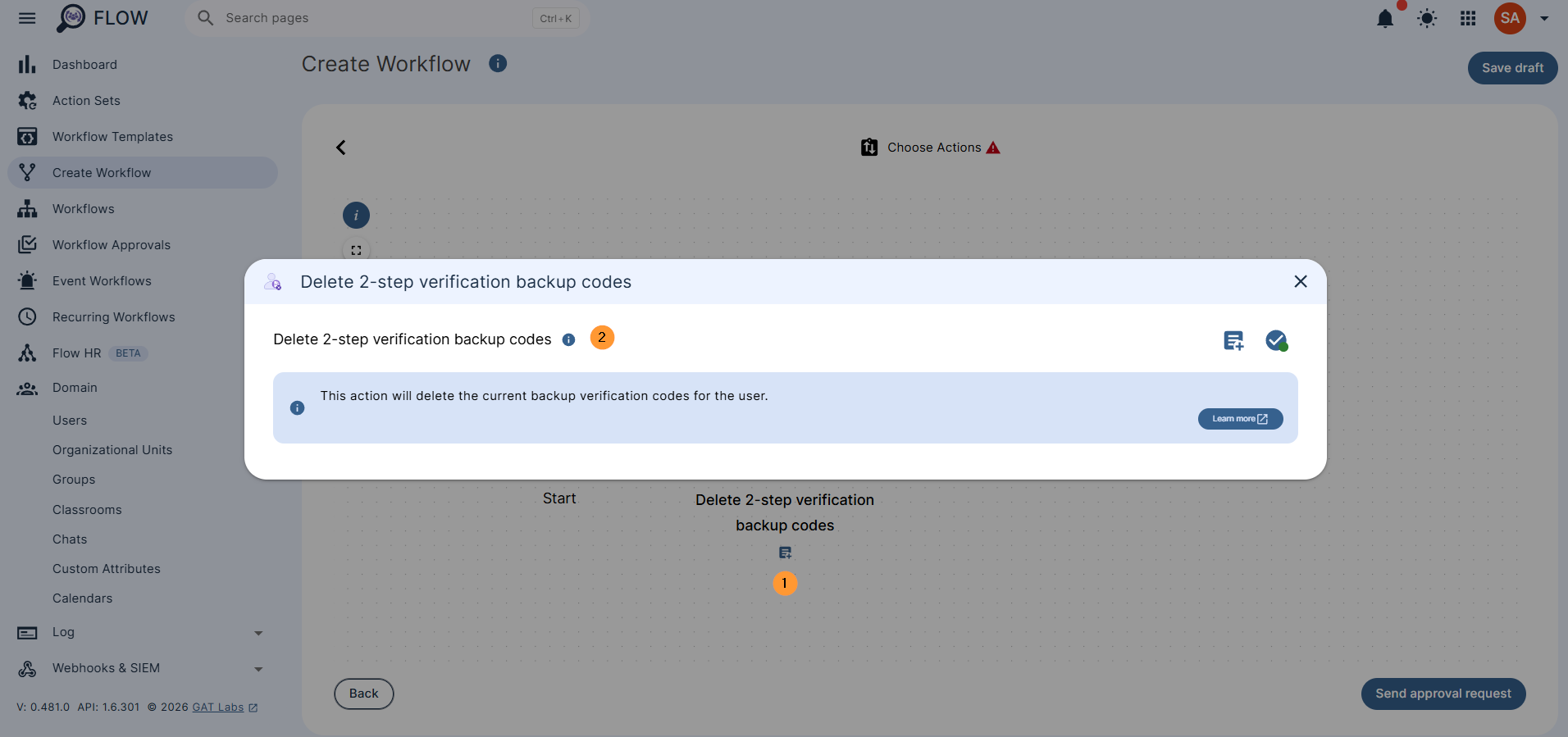
Security officer approval #
When the action is selected, click on Send approval request
The security officer will receive an email for approval unless pre-approval is used. 2223
Result #
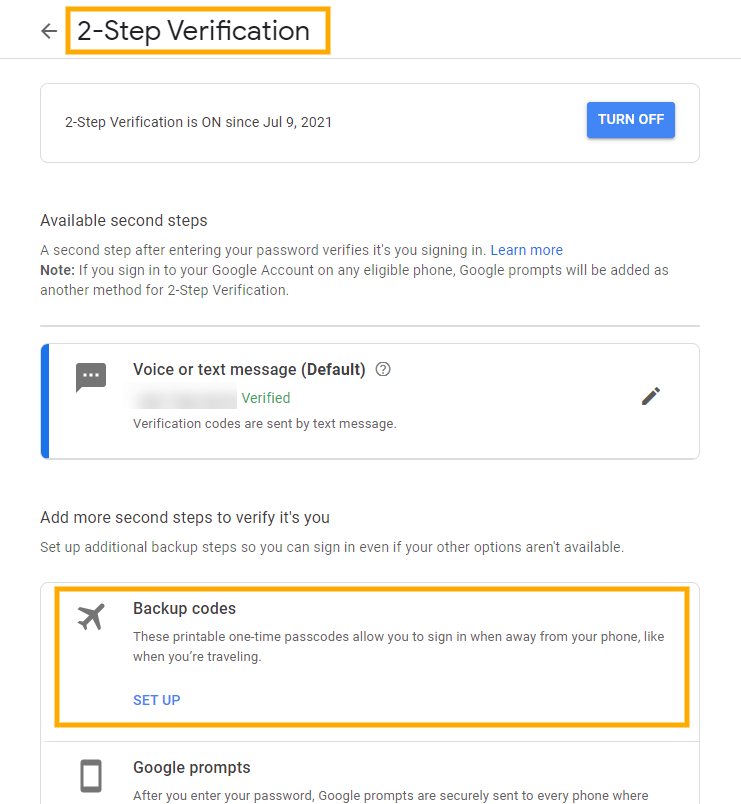
When the request is approved, the 2-step verification backup codes will be deleted. The result can be seen in Flow > Workflow
The 2-step verification backup codes can be found in Google Account settings
Navigate to Security > Signing in to Google > 2-step verification
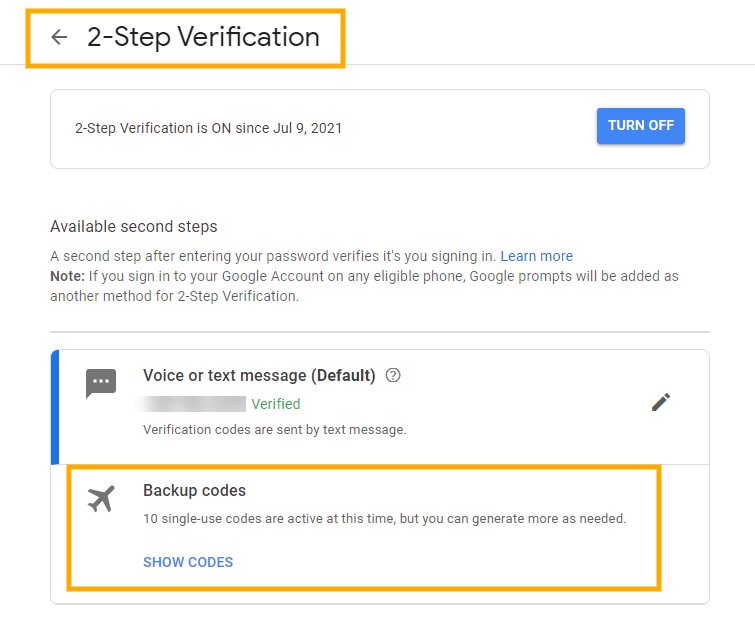
When the Flow job has run, all the 2-step verification backup codes will be deleted.
Conclusion #
GAT Flow takes the manual hassle out of domain security.
Whether you are offboarding employees or modifying user accounts, the Delete 2-step verification backup codes action allows you to wipe backup codes simultaneously across users, groups, or OUs.
Once approved by your Security Officer, the workflow executes cleanly, closing potential security gaps in seconds.


