

GAT Shield provides Google Workspace administrators with clear visibility and control over domain users and groups. This allows admins to quickly audit user roles, detect suspended accounts, and understand group structures.
View the Domain Users in GAT Shield #
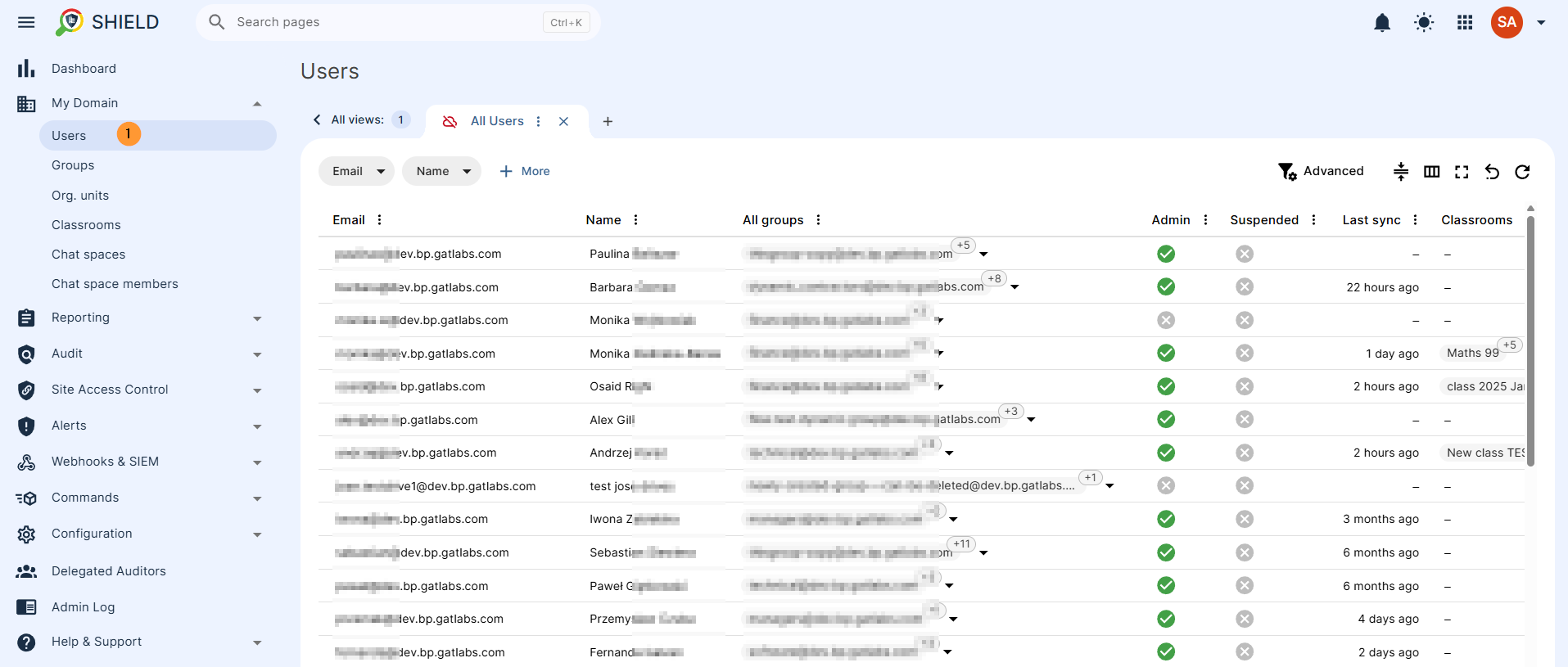
To view domain users, go to GAT Shield > My Domain > Domain Users.
You’ll see a full list of all users in your domain.
- Email Address: The unique email identifier.
- Name: The user’s full name.
- Group Membership: A collection of all groups the user is a member of.
- Admin Status: An indicator (/) denoting administrator privileges.
- Suspension Status: An indicator (/) showing if the user account is suspended.
This section helps admins quickly audit accounts for potential risks or verify access control.
View the Domain Groups in GAT Shield #
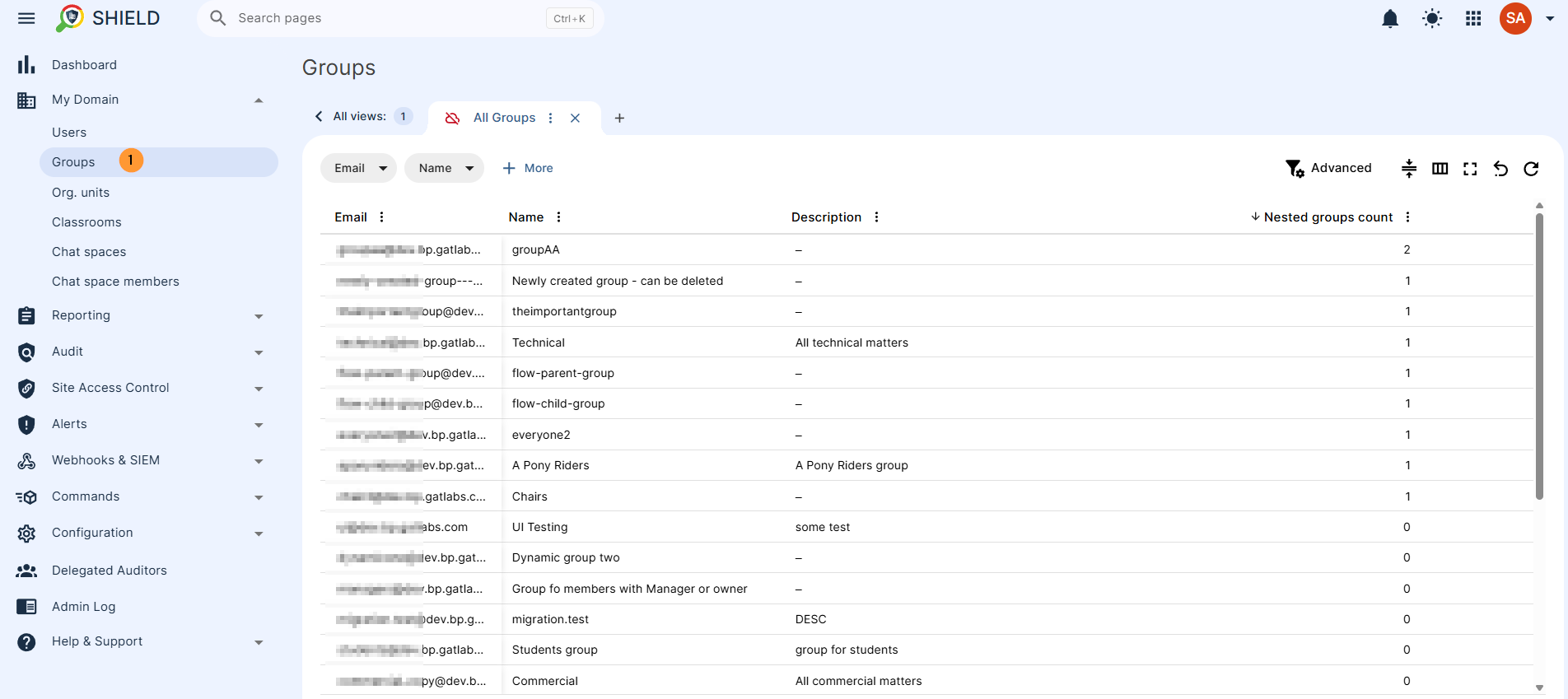
Go to GAT Shield > My Domain > Domain Groups to see all configured groups.
For each group, you’ll find:
- Email Address: The group’s associated email identifier (if applicable).
- Name: The group’s designated name.
- Description: The group description added by the group admin, an explanation of what the group is for
This helps identify group structures, spot any misconfigured access, or confirm group membership at scale.
View the Domain Org. Units in GAT Shield #
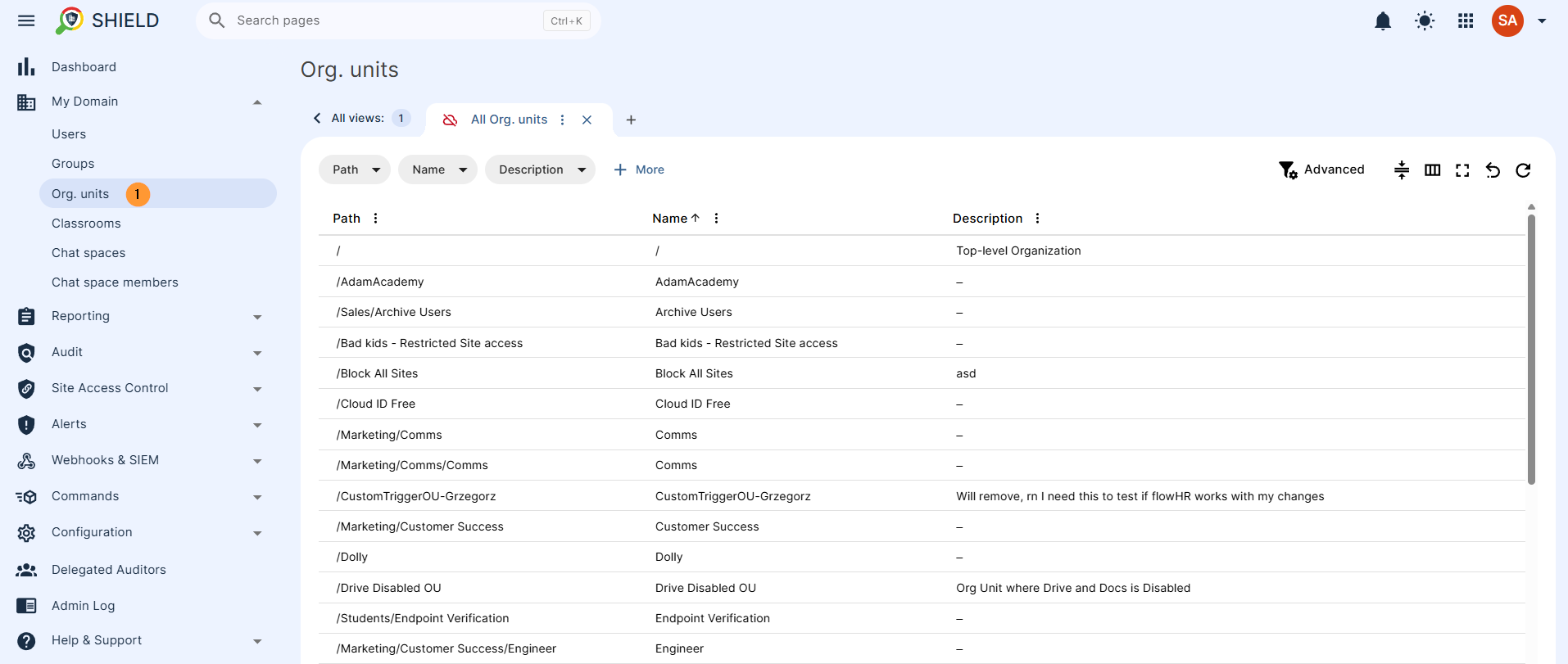
Go to GAT Shield > My Domain > Org. Units
View a list of all org. units along with their path name and description.
View the Domain Classrooms in GAT Shield #
For Education, Google Workspace domains in Shield, you can also audit the Google Classrooms
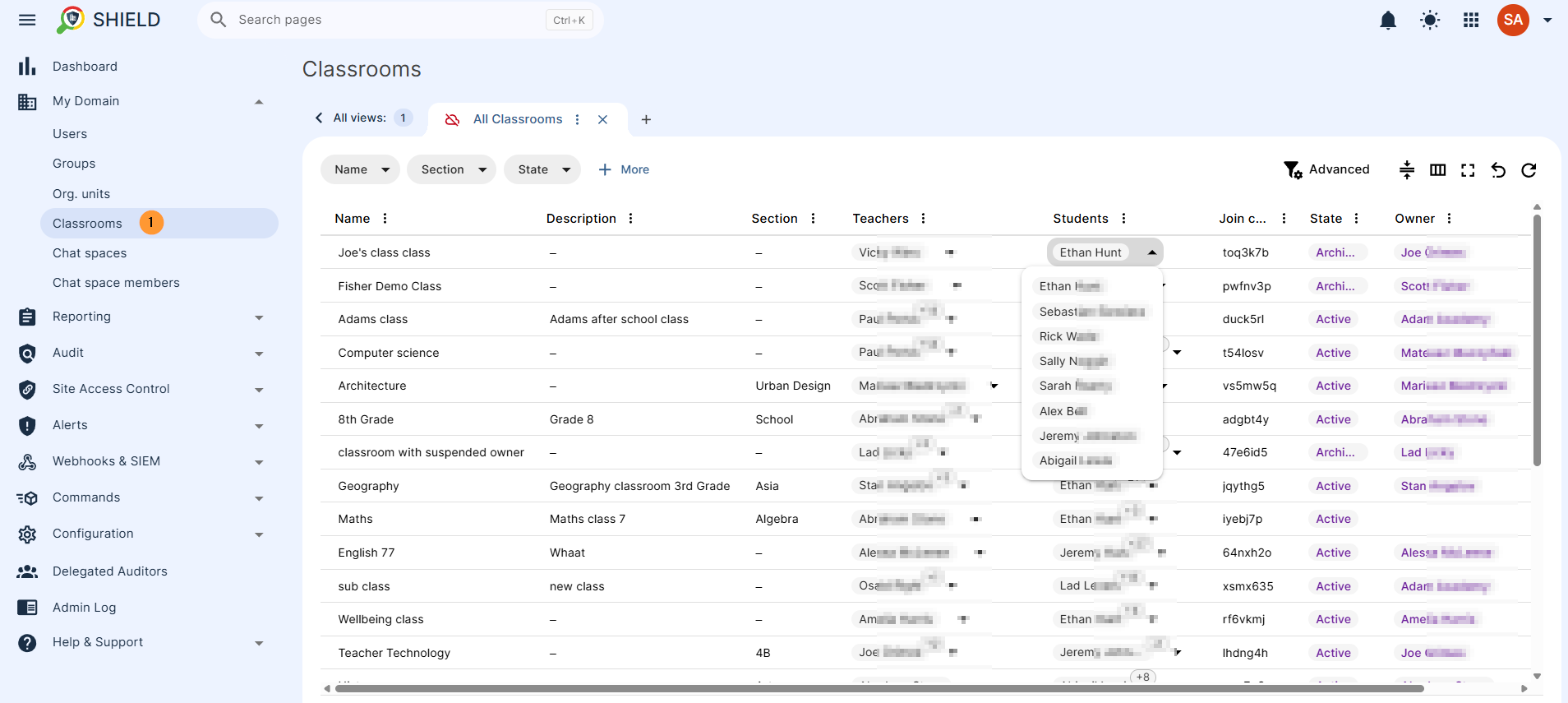
Go to GAT Shield > My Domain > Domain classrooms to see all Google Classrooms.
For each classroom, you’ll find:
- Name: The classroom’s designated name.
- Description: The classroom description added by the Teacher, an explanation of what the classroom is for.
- Teacher: The email and name of the Teacher account
- Students: List of all the students part of the classroom
- State: The state of the classroom is currently Active, Archived, Declined, Deleted, Suspended
- Owner: The name of the owner of the classroom
This helps identify the Google Classrooms structures, spot any misconfigured access, or confirm group membership at scale.
View the Domain Chat Spaces in GAT Shield #
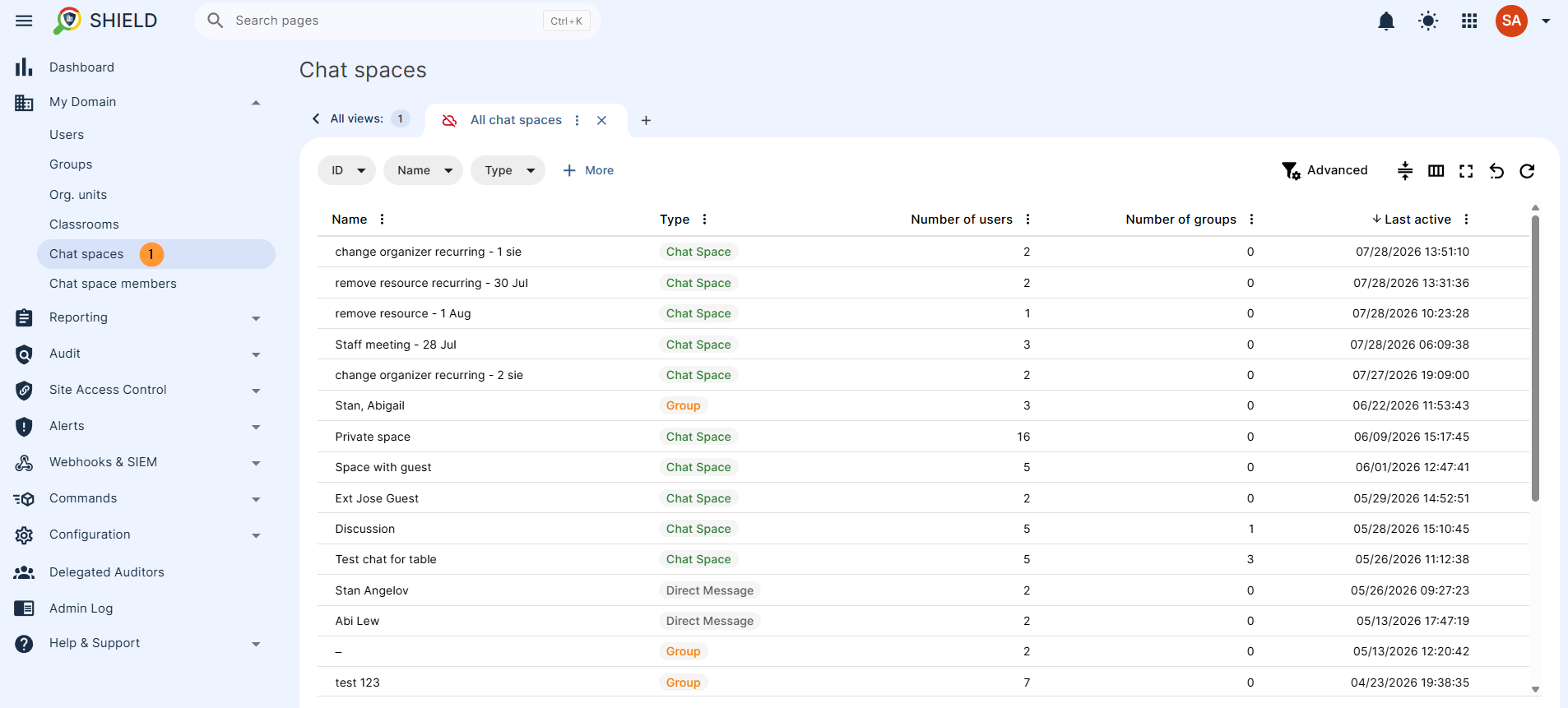
Go to GAT Shield > My Domain > Chat spaces to see all Google Chat spaces created in your domain.
View if it is a Chat space or a Group, as well as the number of users or groups in it, with the last active date.
View the Domain Chat Space Members in GAT Shield #
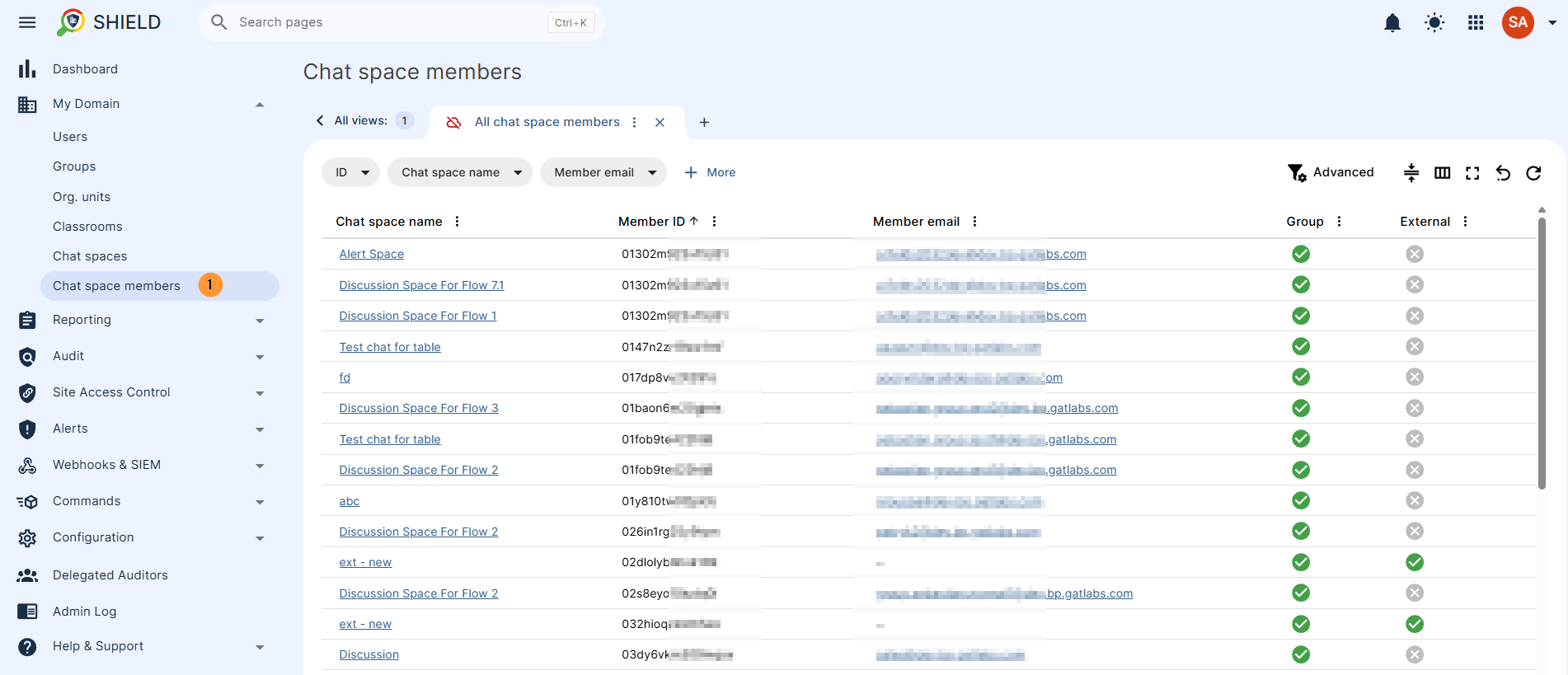
Go to GAT Shield > My Domain > Chat spaces members to see all Google Chat spaces created in your domain.
View if it is a Chat space member, view the chat space name, member id and member emails, and whether it is a group or has external members in it.
FAQ: Domain Users and Groups in GAT Shield #
Q: What does the Domain Users section in GAT Shield show?
A: The Domain Users section displays a full list of users in your Google Workspace domain, including their email, name, group memberships, admin status, and suspension status.
Q: How can I audit suspended users in GAT Shield?
A: Go to GAT Shield > My Domain > Domain Users. Use the filter to identify accounts where the “Suspension Status” is marked as True.
Q: Where do I view user group memberships in GAT Shield?
A: In the Domain Users section, each user’s listed attributes include their group memberships. You can use this to audit access levels and membership accuracy.
Q: How do I see all domain groups in GAT Shield?
A: Navigate to GAT Shield > My Domain > Domain Groups. You’ll find a list of all groups, including their names, email addresses, and descriptions.
Q: Why is group visibility important for admins?
A: Group visibility helps admins monitor access control, detect misconfigured permissions, and validate the intended structure of user groups across the domain.


