
What it is #
This guide demonstrates how to use the Site Access Control feature of GAT Shield to Block Partial Content.
The Site Access Control feature gives the Google Workspace Admins control over which websites users in the domain can access and allows them to block partial content on web pages.
GAT Shield’s Site Access Control feature allows Google Workspace Admins to selectively block specific elements on a web page, such as comments, widgets, or embedded games, without restricting full access to the site itself.
Why it matters #
The Block Partial Content with GAT Shield solution provides granular control over what your users can see online. With this feature, Admins can easily block specific content on web pages.
How to implement #
This will allow the Admins to block partial content on a webpage; it blocks the Google Translate widget on Google Search
Google Translate widget on Google Search #
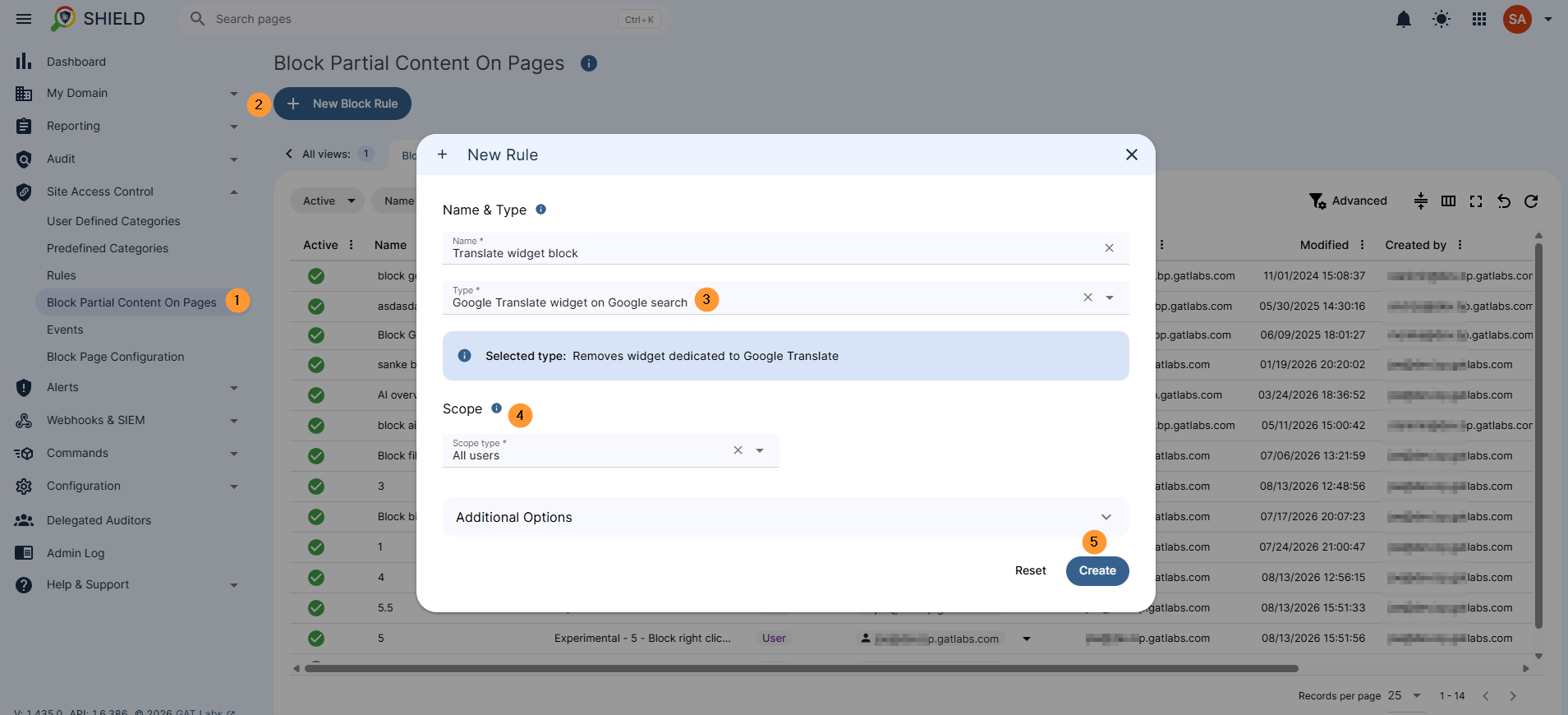
Navigate to Site Access Control > Block Partial Content on pages > New Block rule
- Name – Enter a name for the rule
- Type -Search the Google Translate widget on Google search
- Scope – select the scope of users to be affected by the block
- Create – create the rule
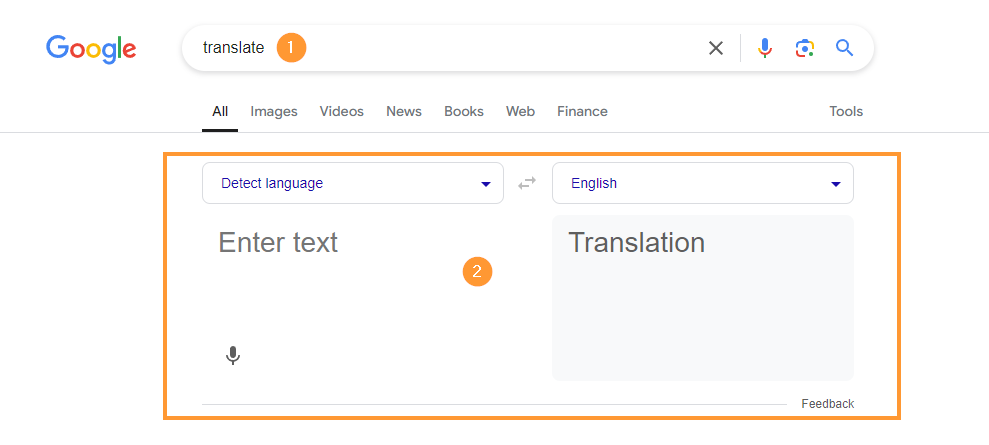
Result of the blocked Google Translate widget #
When the block is enabled
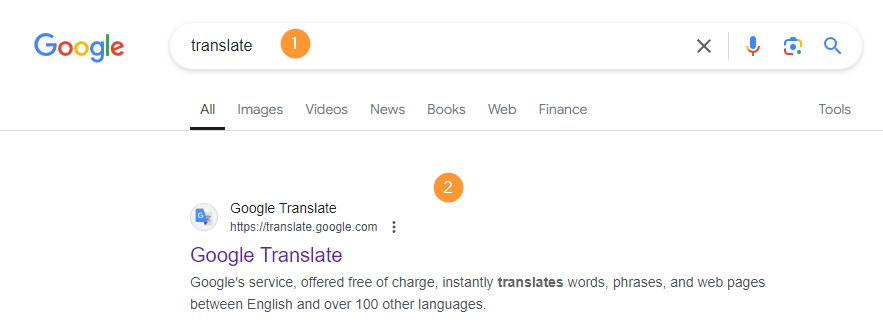
When the block is not enabled
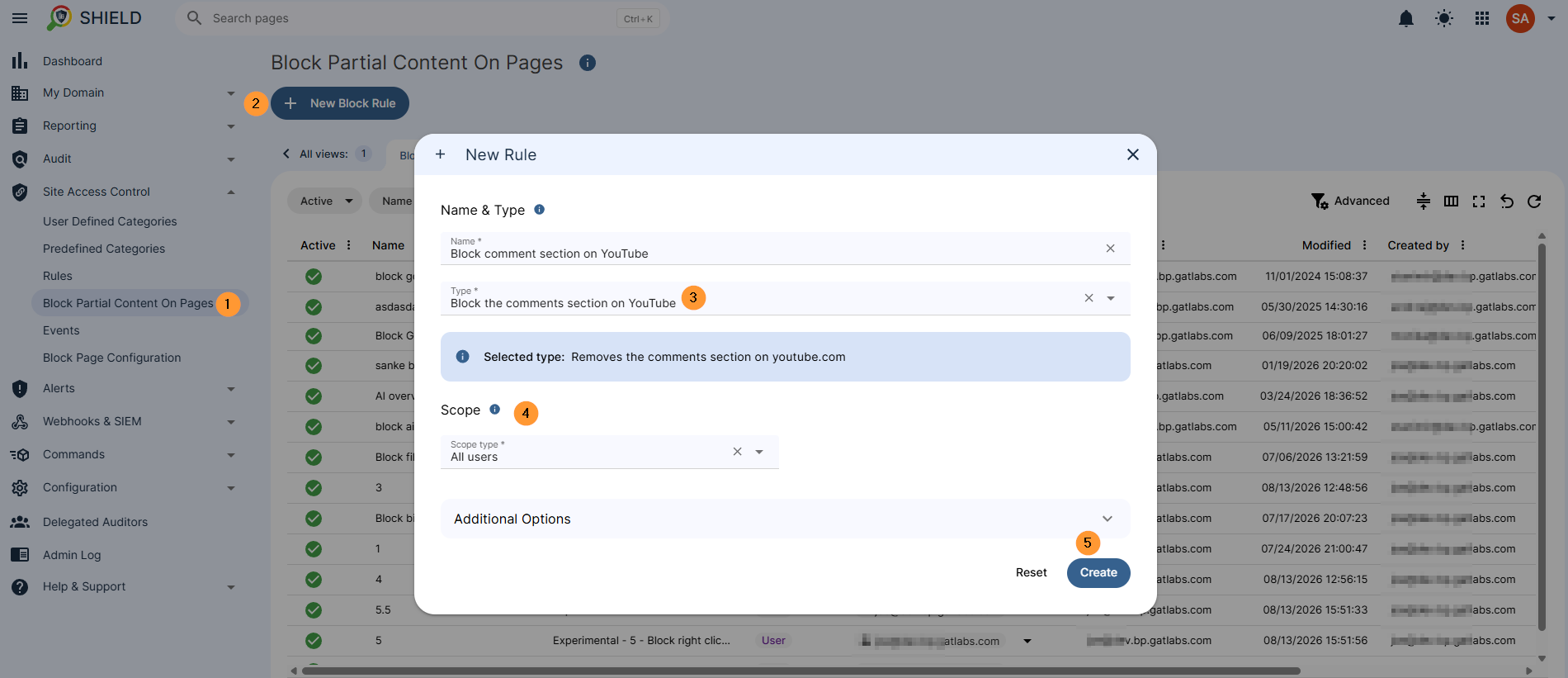
Block comments section on YouTube. #
The partial block has other options to block content on pages users visit.
It removes the comments section on youtube.com
Navigate to Site Access Control > Block Partial Content on pages > New Block rule
- Name – Enter a name for the rule
- Type – Select “Block the comments section on YouTube”
- Scope – select the scope of users to be affected by the block
- Create – create the rule
Remove related videos sidebar on YouTube #
The partial block removes the ‘Related Videos’ sidebar on YouTube
Block games embedded into Google Search #
The partial block, “Blocks games like Snake and Pac-Man that are embedded into Google search – Does not block widgets like the currency converter”
Navigate to Site Access Control > Block Partial Content on pages > New Block rule
- Name – Enter a name for the rule
- Type – Select “Block games embedded into Google Search”
- Scope – select the scope of users to be affected by the block
- Create – create the rule
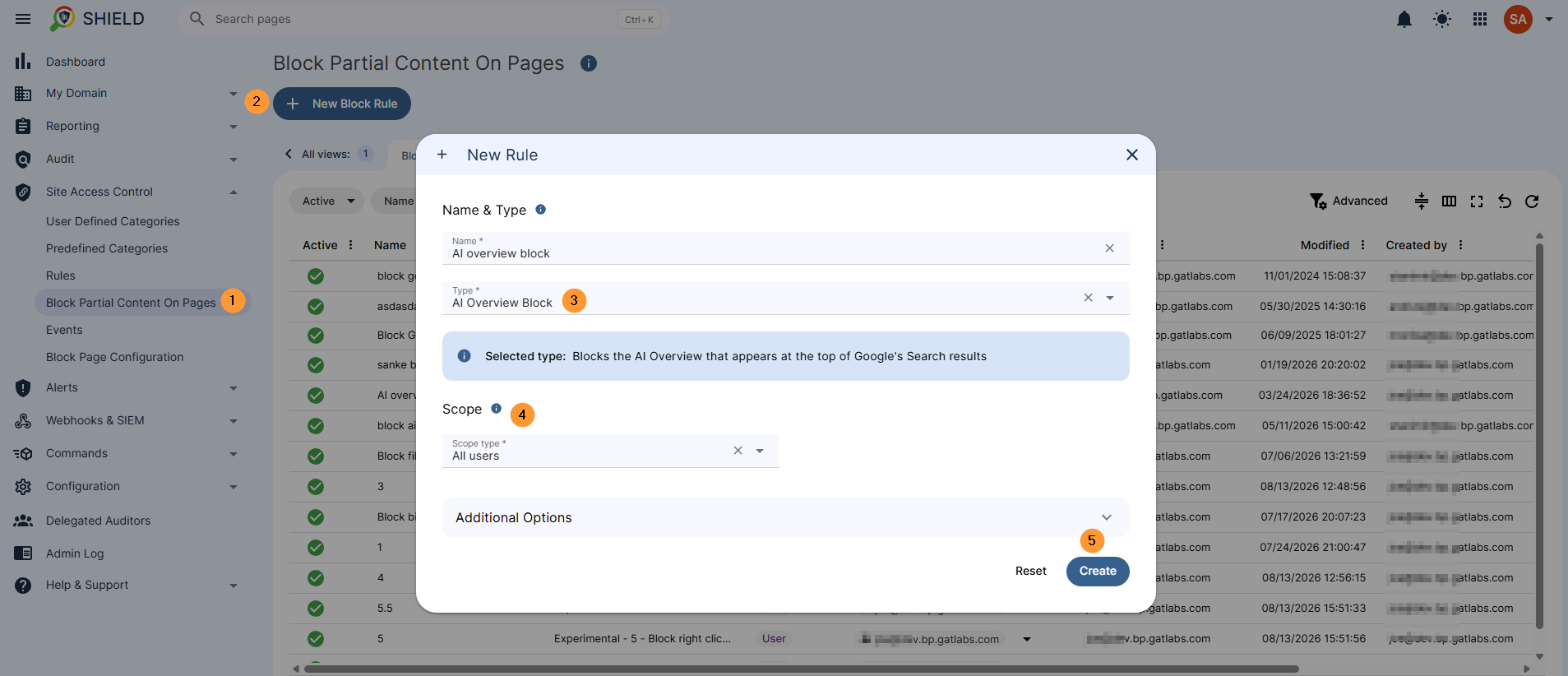
AI Overview Block #
The partial block, “Blocks the AI Overview that appears at the top of Google’s Search results”
Navigate to Site Access Control > Block Partial Content on pages > New Block rule
- Name – Enter a name for the rule
- Type – Select “AI Overview Block”
- Scope – select the scope of users to be affected by the block
- Create – create the rule
Conclusion #
Partial content blocking offers a middle ground for IT administrators balancing productivity and web utility. Instead of completely blocking essential platforms like Google Search or YouTube, Admins can eliminate specific distractions, intrusive widgets, or unwanted features while keeping primary educational and operational tools fully accessible.
FAQ #
Q1: Will blocking partial content break the rest of the website?
A1: No. GAT Shield targets only the specified element (like a YouTube comment section or a Google Search widget) while leaving the main page content, navigation, and functionality fully intact.
Q2: Can I apply different block rules to students versus teachers or staff?
A2: Yes. You can customize the Scope for each rule to target specific Google Workspace Organizational Units (OUs), groups, or individual user accounts.
Q3: Does blocking the YouTube sidebar or comments affect embedded YouTube videos?
A3: The partial block rules specifically filter out distractions like the comments section and recommended sidebars on the YouTube website itself. Embedded videos on external sites remain playable according to your overall Site Access Control policies.


