
In an educational domain, Google Drive is a double-edged sword. While it’s an incredible collaboration tool, students frequently use file sharing for unintended purposes, such as passing homework answers, trading test files, or circulating unapproved materials among themselves and with external accounts.
Manually auditing thousands of student files to catch these shares is a bottleneck for busy IT departments.
Fortunately, GAT+ lets you automate this entire process. By setting up a scheduled report combined with an automated Job Action, you can automatically detect and remove unauthorized internal and external shares on student-owned files.
This step-by-step guide walks you through building a “set-it-and-forget-it” filter that runs weekly to keep your student organizational units (OUs) clean, compliant, and focused on learning.
Find Files Shared by Students #
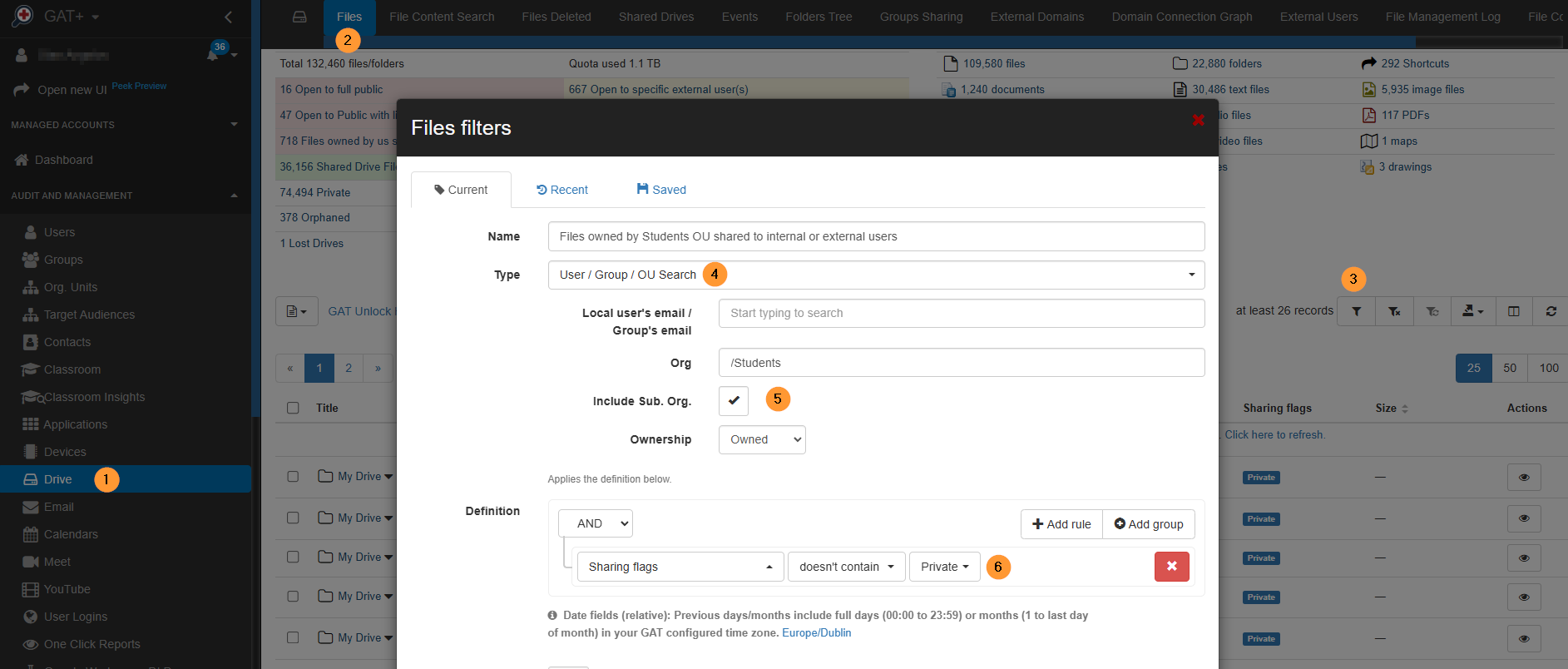
Navigate to GAT+ > Drive > Files.
Apply the filter and search for all files owned by Students Org. Units that are also shared.
- Type – User/Group/OU Search
- Org – Enter /Students OU
- Include sub. org
- Ownership – Owned
- Sharing flag – Select “doesn’t contain” and “private”
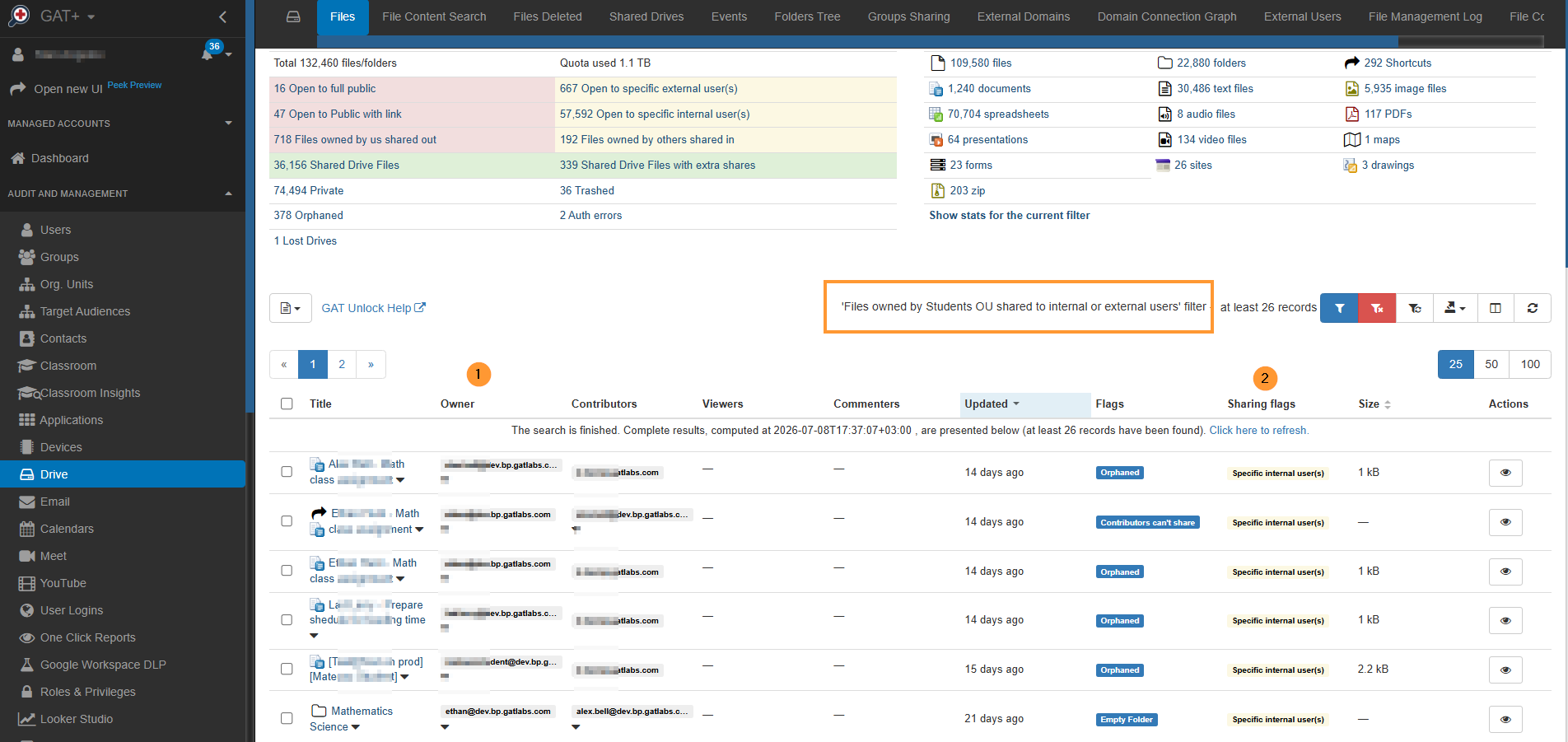
Result #
The result will show all files owned by users of the Students OU that are also not private and shared with internal or external users.
Schedule a Report and Automatically Remove Shares #
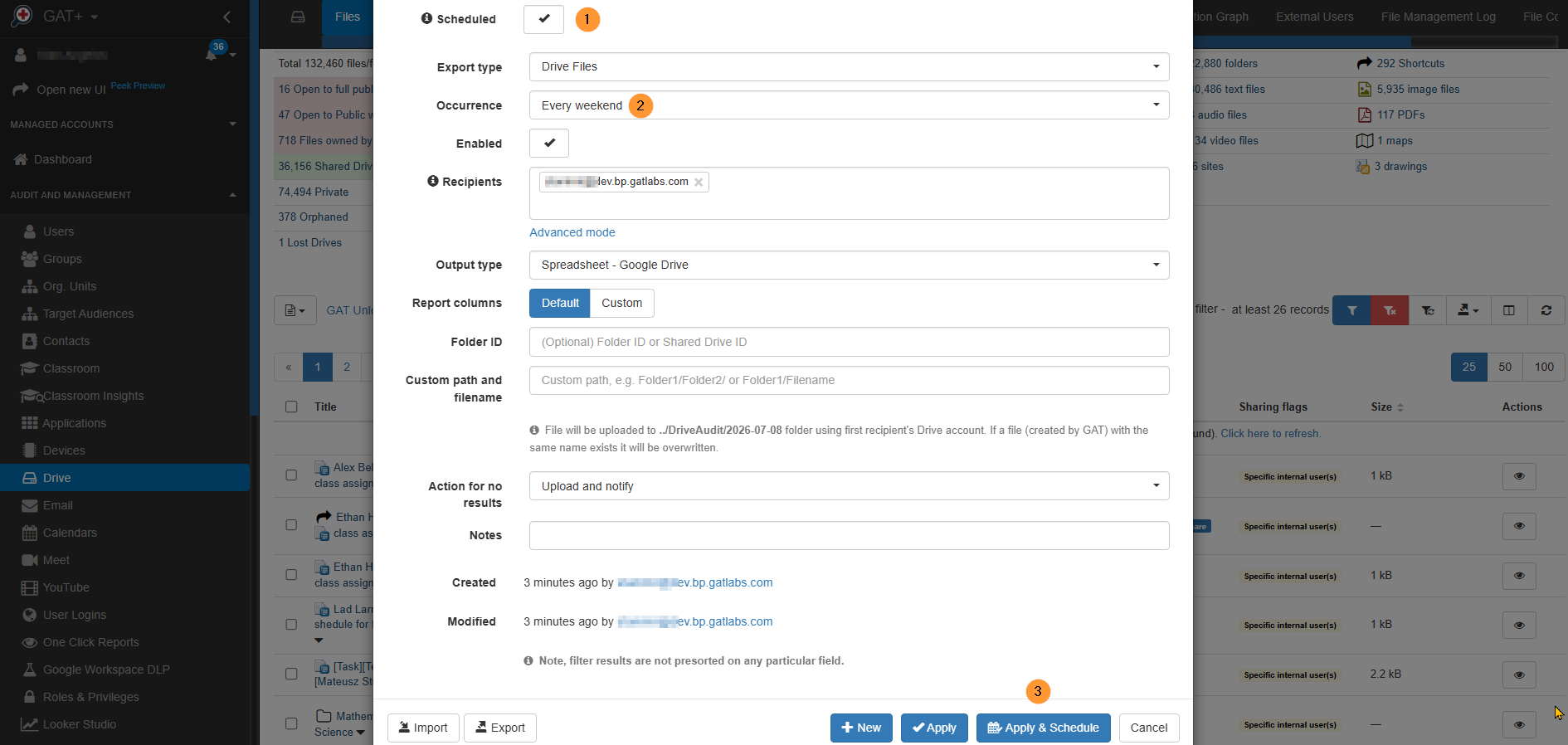
When you create the filter, you can set it up to run automatically as a scheduled report.
Fill in the required details to set up the report:
- Scheduled – Enable a scheduled report
- Occurrence – set up the time you want:
- Daily
- Weekly
- Custom
- Apply and Schedule – Click to schedule
Take Action to Remove the Shares #
When the report is scheduled, set up the action to be taken for the files.
Navigate to GAT+ > Configuration > Scheduled reports > Job Action edit.
Select the action you want, in this case, “remove all internal and external shares”.
Configure > Status > Enabled and Save settings.
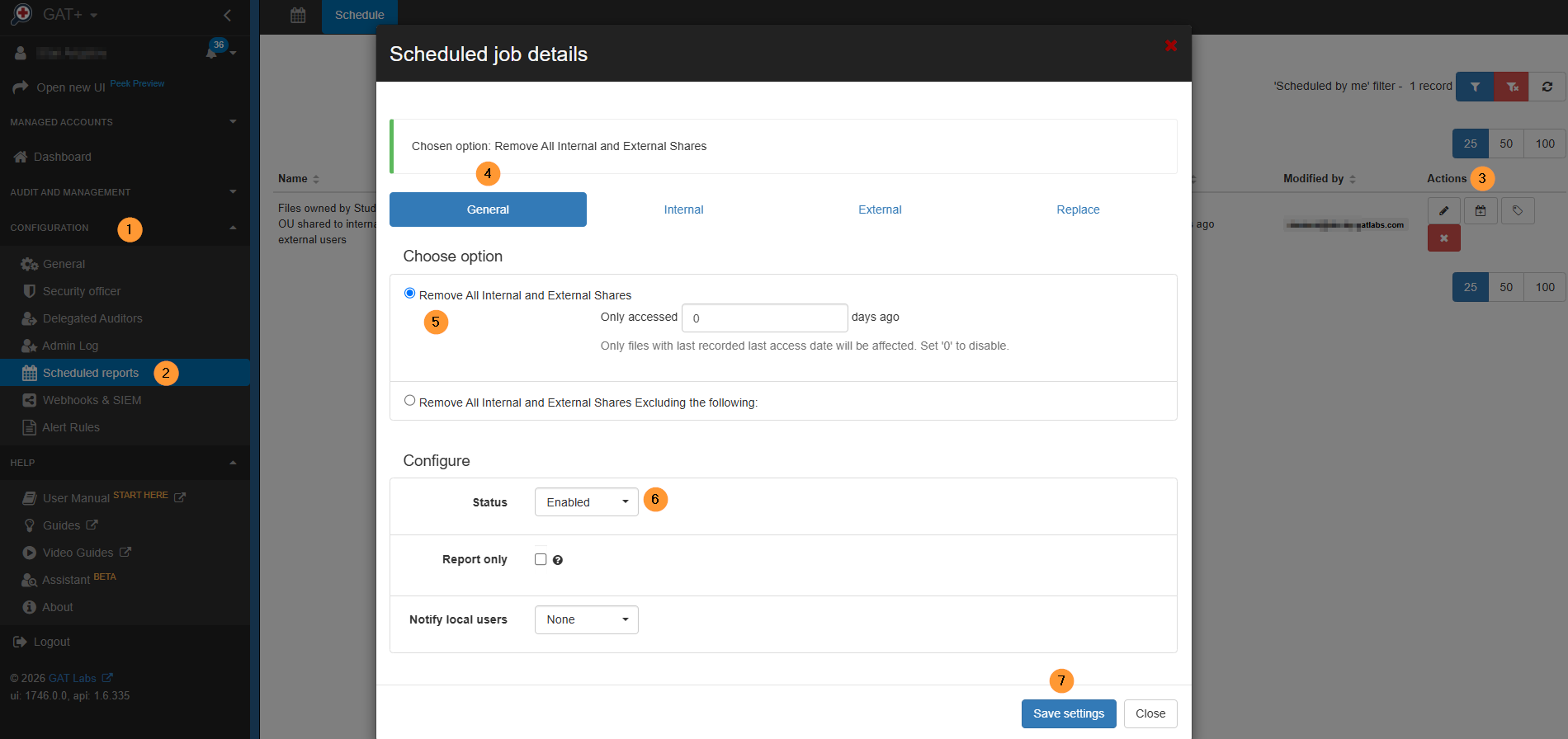
This would be useful for removing internal files that students share among themselves.
Conclusion #
Implementing a weekly-scheduled report, combined with automated share removal via GAT+, provides a robust, hands-off security layer that is uniquely beneficial for educational environments.
Here is why this approach is highly effective for K-12 and higher education institutions:
- Curbs Academic Dishonesty and Bullying: Students frequently use file-sharing to pass answers, clone assignments, or distribute inappropriate content among themselves. Automatically cutting off internal shares weekly disrupts these unauthorized networks and maintains academic integrity.
- Prevents Data Leakage: Whether accidental or intentional, students sharing files with external accounts (such as personal email accounts or bad actors) pose a significant data compliance risk. This automated filter ensures that sensitive school data doesn’t leave the domain.
- Saves IT Admin Time: Instead of manually auditing thousands of student accounts and files daily, IT administrators can “set it and forget it.” The system acts as a digital custodian, cleaning up permissions every week without requiring human intervention.
- Enforce CIPA and Regulatory Compliance: Educational institutions are legally obligated to protect minors and secure data. Automated remediation ensures continuous compliance with student data privacy laws by minimizing the window of exposure for shared files.
Ultimately, by closing the loop between detection (finding the shared student files) and action (removing internal and external permissions), GAT+ allows schools to foster a safer, more focused, and highly secure digital learning environment.


