

GAT+ provides admins with alerts triggered by specific actions related to user logins and security.
They alert on suspicious user actions that may indicate a student account takeover and pose a risk to the user’s safety.
These alerts cover, among others, the following situations:
- Identify situations in which an unauthorized individual attempts to bypass account security or a student tries to recover their compromised account.
- Identify long-term student logouts that may mean the account has been stolen or that a student is struggling and hasn’t been engaged in the digital learning environment for a while. Detect when the account is suddenly active again.
- Detect excessive storage usage, which may involve large amounts of harmful content uploaded or shared by an intruder who hijacked the account.
Create Alert Rules #
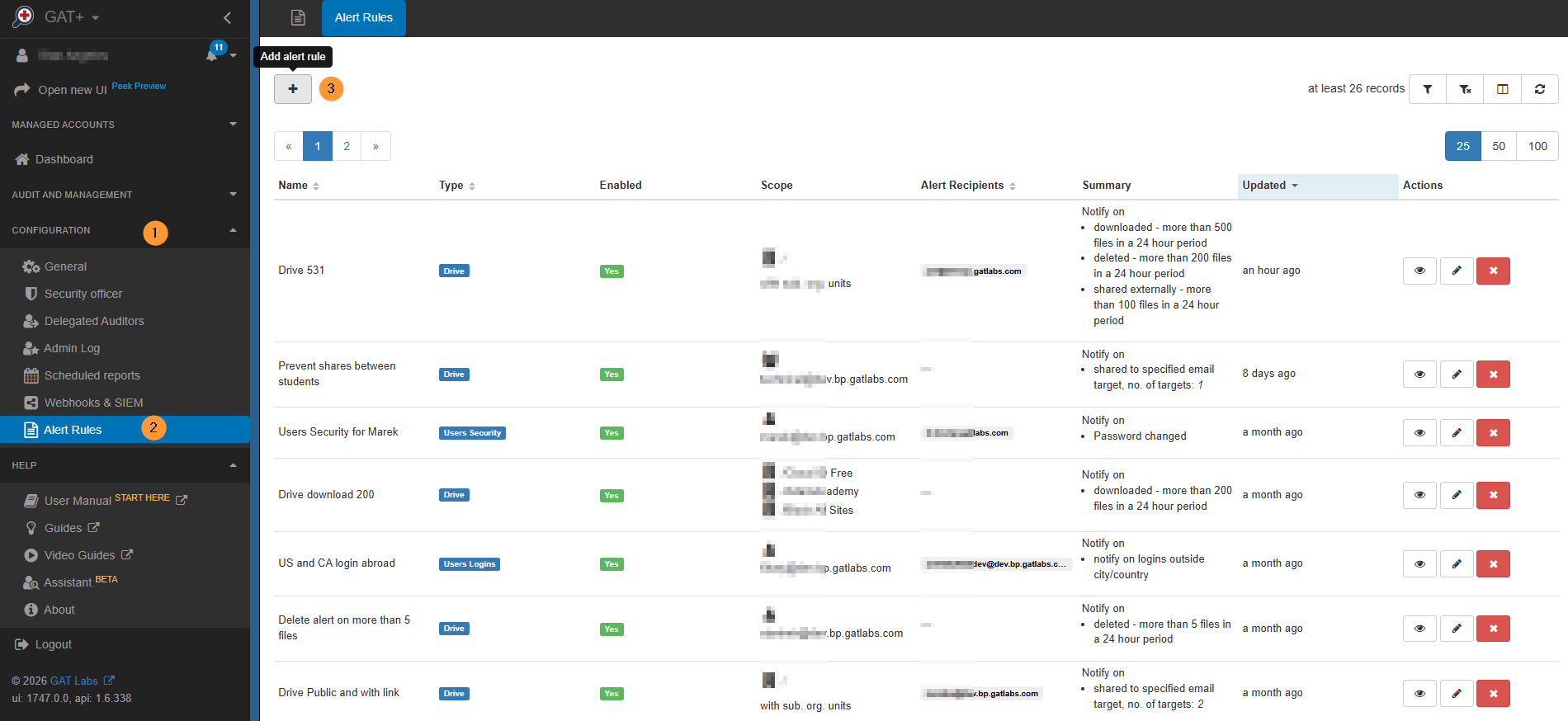
Navigate to GAT+ > Configuration > Alert Rules > Add Alert Rule.
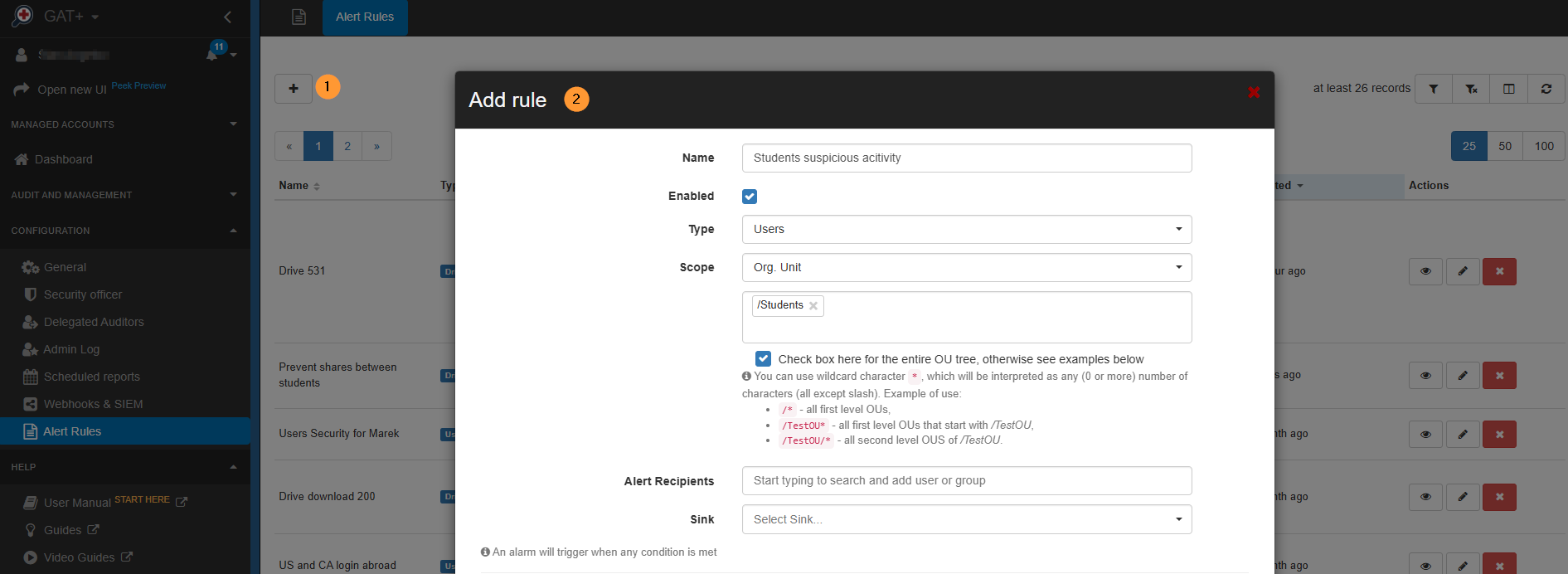
In the pop-up window, fill in the details and create the alerts you want:
- Name – Enter the alert name.
- Enabled – Enable the alert.
- Type – Select “Users”
- Scope – Select the Students OU.
- Check to include sub. org. units.
- Alert Recipients – Optional if you want to receive an email when the alert is triggered.
- Sink – Optional if you want to send the alert to an external resource.
Alert Options #
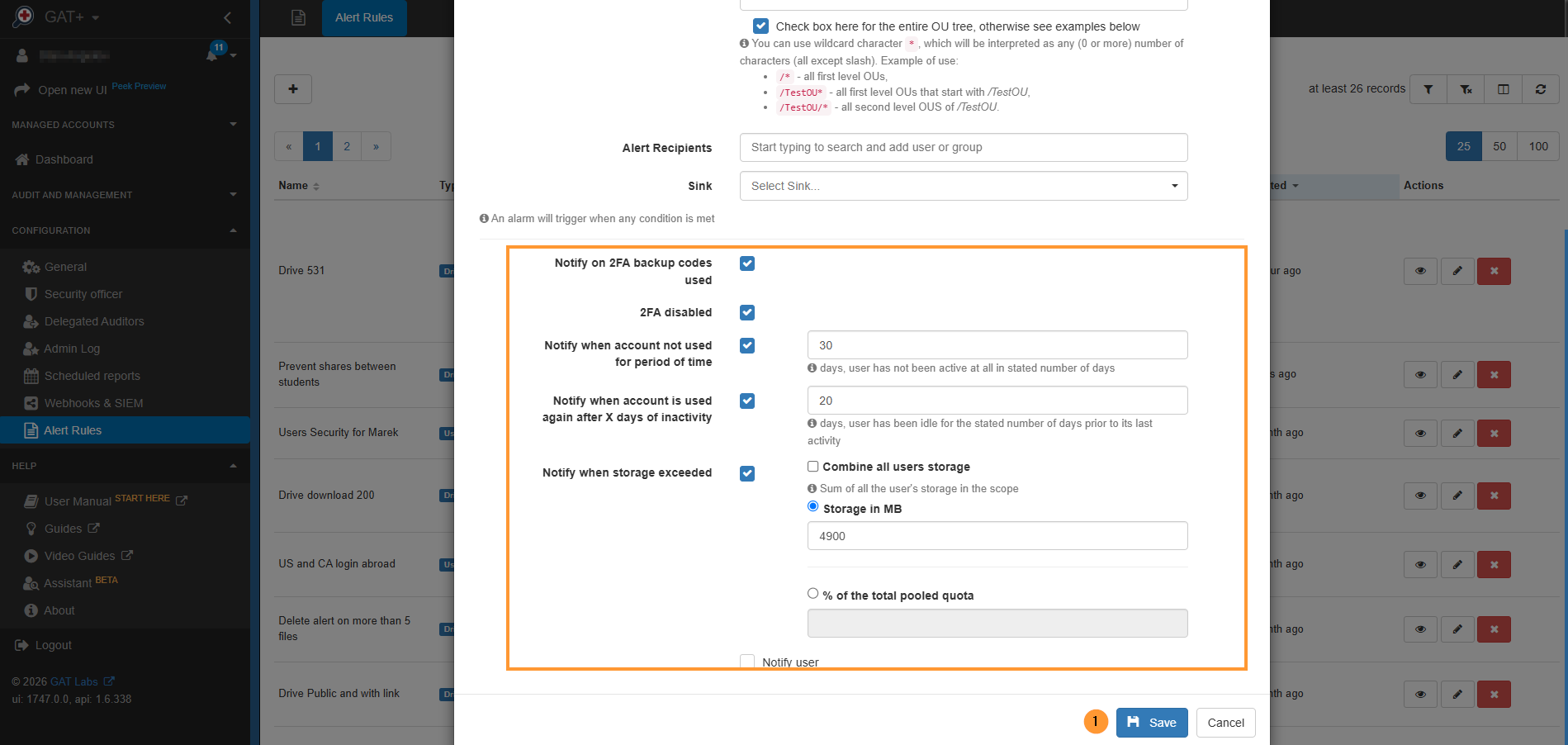
An alarm will trigger when any condition is met. Alerts can be received when:
- Notify on 2FA backup codes used
- 2FA disabled
- Notify when the account is not used for a period of time; include the number of days.
- Notify when the account is used again after X days of inactivity; include the number of days.
- Notify when storage is exceeded
- Combine all users’ storage
- Sum of all the users’ storage in the scope
- Storage in MB
- % of the total pooled quota
- Combine all users’ storage
Result of the Alert #
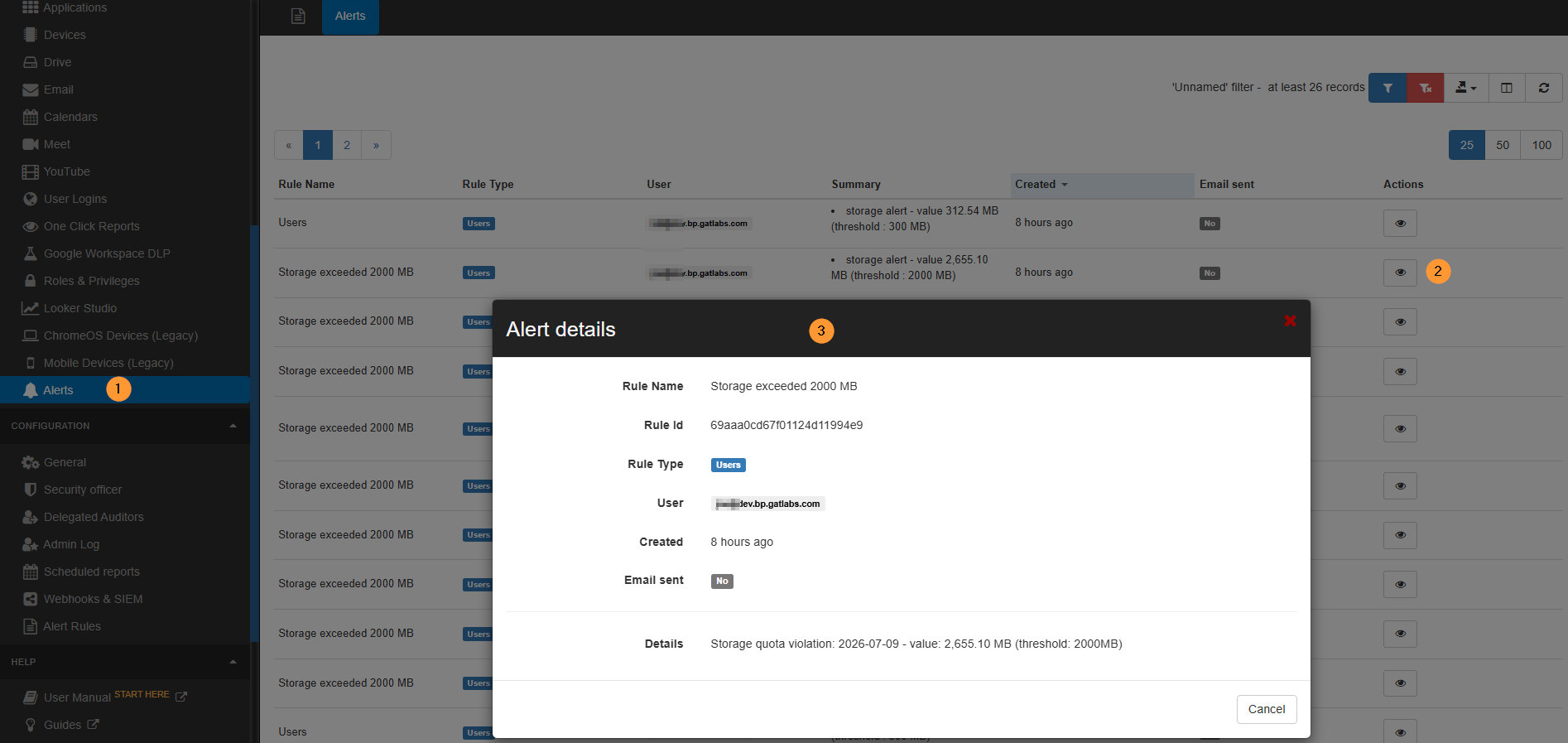
As a result of the alerts, notifications will be received in GAT+ > Alerts.
There you can see the details of which user it was, when it happened, and which alert was triggered by the user.
Conclusion #
By automating these user alert rules in GAT+, educational IT teams can instantly detect critical indicators of account takeovers, sudden student disengagement, or malicious data spikes.
This allows administrators to shift from a reactive security posture to a proactive safeguard, protecting both the institution’s data and its students’ digital safety.


