

Traditional Data Loss Prevention (DLP) often falls short right at the browser interface. It is far too easy for employees to copy confidential records from internal databases and paste them straight into unvetted SaaS applications, public generative AI platforms, or personal documents.
Shield+ extends DLP enforcement directly into the Chrome browser, allowing Google Admins to prevent data exfiltration without resorting to disruptive, domain-wide site blocks. Whether you need to restrict pasting sensitive customer data into external tools like ChatGPT or block copying proprietary source code from internal repositories, Shield+ gives you fine-grained control over clipboard actions down to specific URLs.
Below is the guide to configuring Copy/Paste rules, understanding the end-user experience, and auditing clipboard activity across your organization.
Configure Copy/Paste block #
The Admin can create a rule to block copy/paste on specific pages for selected users.
Navigate to Shield+ > Security configuration > Copy/Paste > + New copy/paste rule
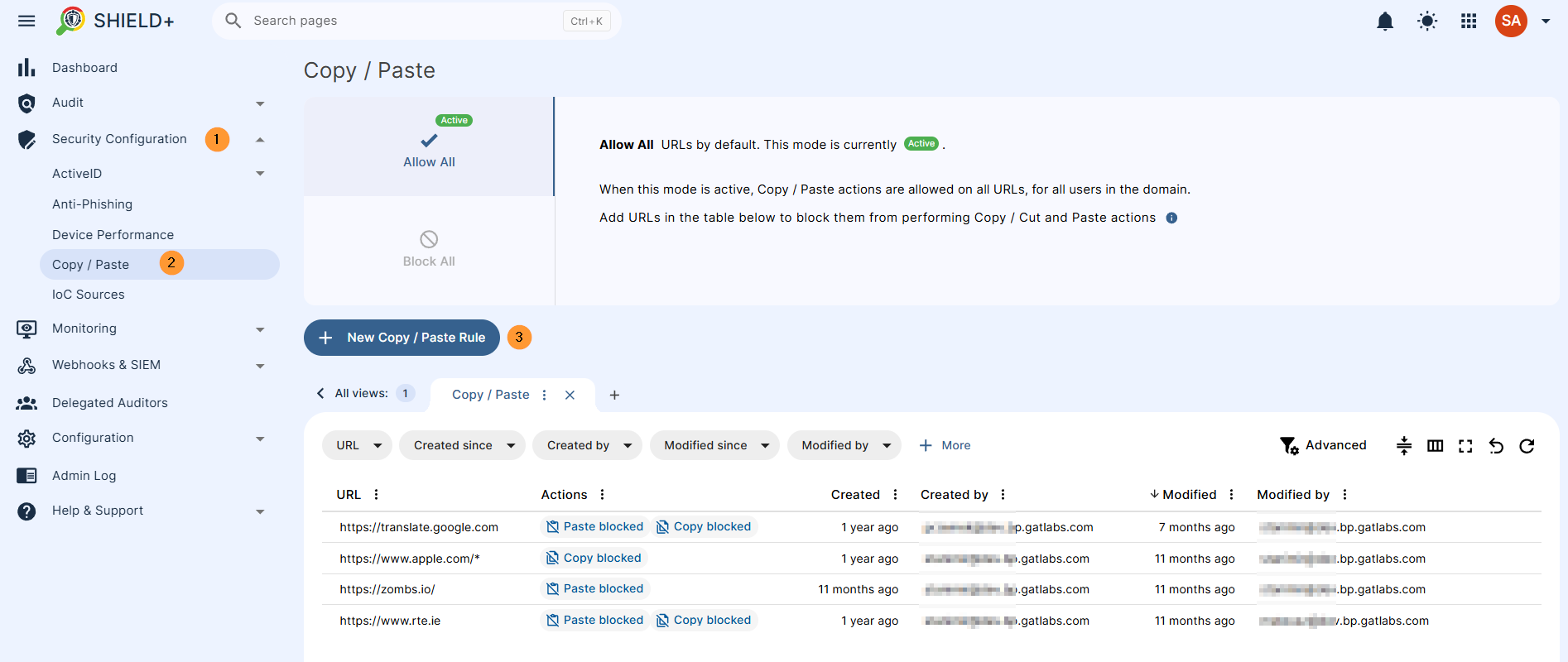
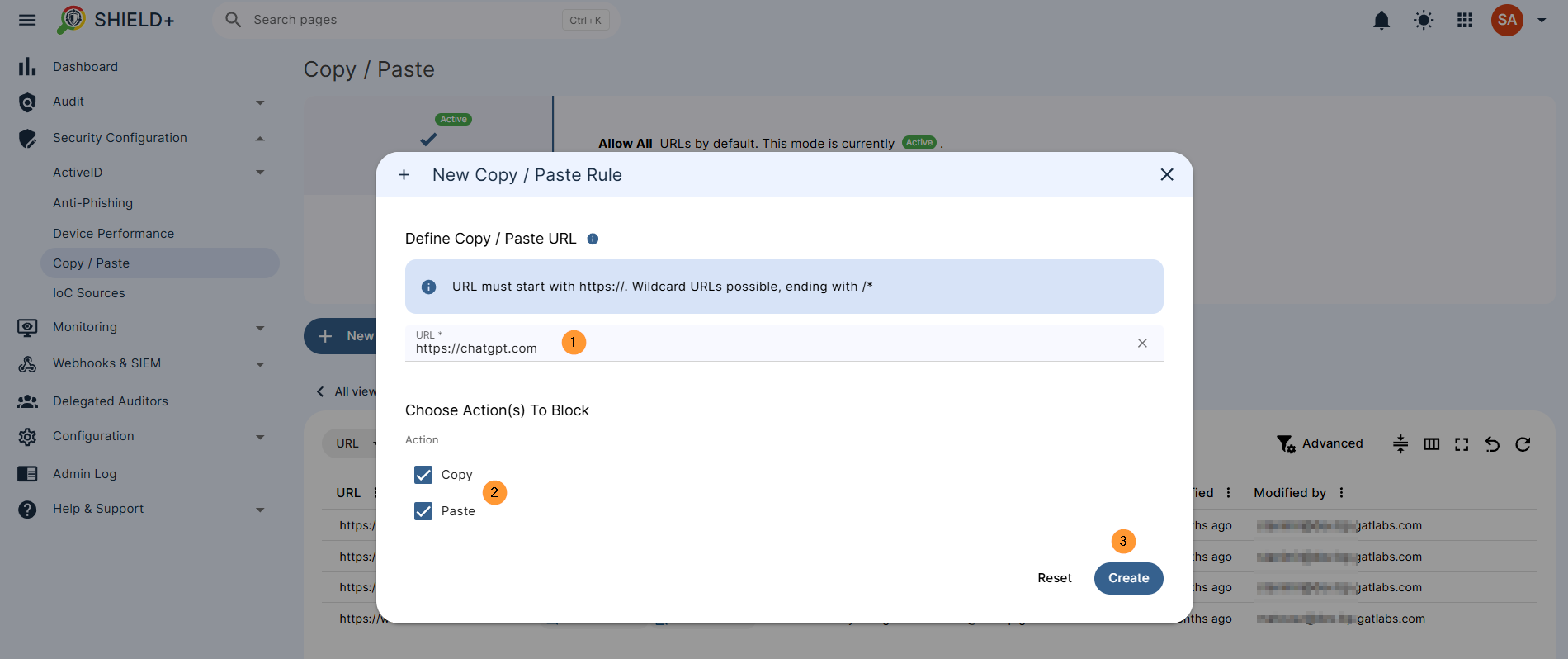
In New copy/paste rule, add the sites you want to block copy/paste for and select the users you want to block it for.
- URL – must start with https://. Wildcard URLs possible, ending with /*
- Choose actions to block
- Copy – block copy on the page
- Paste – block paste on the page
- Create – click to create the block
Result for end user #
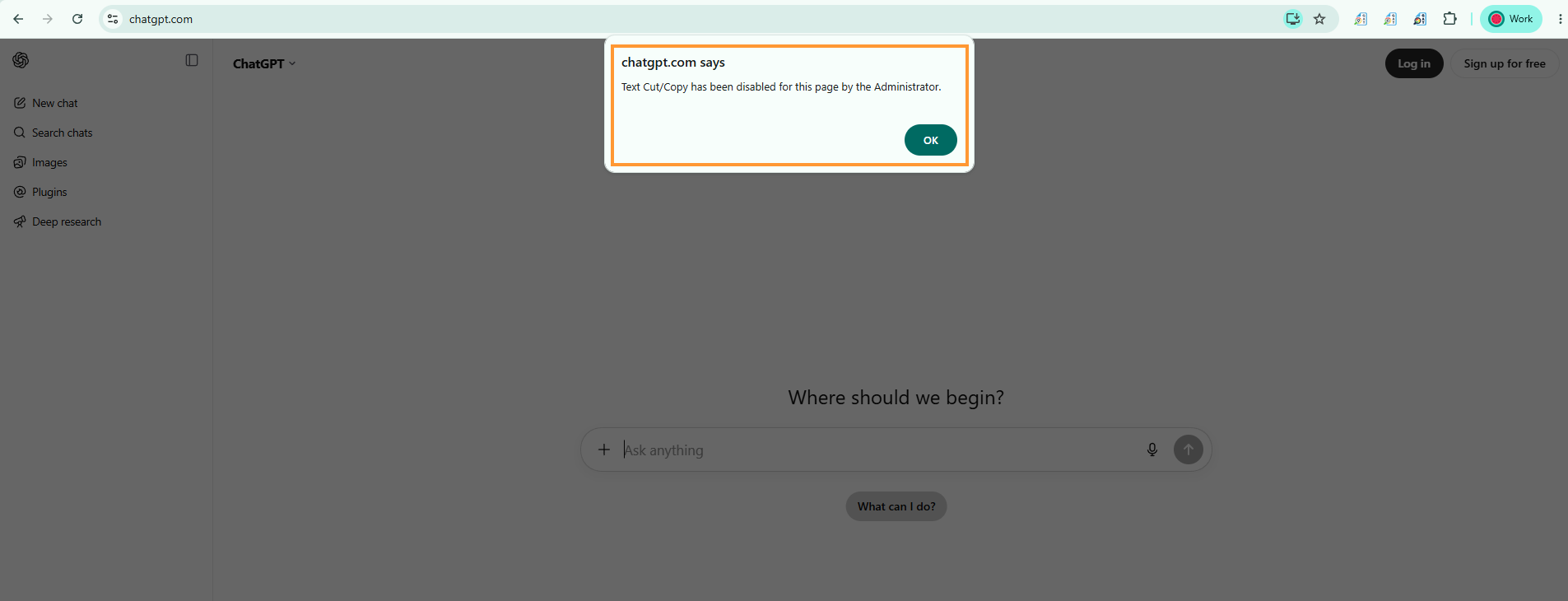
When the Copy/Paste is blocked on the page, users will see a block message.
The URL in the example above: chatgpt.com, a message stating that “text cut/copy has been disabled for this page by the Administrator”
Audit log #
A log of all copy and paste events captured from users’ browsers.
Each entry shows the URL where the event occurred, the event type (Copy Allowed, Copy Blocked, Paste Allowed, Paste Blocked), and the user who triggered it.
Navigate to Shield+ > Audit > Copy/Paste
View all the users, events, and URLs where the copy or paste was blocked.
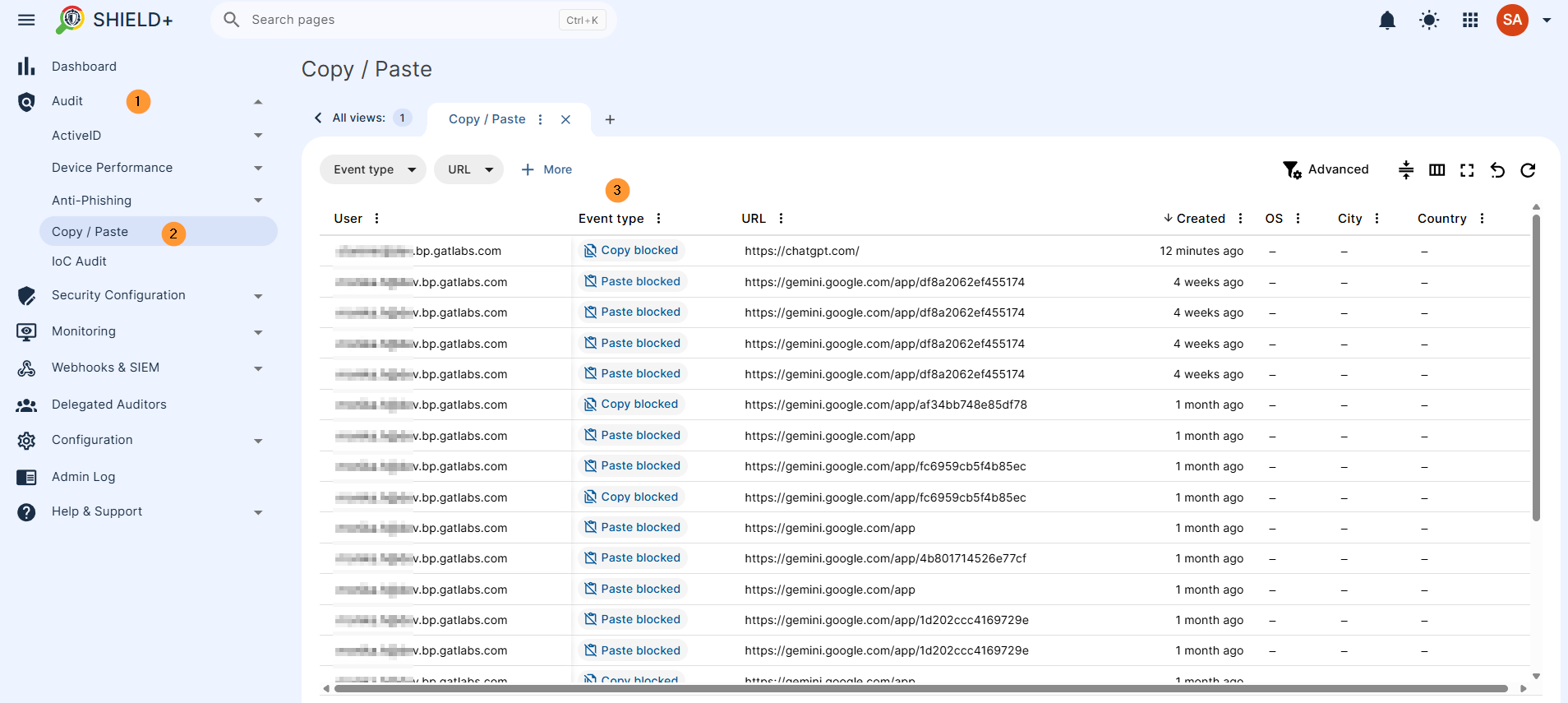
Admins can review flagged events, inspect details, and acknowledge alerts from these views.
Why This Matters for Google Admins #
By extending Data Loss Prevention directly into the browser, Shield+ solves one of the most persistent security blind spots in modern enterprise environments: unregulated data movement at the endpoint. Instead of relying on broad, disruptive domain blocks that frustrate employees, Shield+ enables Google Admins to enforce precise, context-aware controls around sensitive intellectual property, PII, and proprietary code. Whether you need to prevent data from being shared with generative AI tools or protect critical repositories, Shield+ helps you:
- Granular Control: Enforce specific policy actions (Copy vs. Paste) down to targeted URL structures using wildcard patterns.
- Frictionless Compliance: Display immediate, transparent feedback when users attempt a blocked action, reinforcing security policies without completely disrupting their workflow.
- Complete Audit Trail: Record every allowed and blocked copy or paste event with the user, URL, and timestamp, giving security teams the visibility they need for incident investigations and compliance reporting.
Ultimately, Shield+ transforms the browser from a potential data leak vector into an intelligent, enterprise-grade DLP enforcement point.


