

GAT Flow: Conditional Event Workflows for Google Workspace #
GAT Flow is a user management tool for Google Workspace. It allows Google Admins to easily Onboard, Offboard, and Modify users using automation and bulk user management actions.
In GAT Flow actions can be set to run automatically based on different events, these are called ‘Conditional event workflows’.
In this post we’ll show you how to create this type of event workflows.
How to create Conditional Event Workflows? #
Open GAT Flow
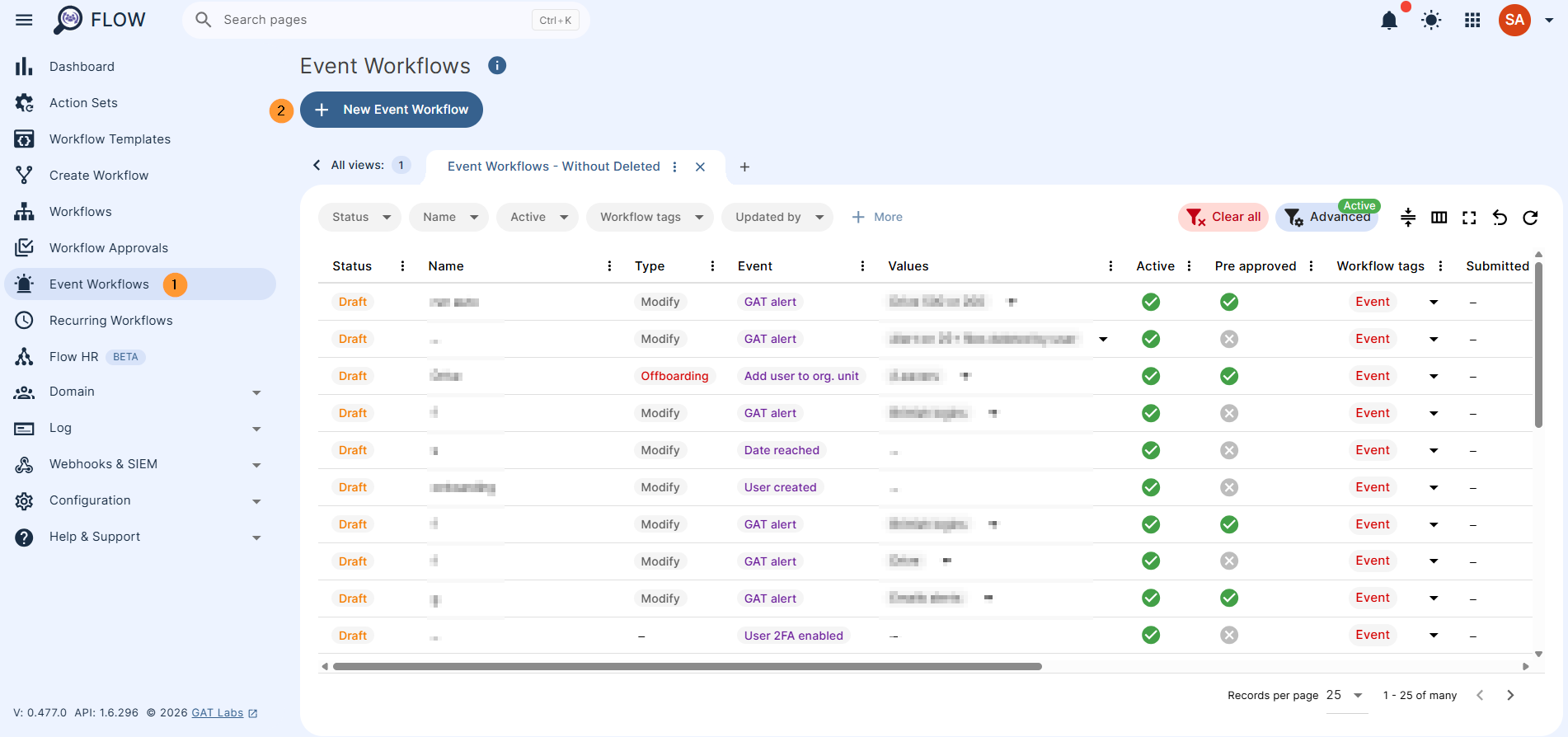
Navigate to Event workflow > +New event workflow
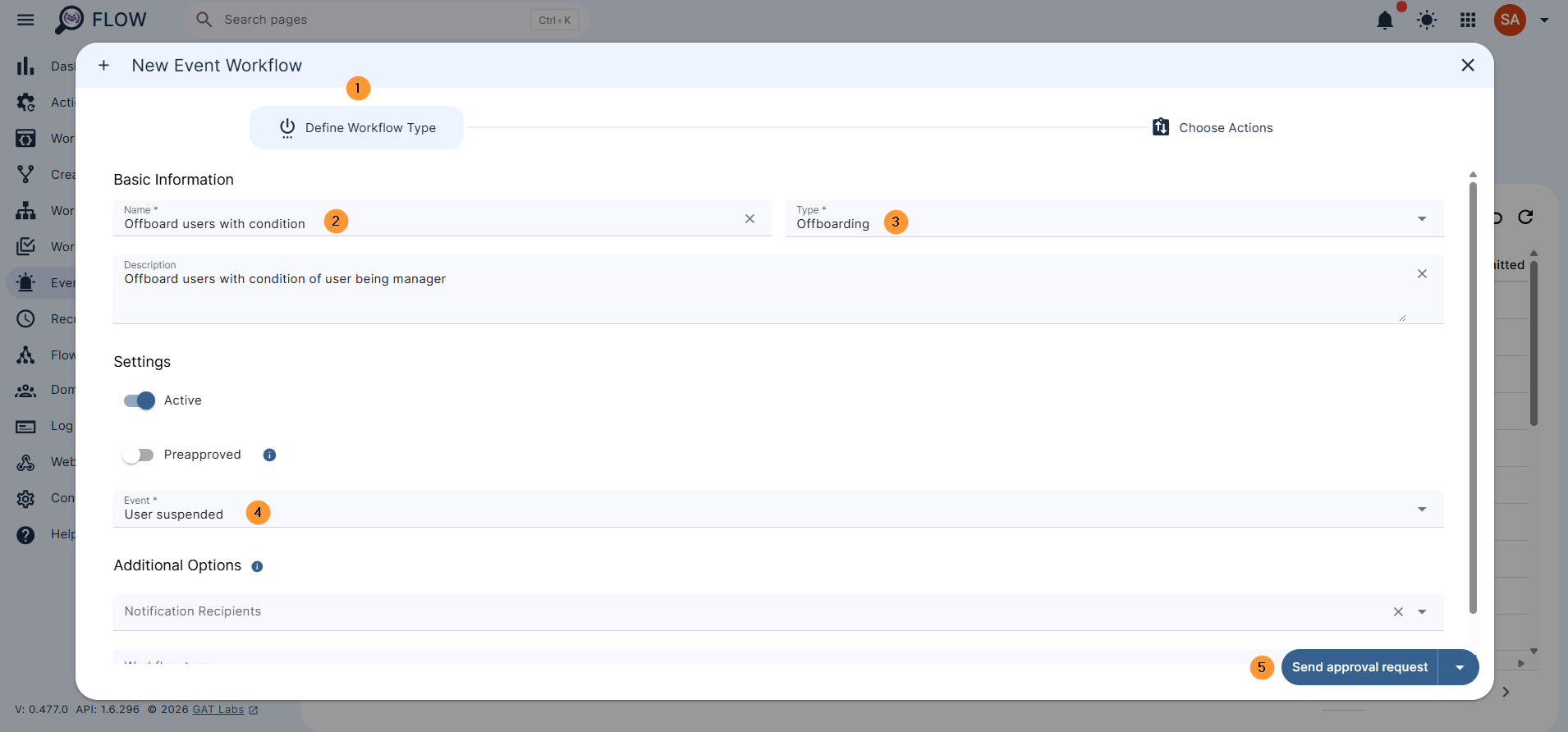
Pop up window will be displayed. Fill in and define the workflow type
- Name – enter a workflow name
- Description – enter a description for the workflow (optional)
- Type – Select the type Offboarding
- Event – select the User suspended event type
- Active – activate the Event workflow
- Additional options –
- Add Notification recipients to notify users and groups when the workflow ends.
- Select tags in Workflow Tags to help with workflow categorisation. Tags can be created in settings module
- Preapproved – When on the workflow does not need to be approved, when off the workflow (action after the user is moved to Group or Org unit) has to be approved again.
- If this option is selected, every workflow to run will be automatically approved. If disabled, each time the workflow is automatically triggered, it will need separate approval.
Click on Send approval reqeust to proceed further or just select “Choose actions“.
In the Actions selection, click on the + button and add condition
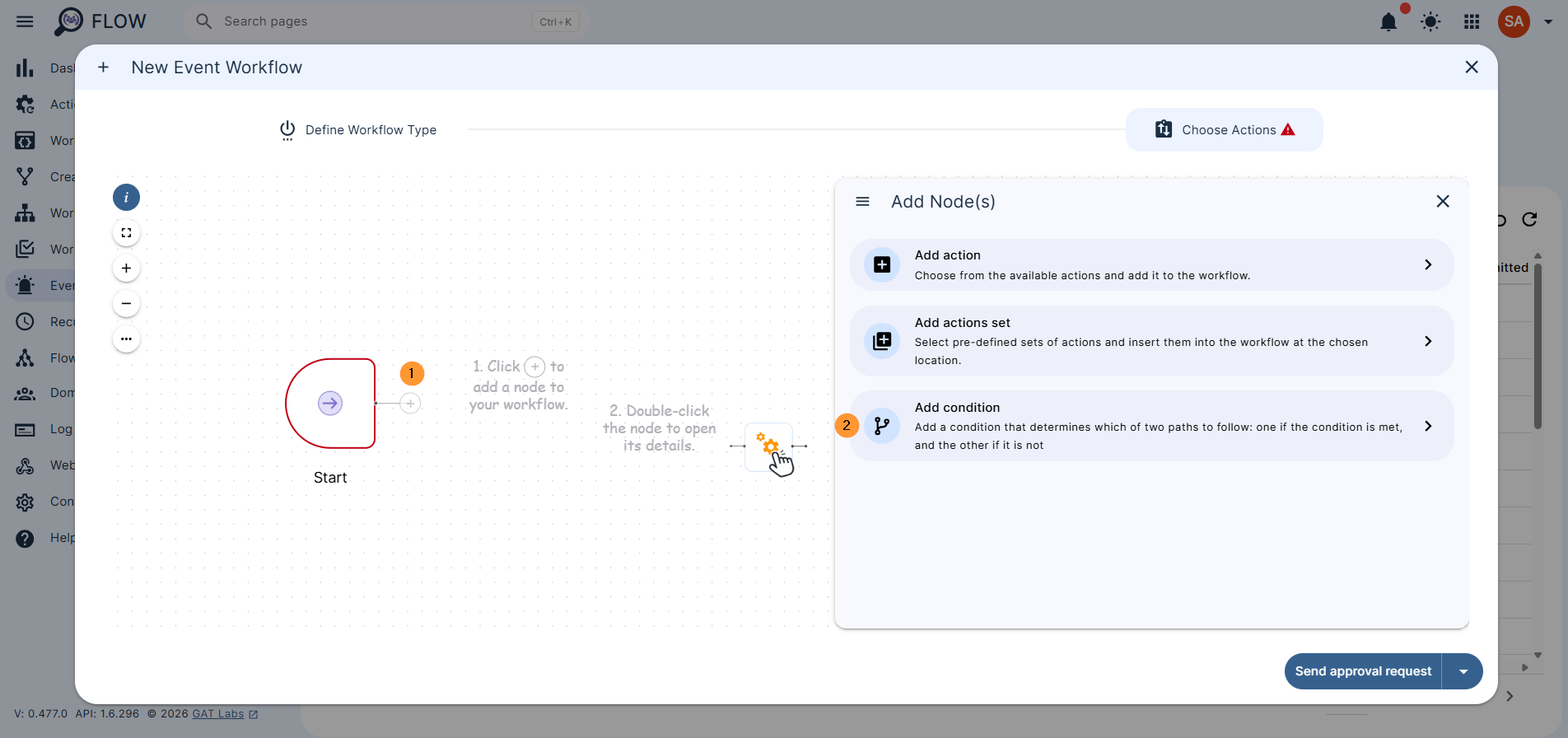
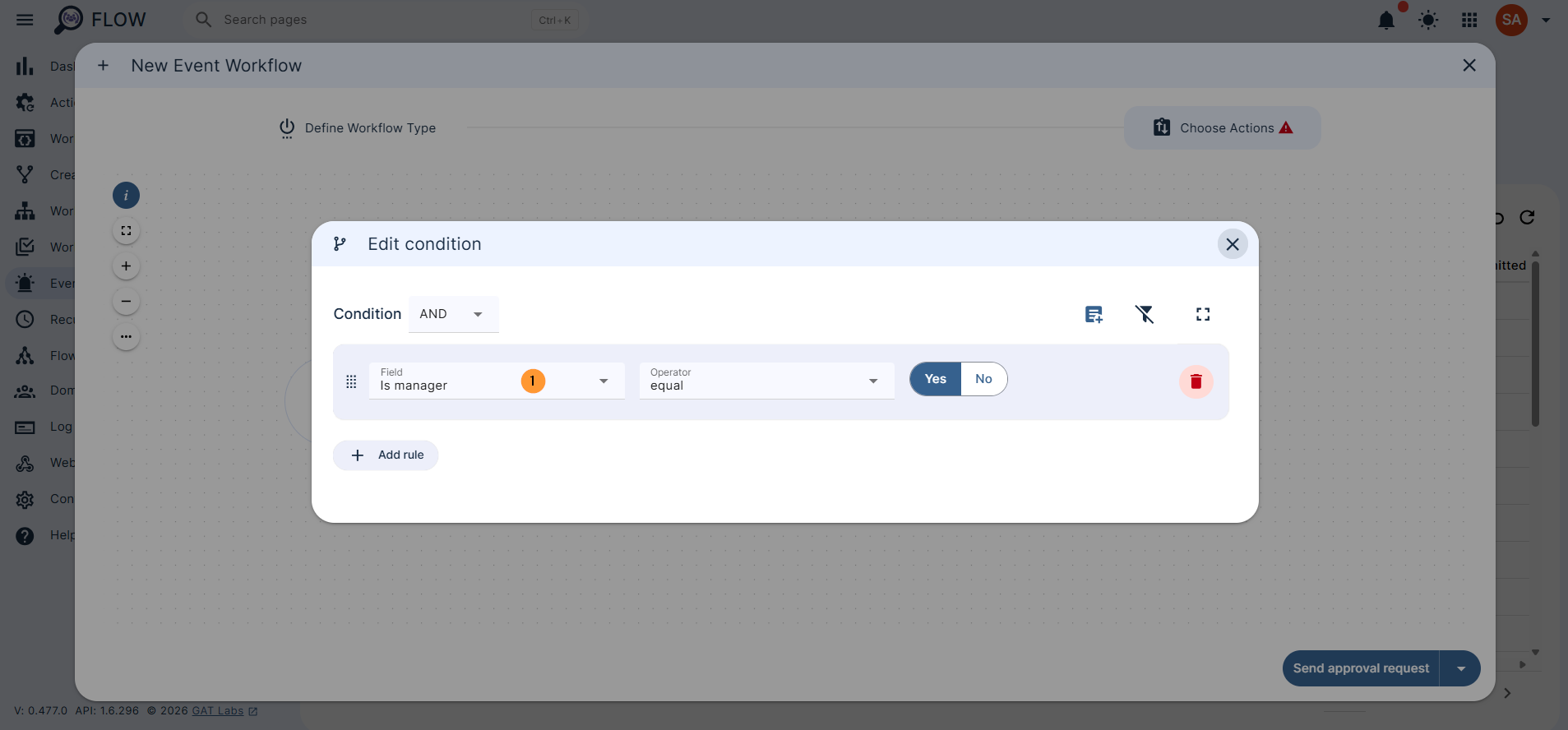
Double click on the Conditional option and fill in the information required.
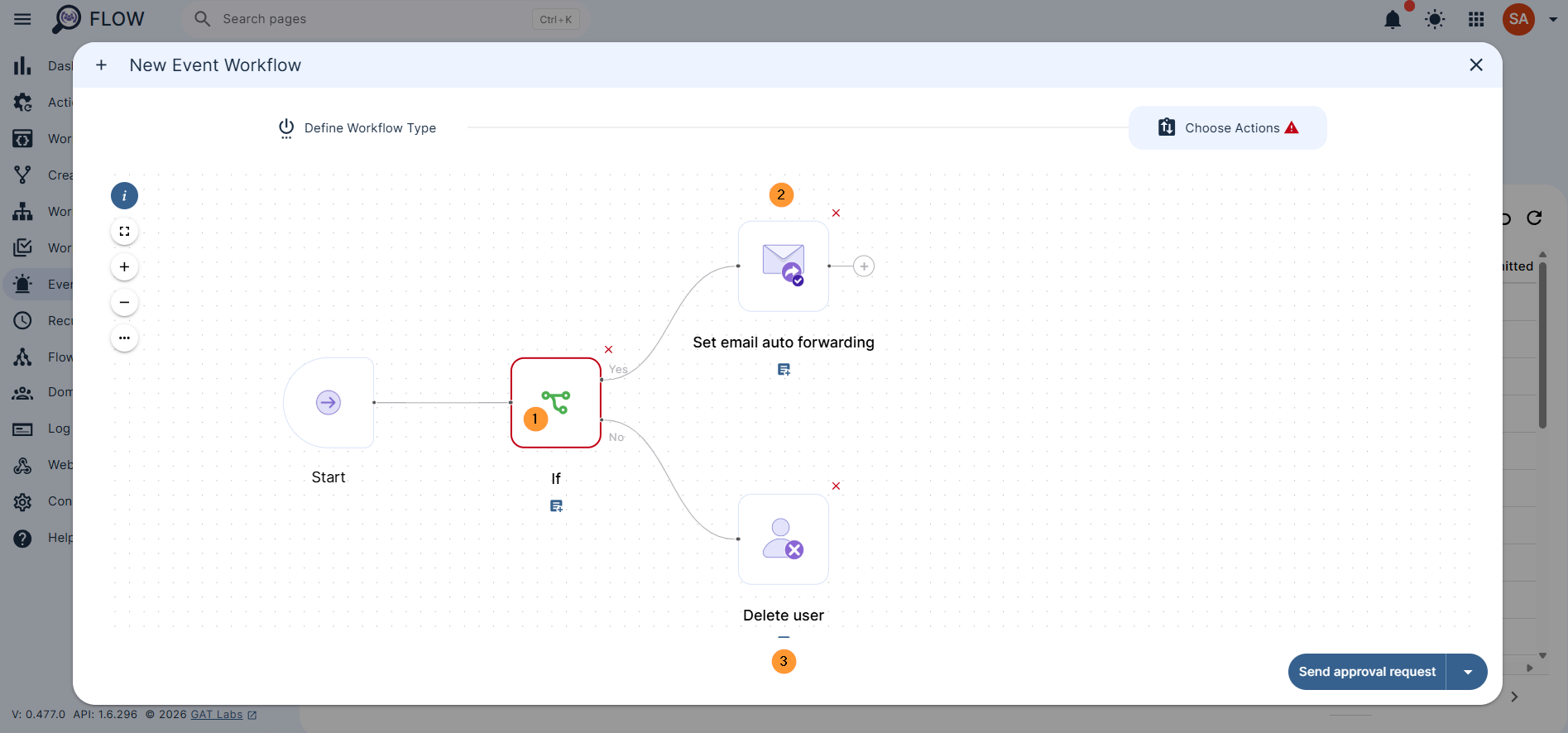
Select any condition you want, in this example, we will select “Is manager equal Yes“. Meaning if the user is “manager or not”.
Then select the action you want to be taken based on the condion.
- If user is Manager then do action X
- If user is not Manager then do Y
For example
- The suspended user is Manager – set email auto forwarding
- The suspended user then is not manager (manager equal to no) – then delete the user
Conclusion #
By setting up a Conditional Event Workflow in GAT Flow, Google Admins can automatically trigger distinct, role-based actions – such as setting up email forwarding for suspended managers while automatically deleting non-managers – all based on a single user event


