

What it Is #
The Teacher Assist delegated auditor permission allows a non-administrator user to have full access to Teacher Assist as other administrators have.
Managing classroom oversight and administrative responsibilities across an entire Google Workspace domain can quickly overwhelm IT teams. By default, full access to Teacher Assist is restricted strictly to Super Administrators. However, institutions often need department heads, instructional coaches, or support personnel to oversee operations without handing over full domain-wide super admin credentials.
With the Teacher Assist Delegated Auditor permission, administrators can securely delegate complete administrative control of the Teacher Assist tool to designated non-admin users. This ensures the right team members have the oversight they need while maintaining domain-wide security.
Why it Matters #
The administrator can now grant access to the tool to a designated user (non-admin user), which will help them manage the domain and relieve them of some of the responsibility.
How to Add Delegate access to Teacher Assist #
Assign Delegated Auditor Rights #
To assign the Delegated Auditor rights, an administrator must log in to Teacher Assist.
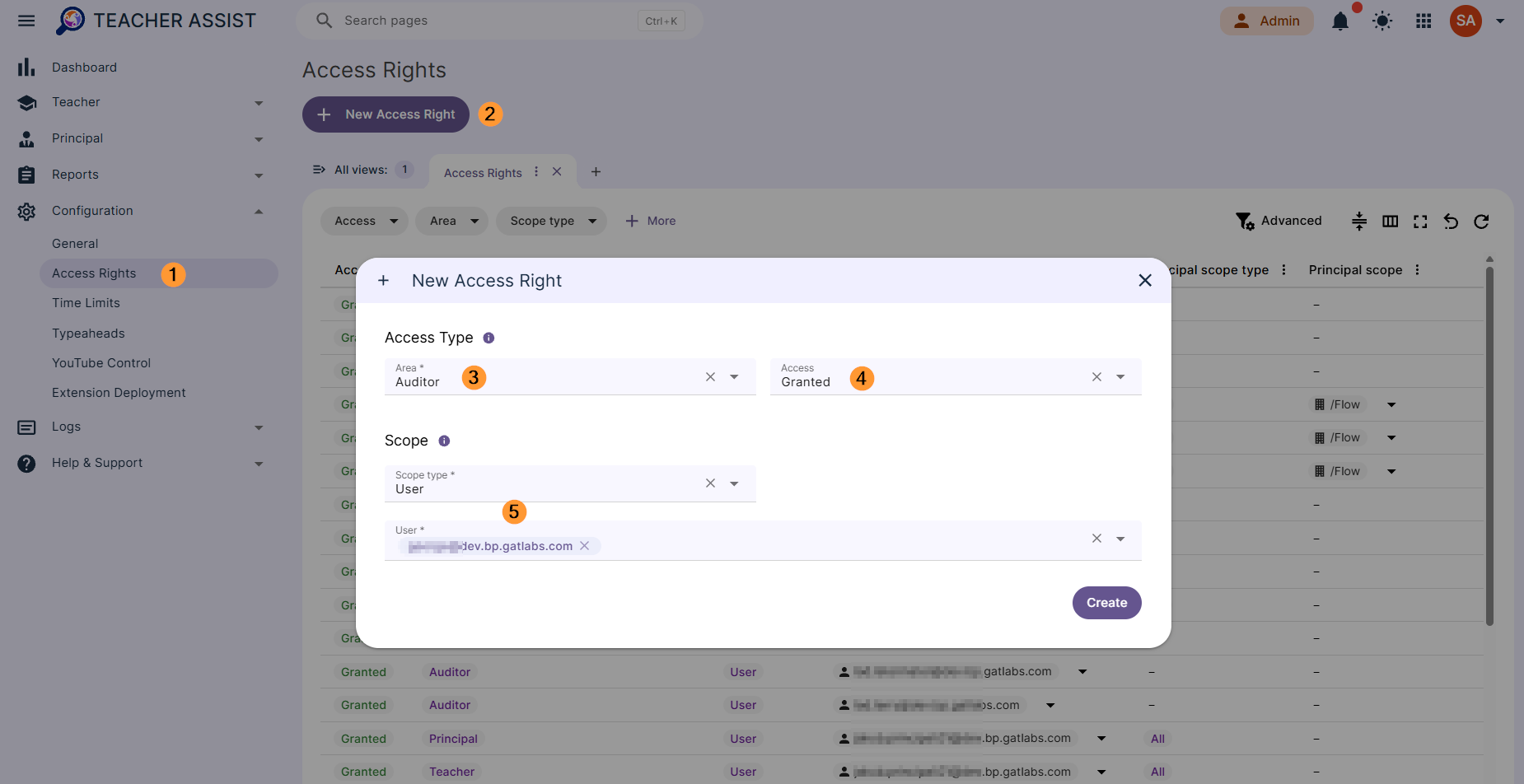
Navigate to Configuration > Access Rights > New access right
Fill in the access type.
- Area – select Auditor
- Access – select Granted
- Scope – select user who will have the Auditor access
- Create – click to create the Auditor
Delegated Auditor is Enabled #
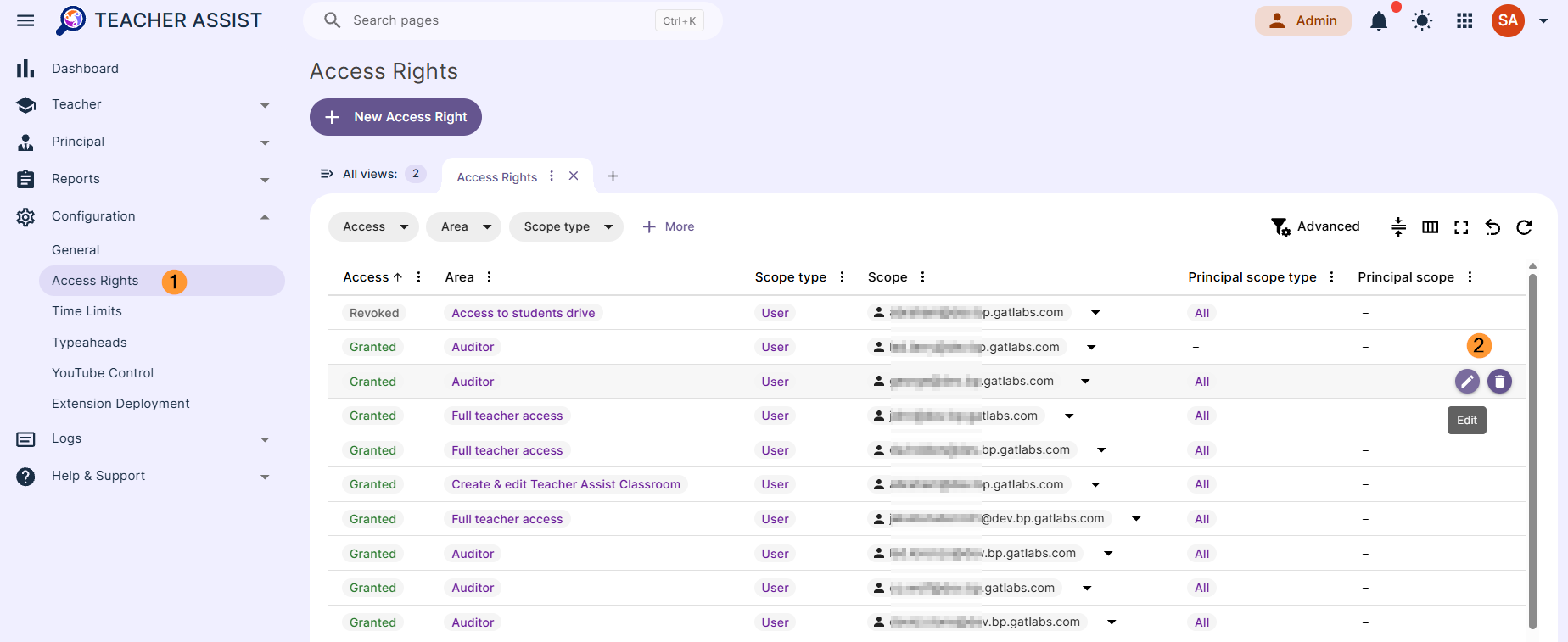
The Delegated Auditor in Teacher Assist now exists. The Super Administrator can edit or delete it at any time.
Navigate to Configuration > Access rights > View list of all accesses given.
Result #
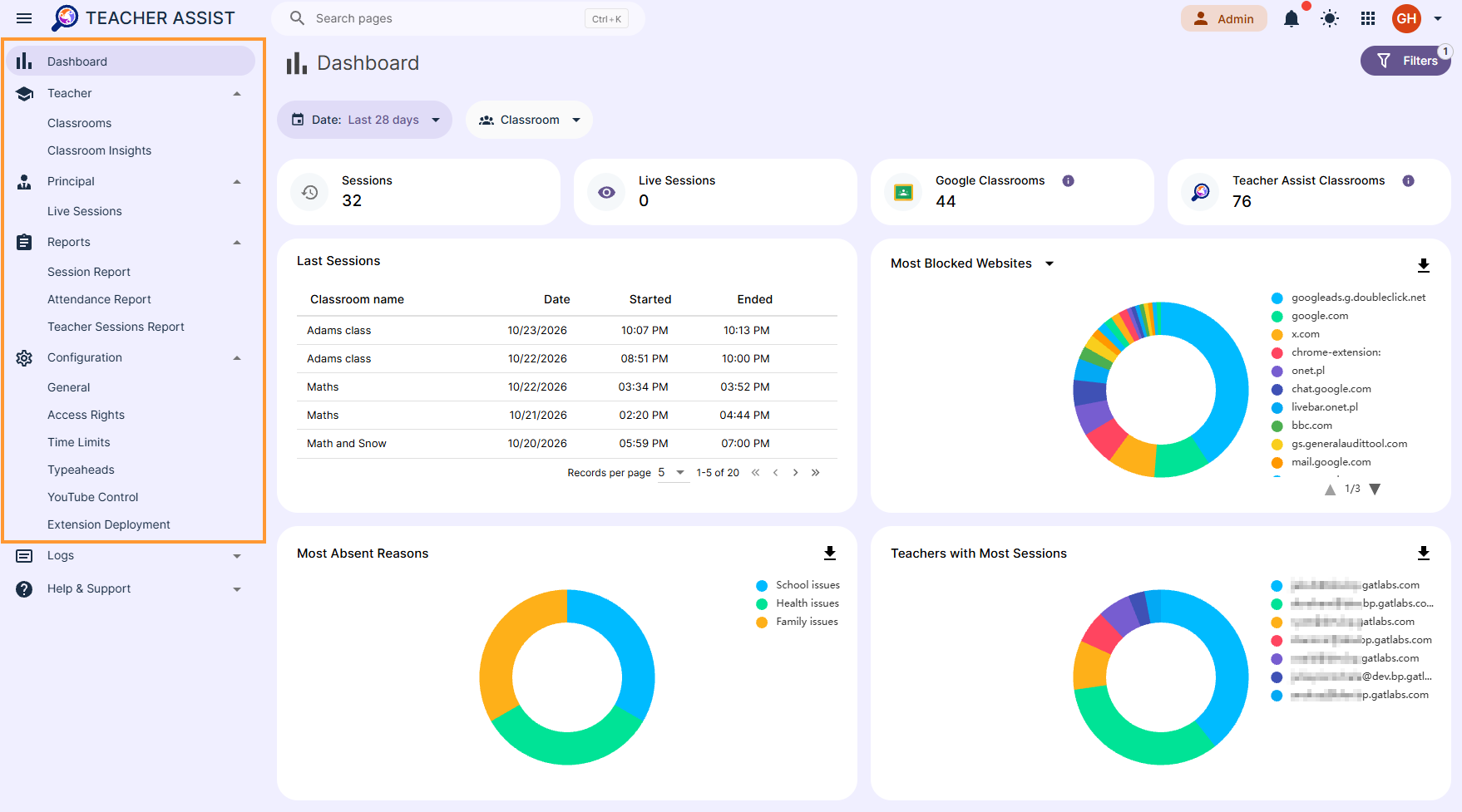
GAT Teacher Assist Delegated Auditor dashboard view is present as shown below.
Auditor is an Application Administrator, it grants a regular domain user elevated privileges to manage and administer the application with full admin-level access.
- Dashboard
- Teacher section
- Principal section
- Configuration
Conclusion #
Delegating access gives your educational leadership and support teams direct visibility into classrooms, teacher tools, and administrative configurations, streamlining daily operations without compromising core Google Workspace security.
Because permissions can be modified or revoked at any time by a Super Administrator, your domain maintains strict governance while distributing the operational workload effectively.


