

Set Up Multiple Configurations in GAT Shield #
Managing your organization’s web environment just got a lot more flexible. GAT Shield now allows administrators to create multiple, customized configurations for different sets of users. Instead of applying a single blanket policy to everyone, you can now tailor specific rules, such as website blocking, search filtering, and application access, for specific users, Organizational Units (OUs), or groups.
Multiple configurations are available for the following sections:
Site Access Control:
- Block Page Configuration
Configuration:
- Audit
- Site Access Control
- Search Access
- YouTube Access
- YouTube Block Embedded Videos
- Gmail Access
- Communication Access
- Login Control
__________________________________________________________________________________________
This allows admins to set up separate configurations for different users.
Here is how you can easily set up and customize these configurations to fit your team’s needs.
Site Access Control #
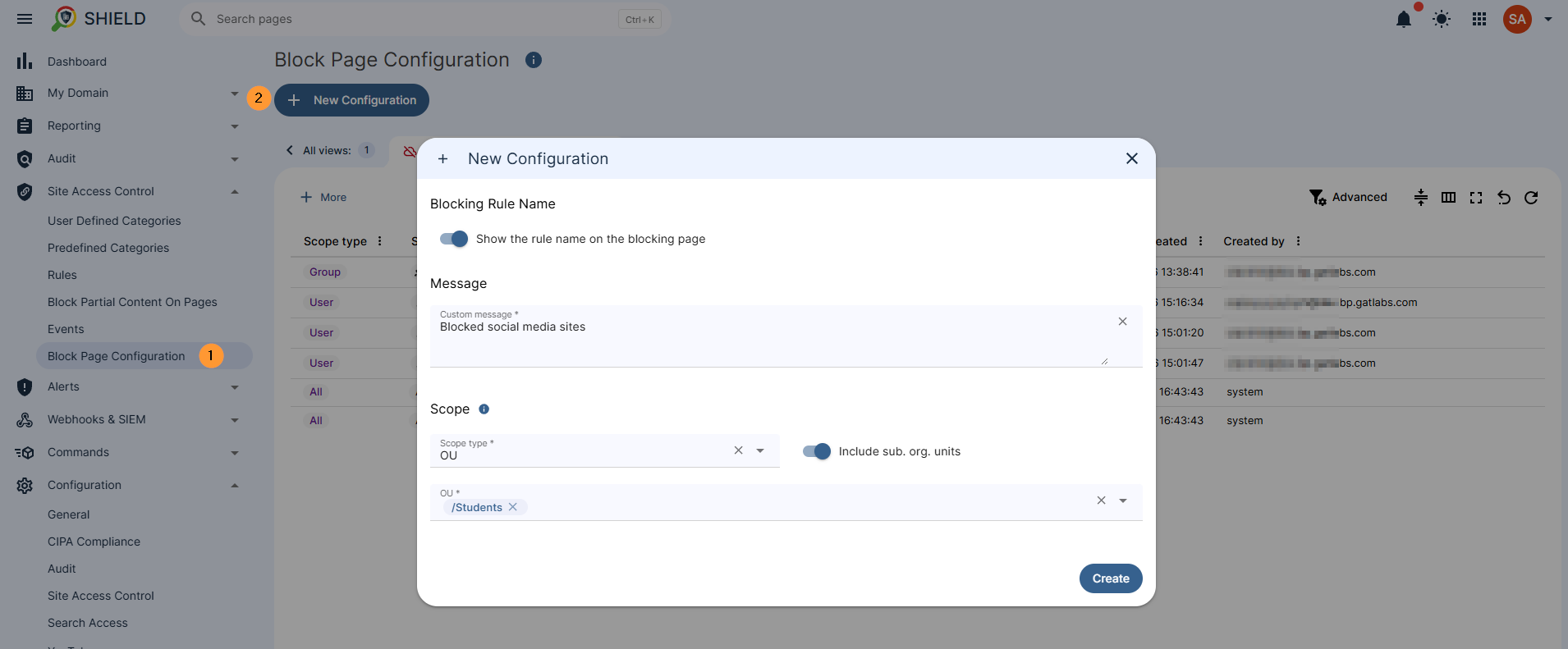
Navigate to GAT Shield > Site Access Control > Block page configuration
Set up a different configuration for a different set of users.
Fill in the details
- Show the rule name on the blocking page – enable/disable the message
- Message – enter the message to be shown
- Scope – select the scope of users
- All users
- User – specific users
- Group of users
- Org. unit of users
Configuration #
To help you decide which settings to apply to your different user groups, here is a quick cheat sheet of what each module controls:
Multiple configurations for multiple sets of users can be applied in the configuration section.
| Configuration Module | What It Does |
| Audit | Turns data reporting from the Shield Chrome extension on or off. |
| Site Access Control | Enables or disables the Site Access Control webfilter module |
| Search Access | Forces safe search to filter out explicit content and images. |
| YouTube Access | Filters explicit content specifically on YouTube searches. |
| YouTube Block Embedded Videos | Stops users from watching YouTube videos embedded on external websites. |
| Gmail Access | Blocks Gmail access or tracks time spent on Gmail tabs (including personal/other domains). |
| Communication Access | Blocks or allows access to Google Chat and Google Meet. |
| Login Control | Restricts access to Google-related pages if specific safety conditions aren’t met. |
Apply new config #
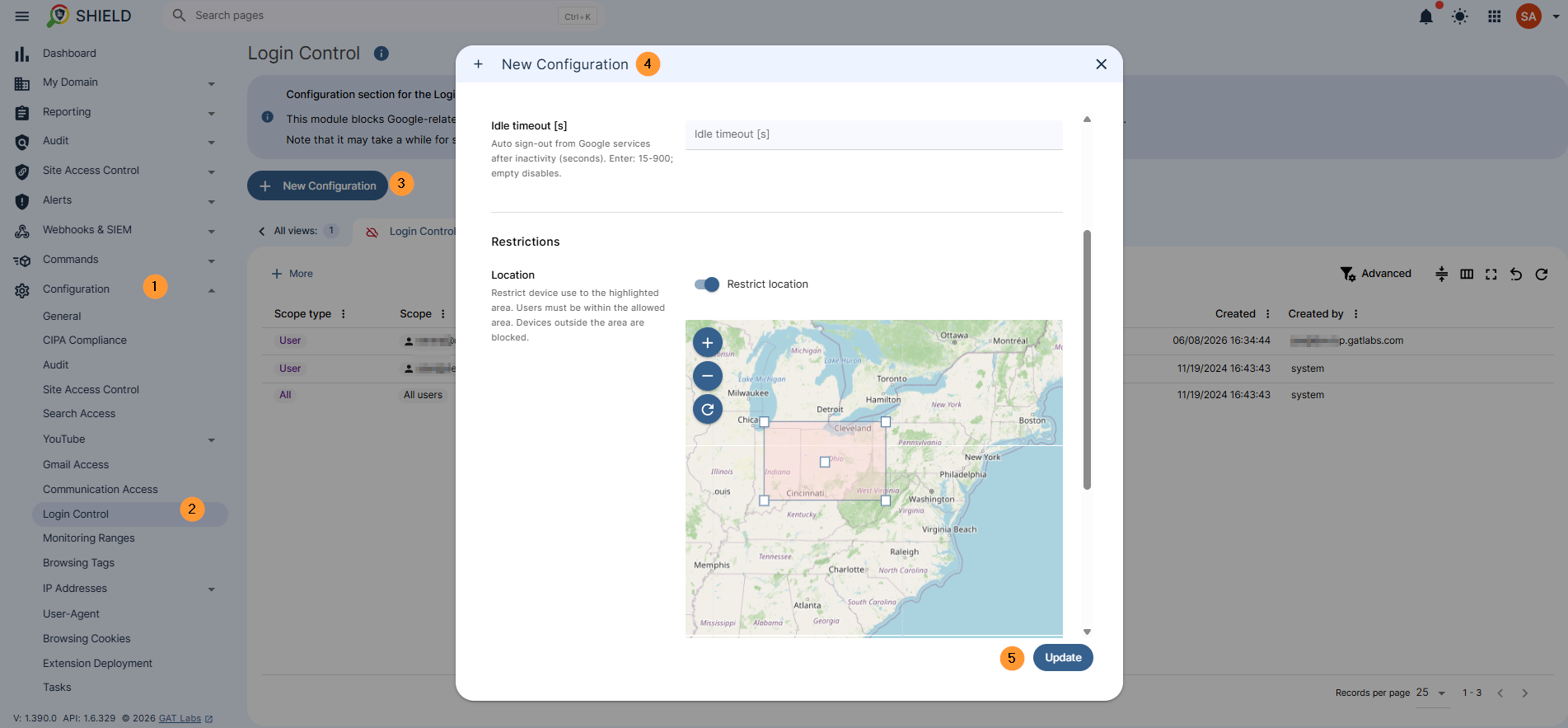
To apply multiple configurations for different sets of users, click on New configuration and fill in the details; they would be different for each different section it covers.
- Click on the module needed under the Configuration tab.
- Click on New configuration
- Fill in the details for each config
Conclusion #
By moving away from a “one-size-fits-all” approach, GAT Shield’s multiple configuration feature gives admins precise control over their network. Whether you need strict filtering for student groups, open access for executives, or specific tracking for remote teams, you can now build a tailored digital environment for every segment of your organization.


