

Managing a company’s structure shouldn’t require complex IT requests. Flow HR’s Organizational Units feature gives HR professionals full, direct control over the company hierarchy right from a visual tree.
Whether you are onboarding a new hire, restructuring a team, or moving employees between departments, you can easily create, edit, remove, or expand sub-OUs and reassign staff to their correct department paths in seconds.
How to Create a New Organizational Unit #
Navigate to Flow HR > Organization units > New org. unit.
To establish a new department, team, or regional branch, click New Org Unit and complete the following:
- General – The tab presents basic information about the org. unit.
- Enter name
- Parent path
- Description
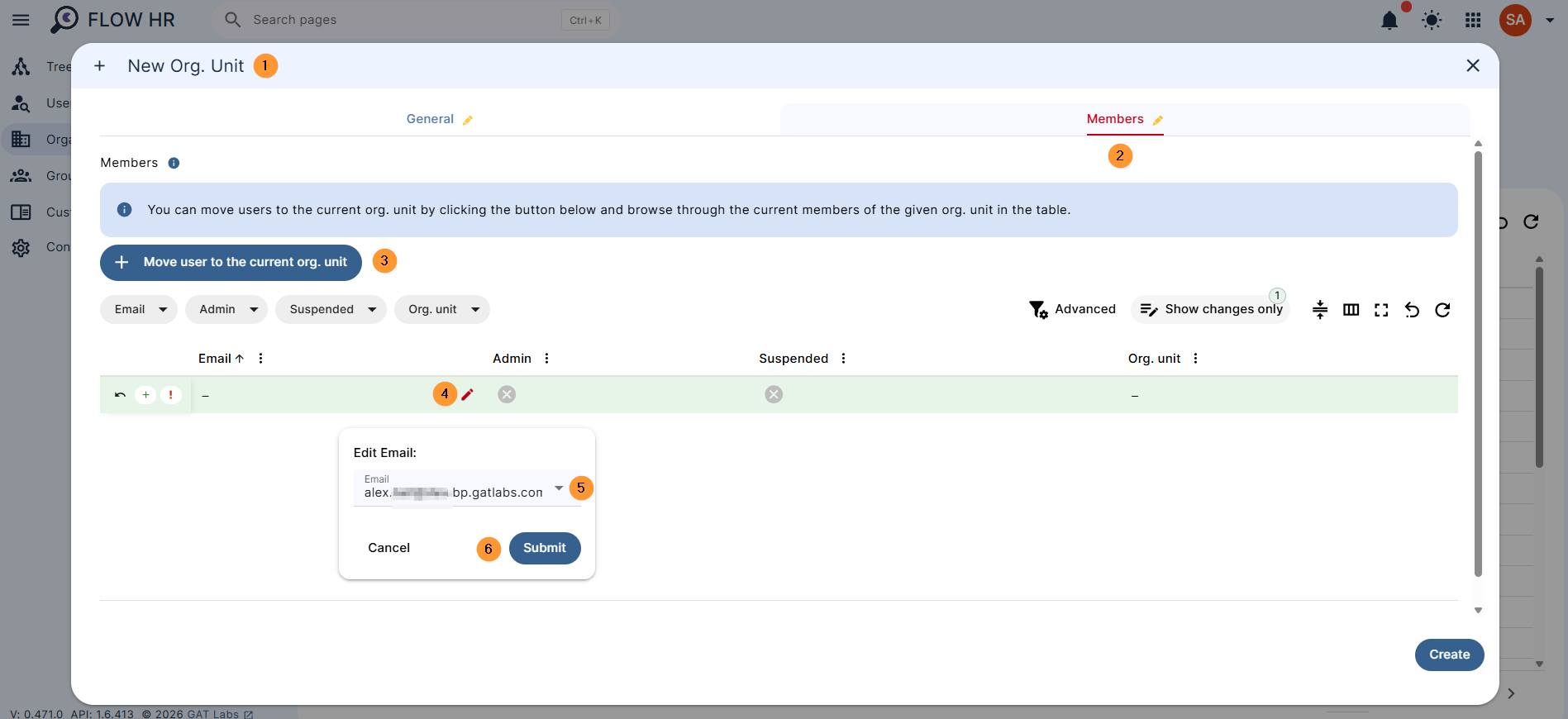
- Members – You can move users to the current org. unit by clicking the button below and browsing through the current members of the given org. unit in the table.
- Add members – Click on “Move user to the current org. unit“.
- Search for and select the user who you want to add
- Add members – Click on “Move user to the current org. unit“.
Update or Delete Org. Unit #
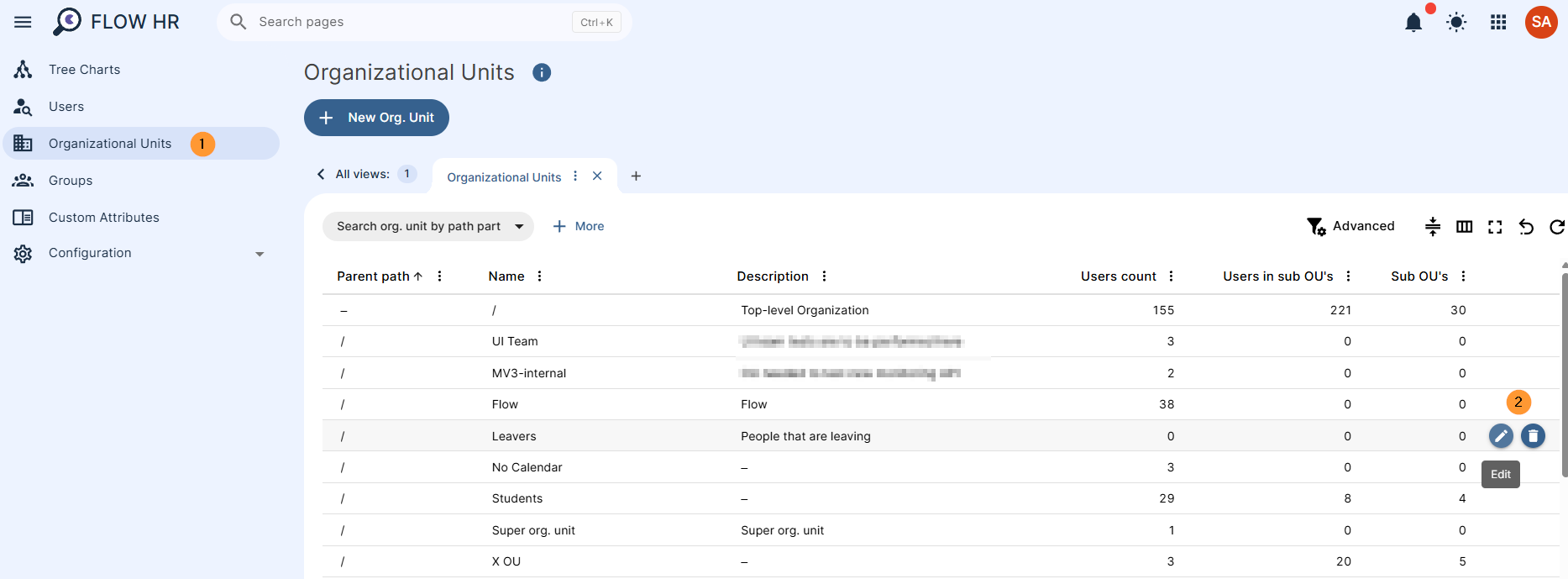
An admin can edit an org unit by adding or removing users, as well as deleting it.
Hover over any org. unit needed and click on the “pen icon” to edit it or the “trash/bin icon” to delete it.
Conclusion #
Keeping your organizational structure accurate is essential for smooth onboarding, clear reporting lines, and access management.
By giving your HR team direct control over department hierarchies and user placements, without relying on IT tickets, Flow HR streamlines everyday administrative moves and ensures your company directory always reflects reality.


