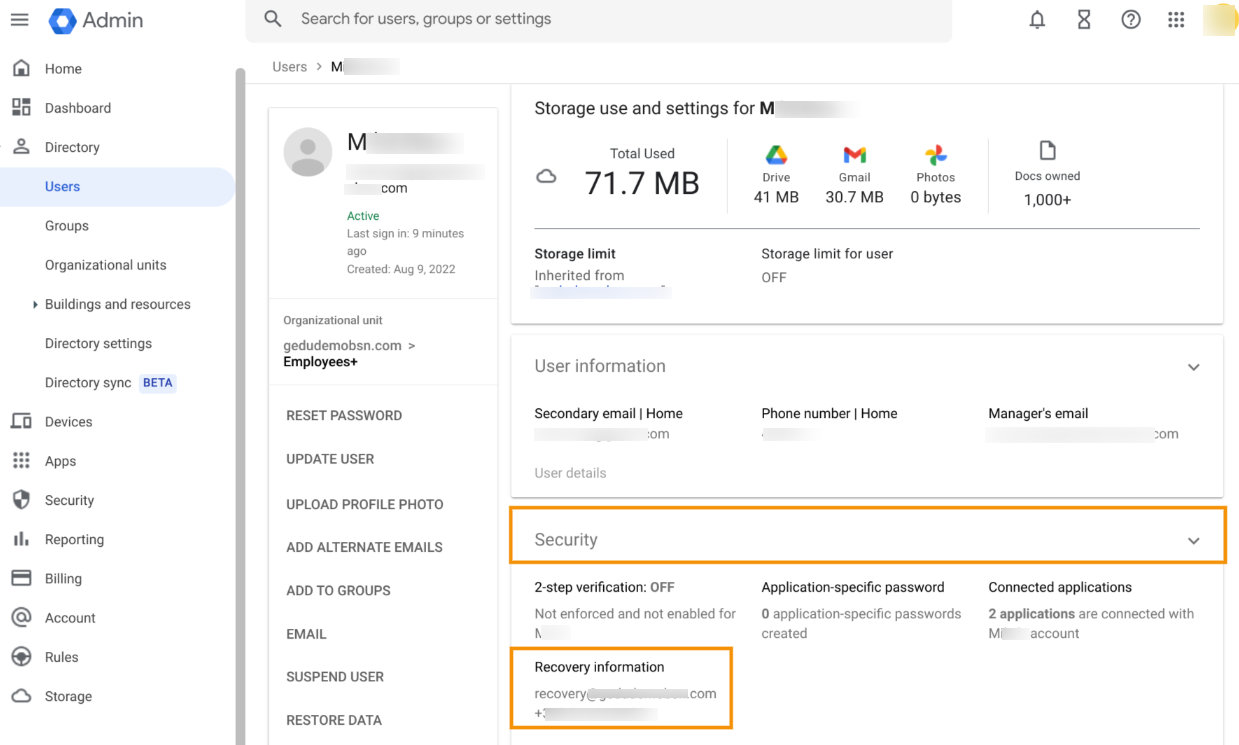

GAT Flow supports many processes and allows for their automation. One of the many actions you can take to maintain and secure Google Workspace users is to set up their recovery data.
If the above is required, GAT Flow offers two actions that help to achieve this goal:
- Set recovery emails
- Set recovery phone
Automate User Recovery Information Setup #
Navigate to GAT Flow > Create workflow.
Note that those actions are also available in the Event and Recurring Workflows.
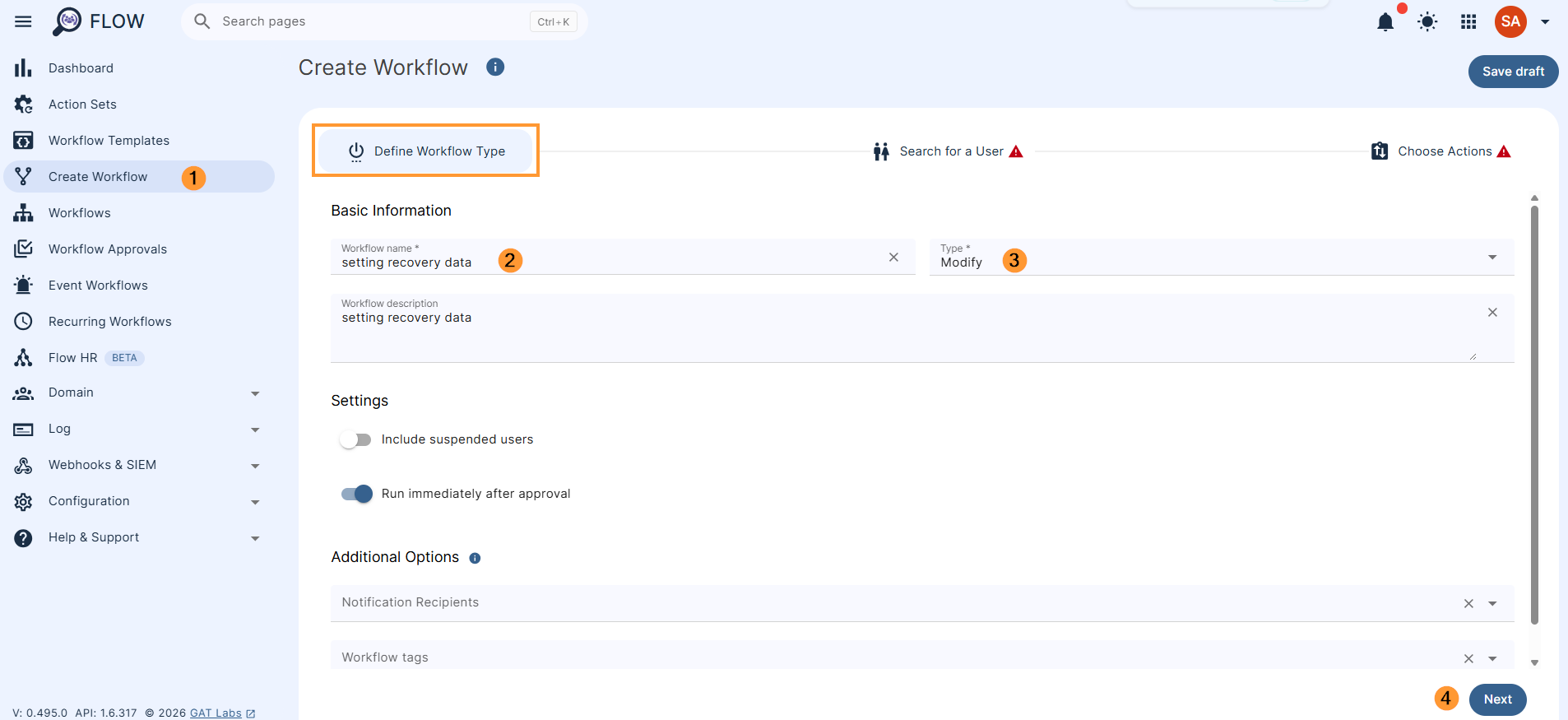
Next, fill in the details:
- Name – enter a name for the workflow
- Type – select the type of workflow you want to use (Modify or Onboarding in this example)
- Next – click to proceed
In the next step, search for a user.
Select a single user or multiple users’ accounts where the actions will be applied.
Search and add the users via Search for a user, group, org. unit, or classroom or import them.
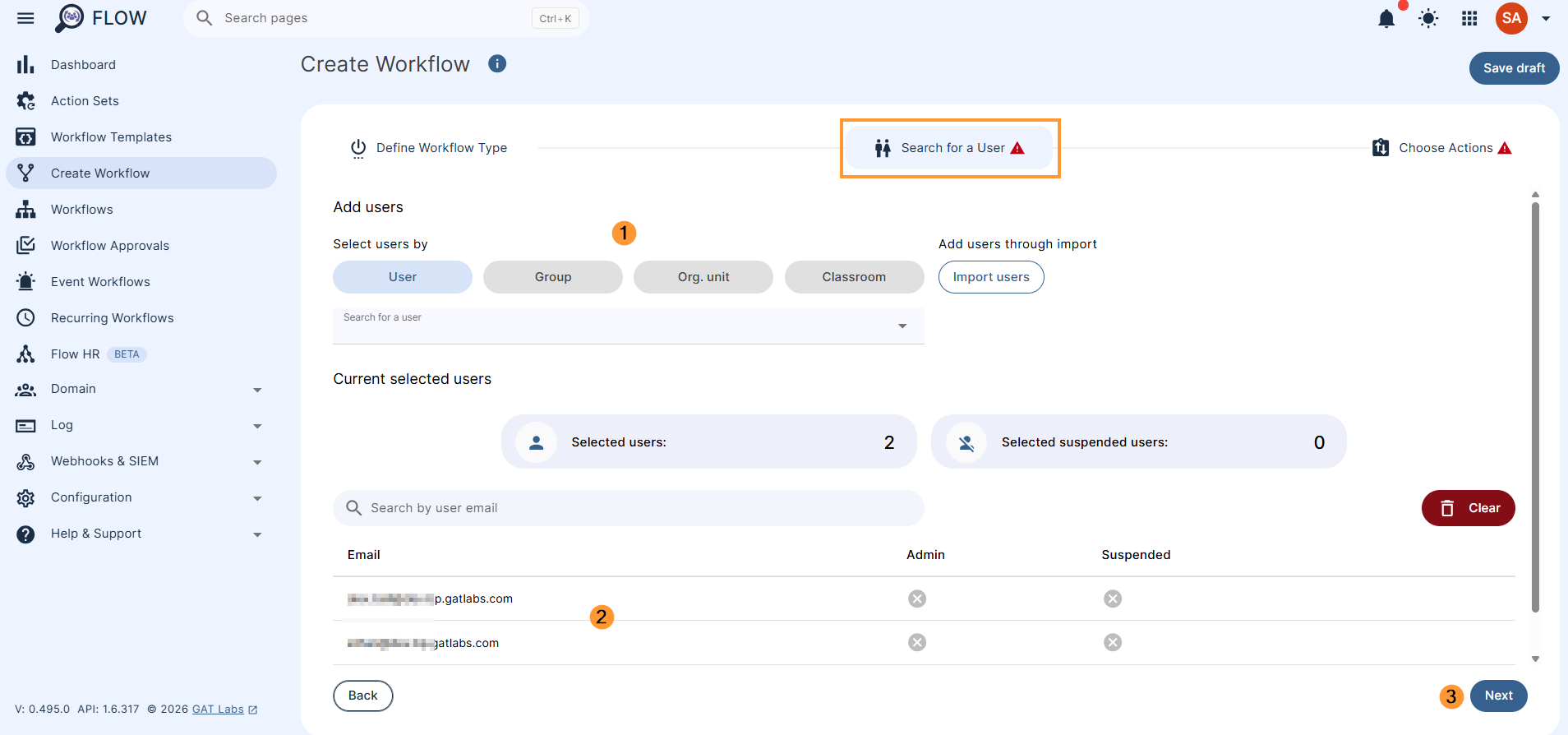
Once users are selected, click on Next
Then, to choose actions, click on the (+) button and search for the action.
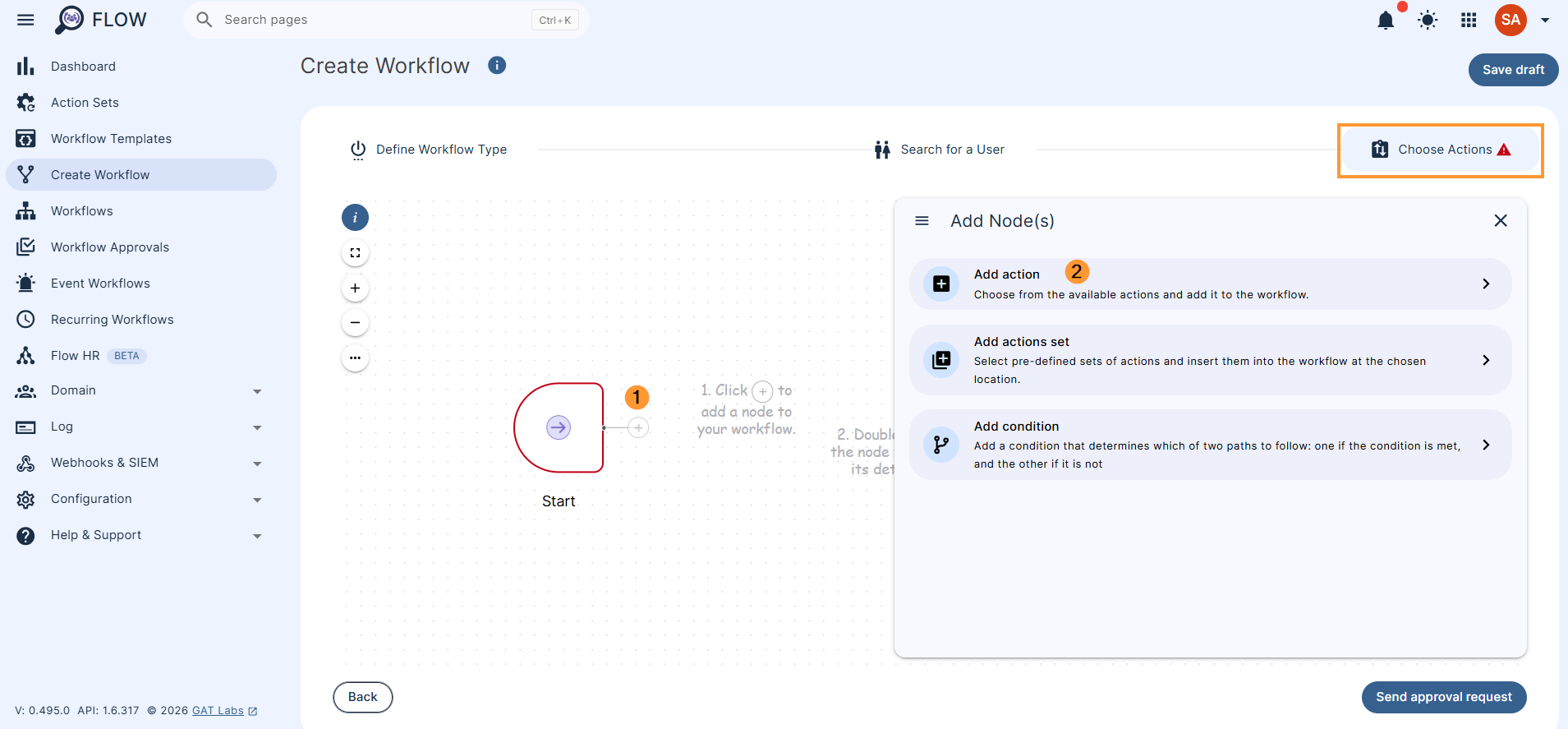
Next, you will see all the options available, search and select the below actions:
- Set recovery email
- Set recovery phone
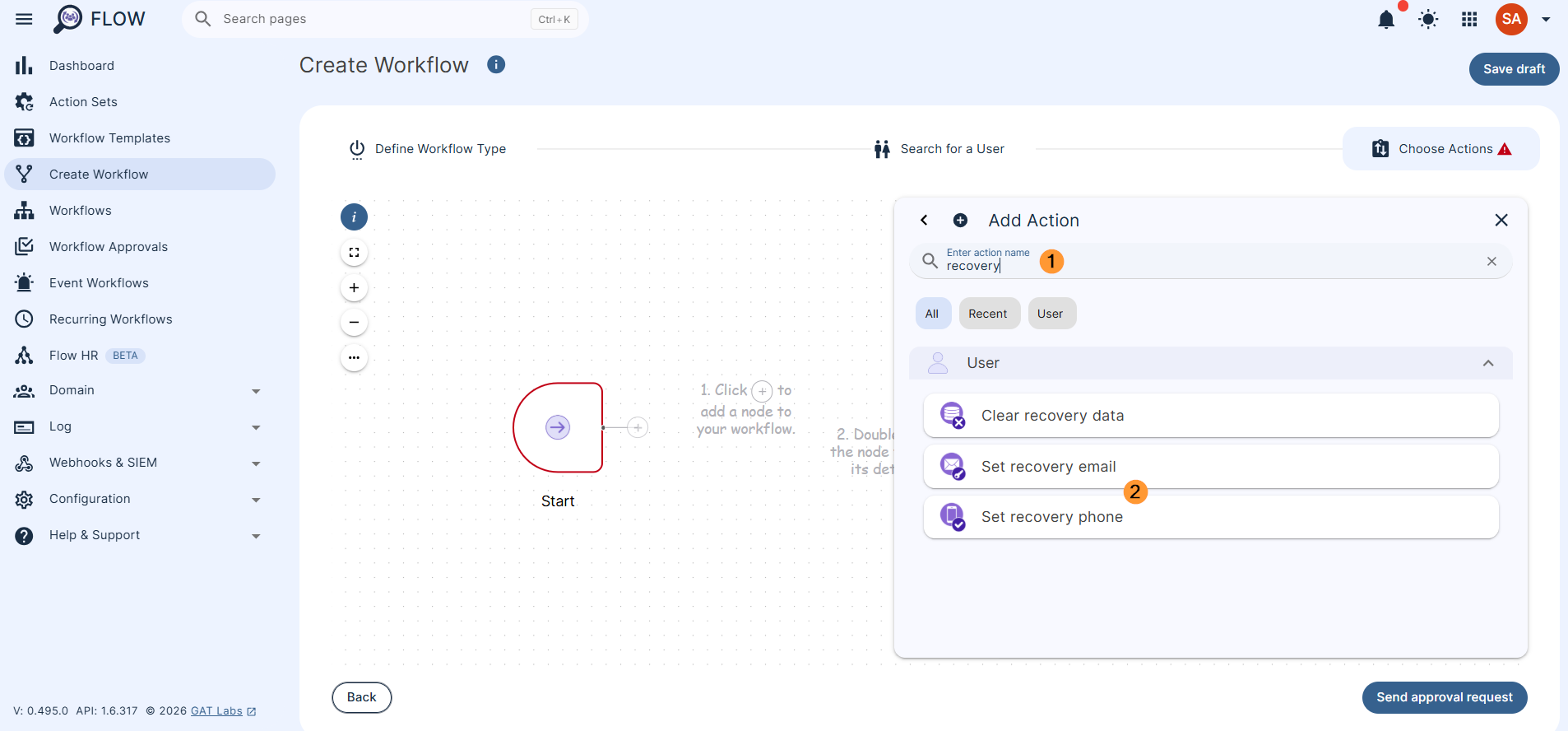
The selected actions will appear in the workflow.
Double click on and add the details for each
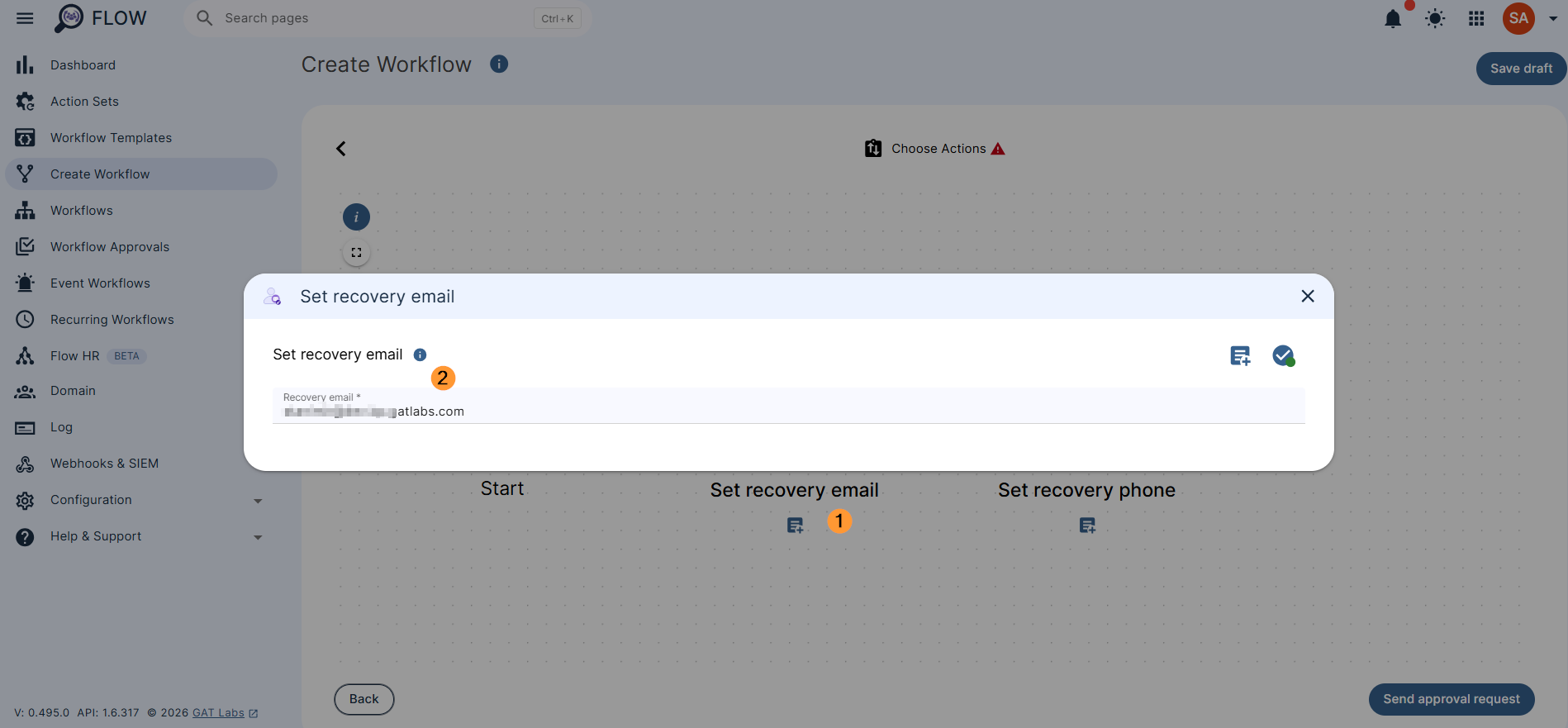
Once ready, click on Send approval request.
Security Officer’s approval #
Last, after sending, the Security Officer has to approve the request. They will receive an email that will lead them to the approval page.
Note: If the pre-approval option is enabled, an email is not being sent to the Security Officer. The workflow creator can confirm the preapproval option to run the workflow right away.
Automate User Recovery Information Setup – Result #
Once approved, the workflow will run.
As a result, the Admin set up the user’s recovery information, such as email and phone number.