

Google Workspace Domain audit #
GAT+ provides an extensive Google Drive audit for the entire Google Workspace domain.
Admins can search by user and see all Drive events done by that user in a specific set of times.
Google Drive events #
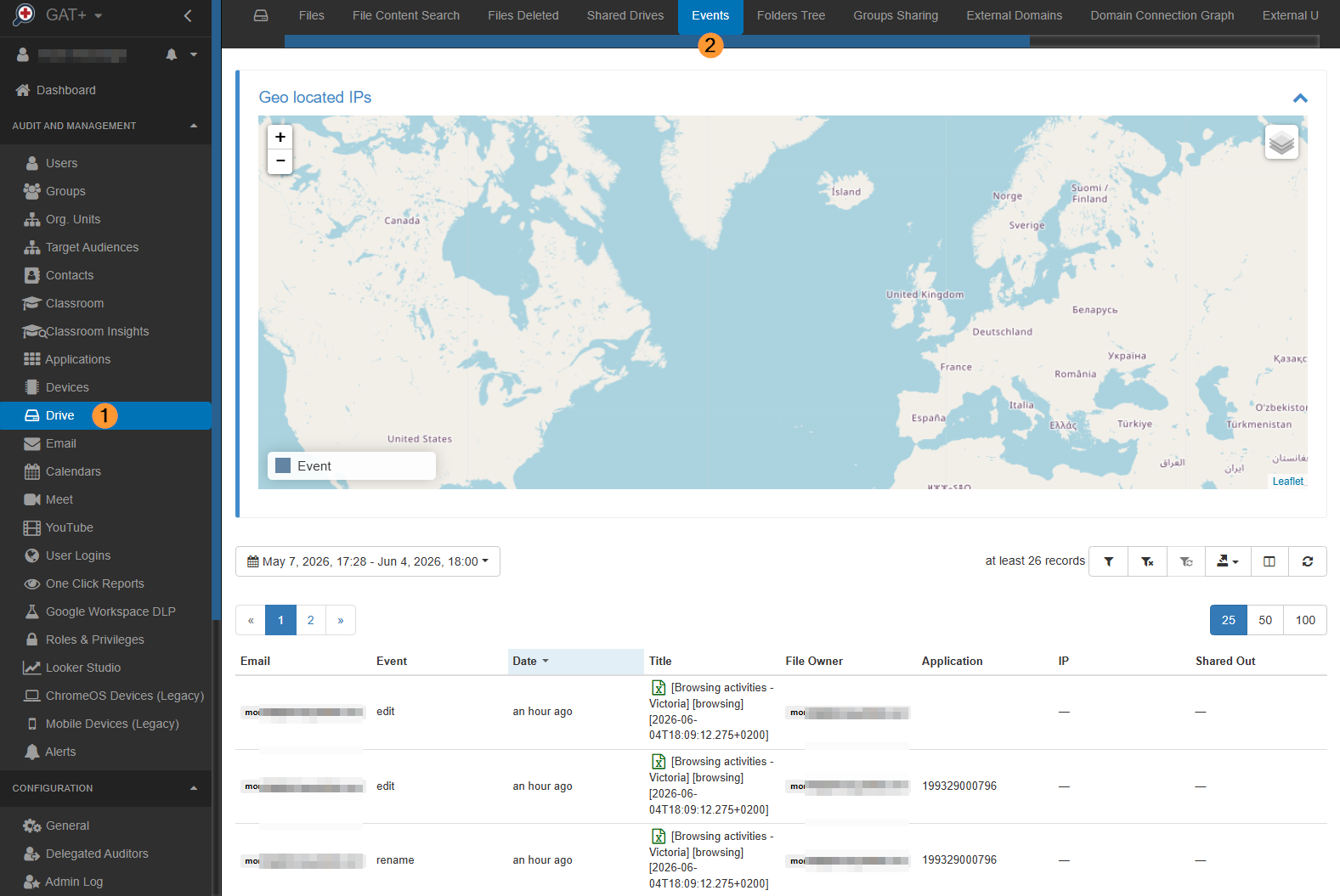
Navigate to GAT+ > Drive > Events
This will show you all Drive events happening domain-wide.
Selecting Date Range #
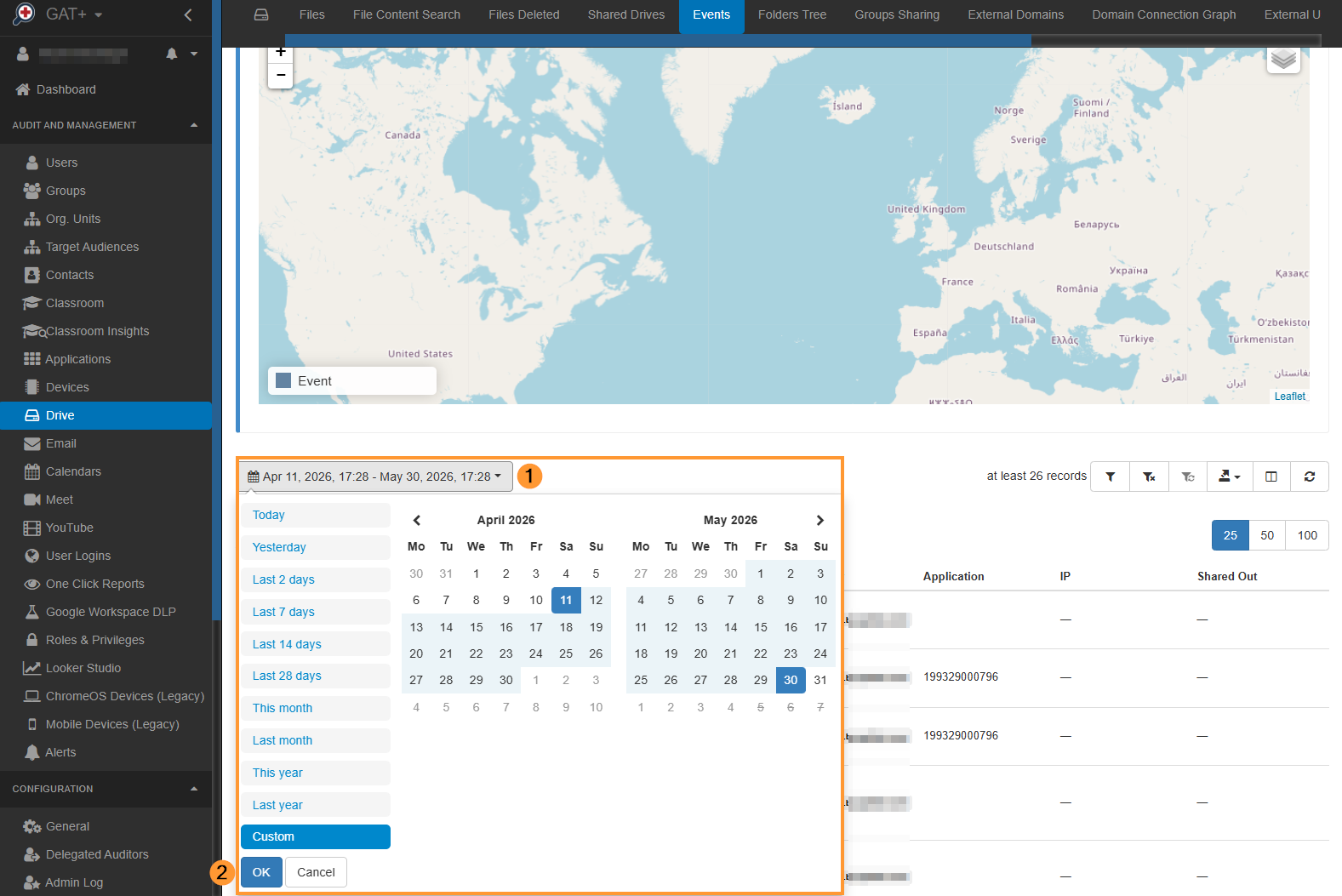
You can adjust the date range to narrow your search, this is adjustable under the world map.
Click the dropdown (1) and select either a predefined date range or select your own using the ‘Custom’ option, once selected click the OK (2) button
Apply filter #
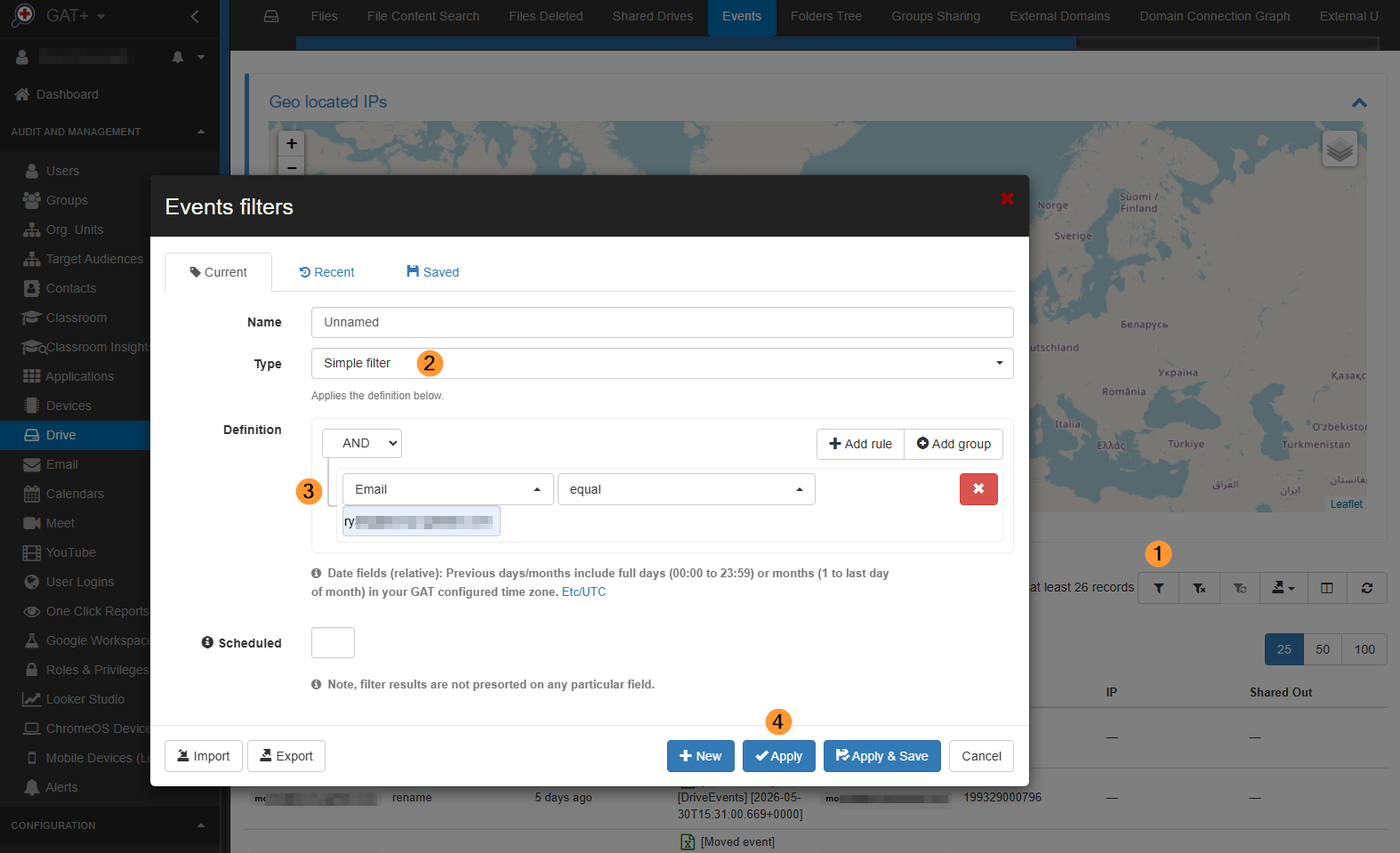
In the Events tab open and apply a filter.
In the filter enter the options:
- Type – Simple filter
- Email equal – enter the user needed
- Additional filters can be also used such as:
- Event – enter a specific event interested
- File ID – enter a specific file id you would like to investigate.
Result #
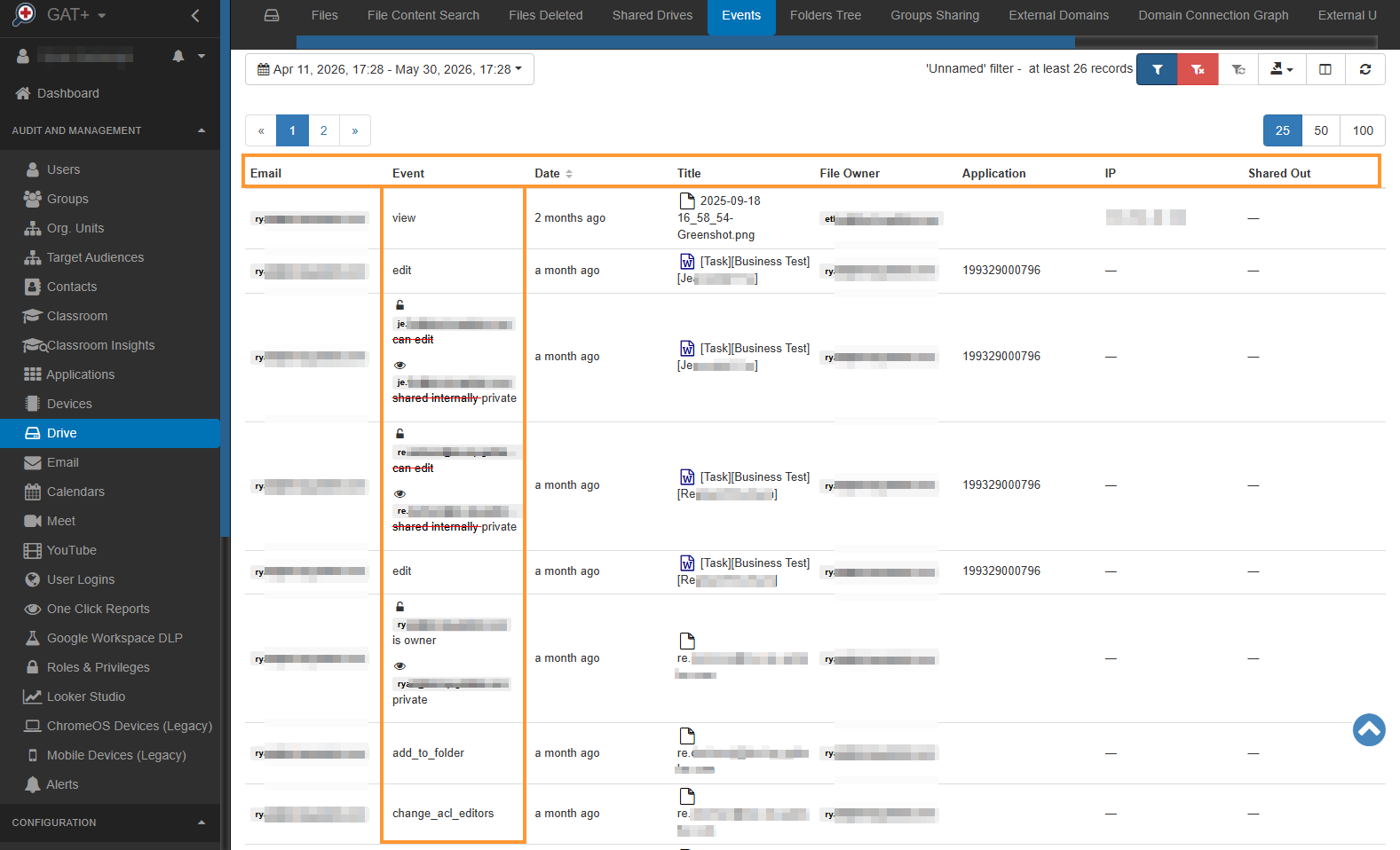
The filter will display all events done by the selected email address in the time relative (till now) – in the last x days (from the time filter is applied).
- Email – is the user who did the event on Drive
- Event – the event that happened on the Drive file
- Shared drive membership change – change to shared drive was applied
- Document access scope changed – sharing permission on the files/folders was applied
- Visibility change
- ACL Change
- Contributors can’t share
- Change Owner
- Download
- Upload
- Edit
- View
- Create
- Copy
- Move
- Delete
- Rename
- Preview
- Add to Folder
- Remove from folder
- Trash
- Untrash
- Sheet import range
- Email as attachment
- Label Added
- Label in new file
- Label Removed
- Label Field Changed
- Publish Change
- Unknown
- Filters can be applied to each and combination of events
Relevant How-tos:


