

GAT Flow is a bulk action admin tool for Google Workspace. It can be used to take action on a group of users all at once. It can also be used to export addresses that sent an email to another user.
Generating the report on a group of users can be useful in a number of situations. Take the following one as an example.
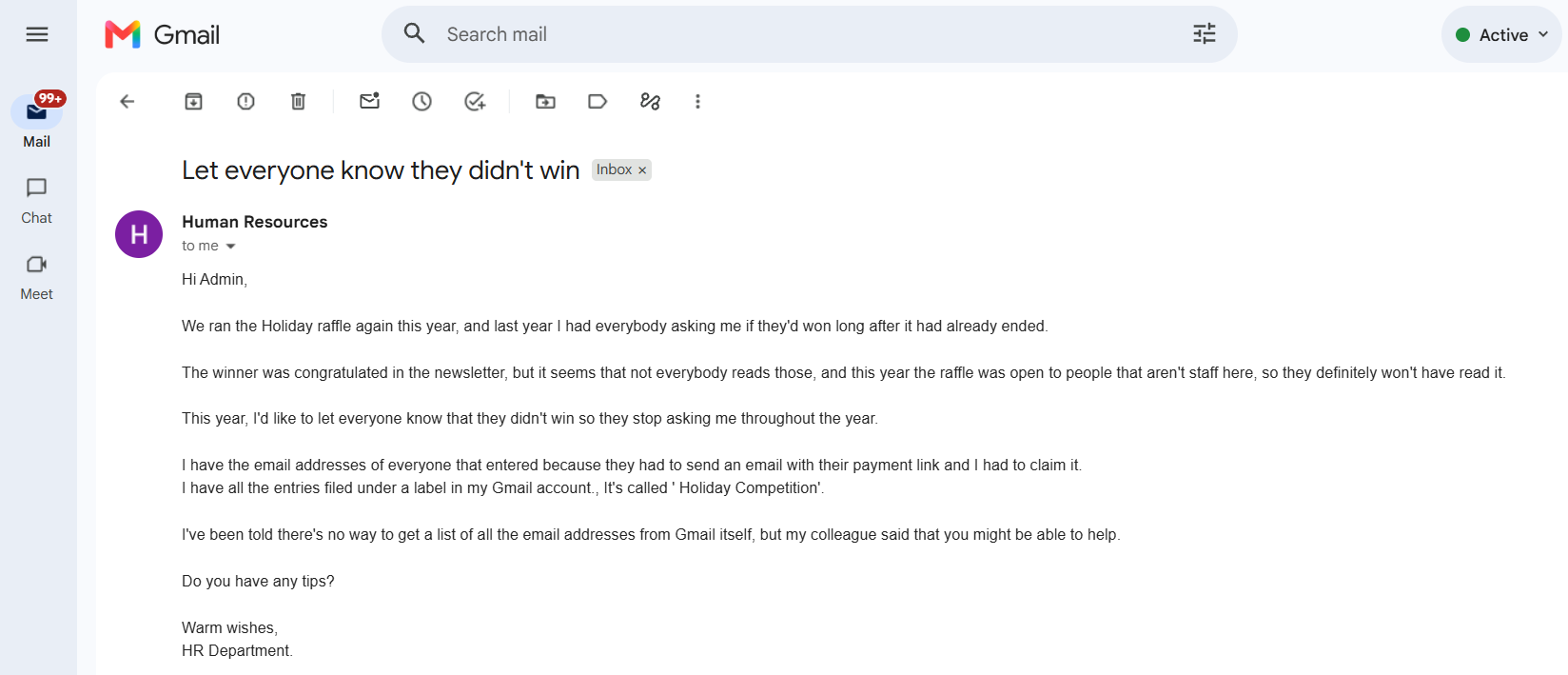
Step 1. #
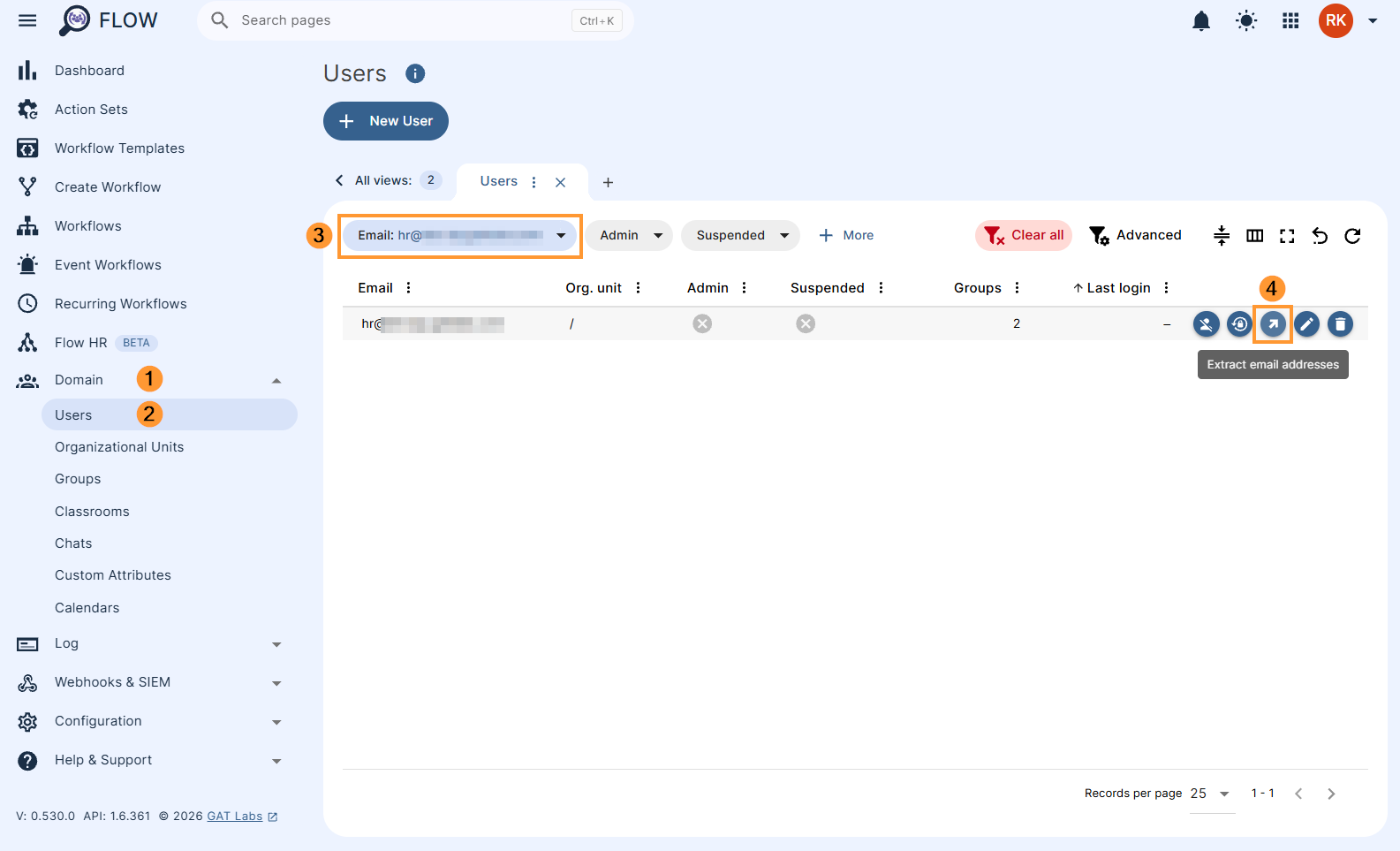
To begin, click the Domain > Users tab in GAT Flow on the left hand side.
Type the first part of the users email address into the email filter chip to find the user you want to extract the list of senders from.
When you have located the user, click the Extract email addresses button as shown below.
Step 2. #
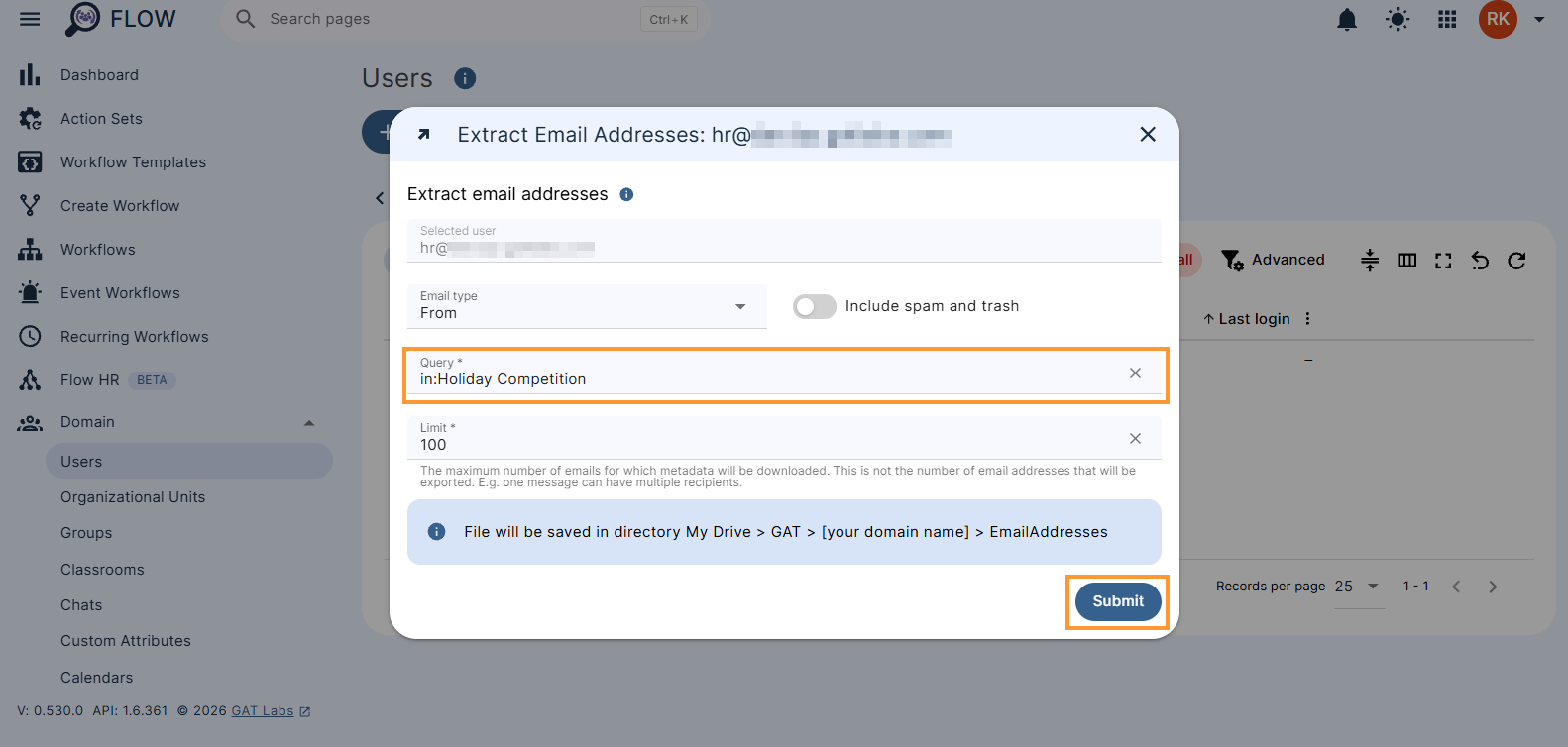
We know that the list of email addresses required is all under the label ‘Holiday Competition’, so we will put in:Holiday Competition as the query.
Set the appropriate amount of addresses to limit the export to, in this case, we will leave it at 100.
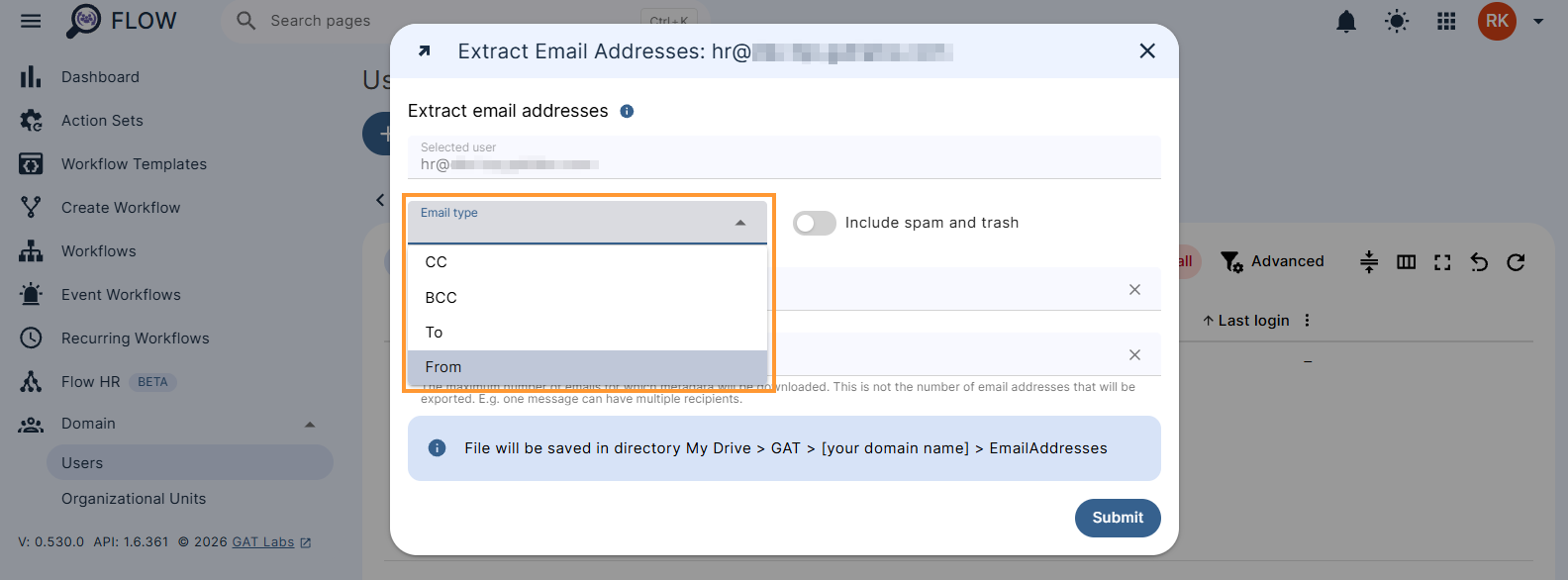
Email type – allows exporting the particular emails:
- From – extracts ‘From’ email addresses – default setting
- Cc – extracts all email addresses included in ‘Cc’ field
- Bcc – extracts email addresses included in ‘Bcc’ field
- To – extracts email addresses included in ‘To’ field
When you are finished, click Submit.
Step 3. #
The system will begin extracting the addresses in the background, depending on the amount, this may take a few seconds.
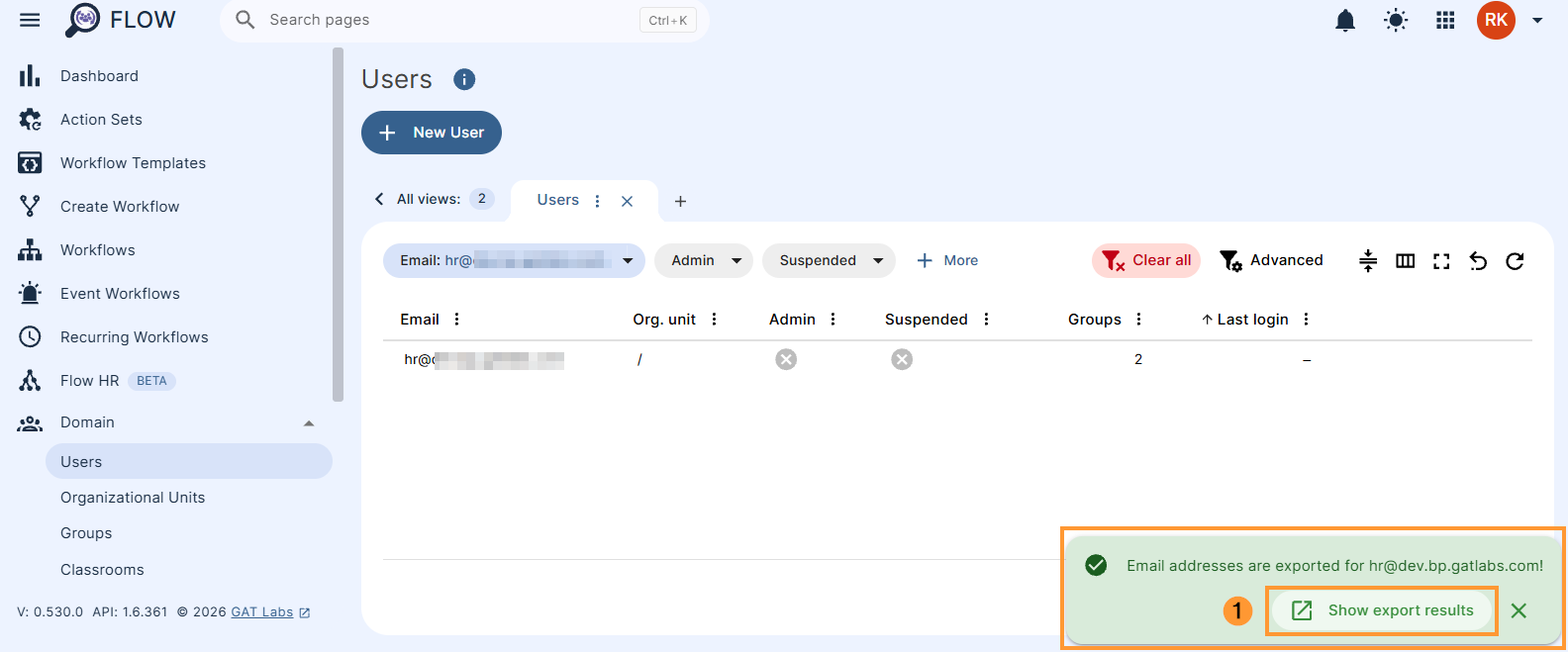
When it is finished, a green modal will appear.
 Holiday
Clicking the Show export results button in this pop-up notification will open the list of addresses in a spreadsheet in a new tab.
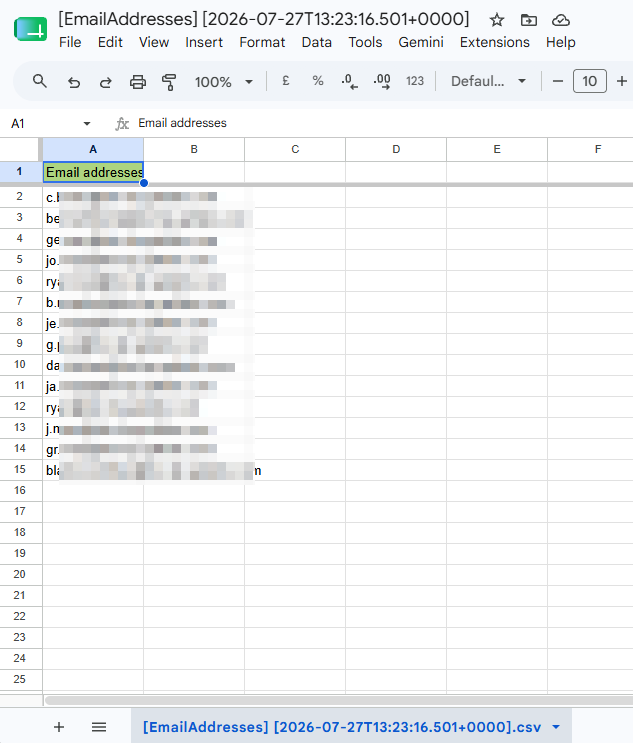
We can now send this spreadsheet back to the HR Department and they can copy the list, and paste it into the ‘To:’ field in Gmail, to send them all an email.
Click here to see how to do this step in GAT+.


